





Description
Key Technical Specifications
| Parameter | Value |
|---|---|
| Manufacturer | GE (General Electric) |
| Model Number | 04220FL11232A |
| Product Type | RXi Controller Module |
| Platform | GE Mark VI / RXi Control System (verify before purchase) |
| Supply Voltage | 24 V DC |
| Maximum Current | 3.4 A |
| Communication | Industrial Ethernet |
| Status Indication | Front-panel diagnostic LEDs |
| Cooling | Passive ventilation enclosure |
| Operating Function | Industrial controller and network communication |
| Mounting | Control cabinet / rack installation |
| Approximate Weight | 0.5 kg (varies by hardware revision) |
Product Introduction
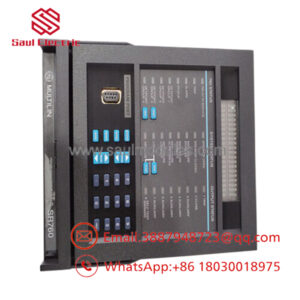
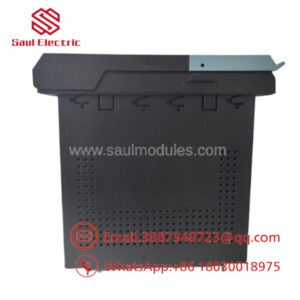
The GE 04220FL11232A is an industrial controller module used in GE Mark VI and RXi-based automation platforms for turbine control and industrial process applications. It performs controller processing, communication management, and system coordination within GE control architectures.
In field deployments, these modules are commonly selected to maintain existing installations without redesigning the control system. Before installation, verify firmware revision, platform compatibility, and hardware revision because multiple versions of this part number are referenced across legacy GE documentation and aftermarket inventories.
Troubleshooting Quick Reference
| Symptom | Possible Cause | Relevance to this Part | Quick Check Method | Recommendation |
|---|---|---|---|---|
| No LEDs after power-up | Missing 24 V DC supply | ❌ Low | Measure 24 V DC at module power input using a calibrated multimeter | Verify power supply before replacing module |
| Controller offline | Ethernet cable or network configuration | ✅ High | Check Ethernet link LEDs and network switch status | Verify IP settings and network hardware |
| Communication timeout | Firmware mismatch | ✅ High | Compare firmware revision with existing controller | Match firmware before replacement |
| Controller not recognized | Incorrect hardware revision | ✅ High | Compare catalog number and hardware revision label | Install identical revision whenever possible |
| Random communication loss | Loose connector or excessive vibration | ✅ Medium | Inspect connectors and mounting hardware | Reseat connectors and secure module |
| System fails during startup | Incorrect configuration | ✅ Medium | Review controller configuration and diagnostic logs | Reload verified configuration backup |
| Excessive temperature alarm | Restricted cabinet airflow | ❌ Low | Measure cabinet temperature and inspect ventilation | Restore cooling before replacing hardware |
Technical Note: This controller is generally reliable. In many service calls, network configuration, power quality, or firmware incompatibility causes the fault—not the hardware itself. If diagnostics remain inconclusive, provide controller photos, LED status, firmware information, and controller logs before ordering a replacement.
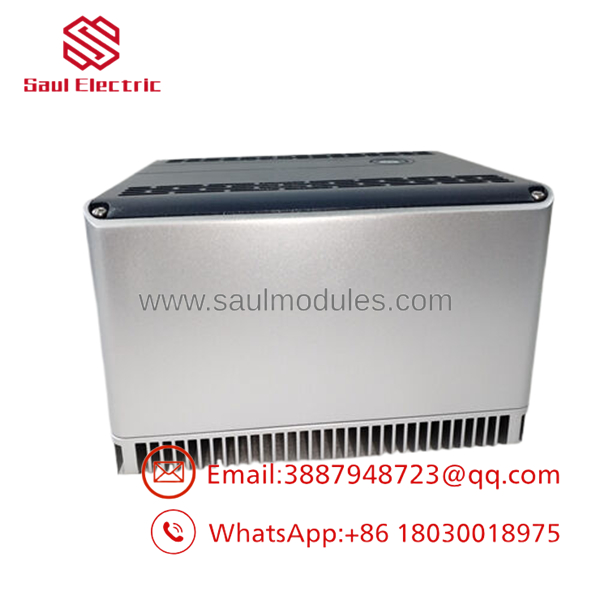
- 04220FL11232A
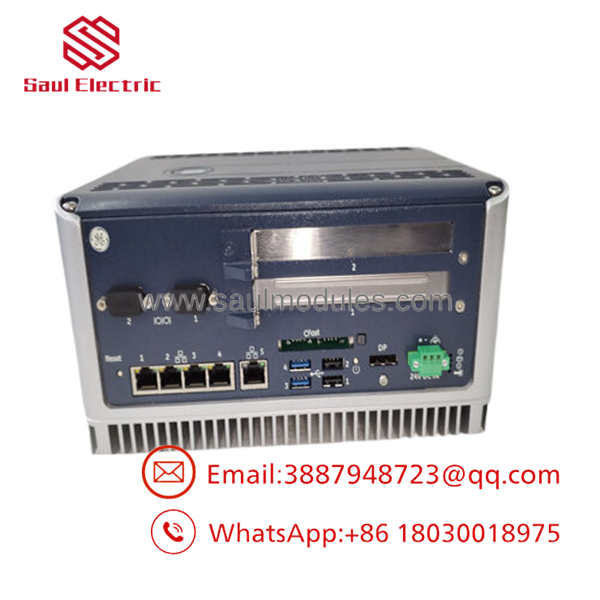
- 04220FL11232A
Frequently Asked Questions (FAQ)
Q1. Is the GE 04220FL11232A still available?
Yes. It is considered a legacy industrial automation component. Most available inventory consists of New Surplus or professionally tested surplus stock rather than current factory production.
Q2. Is this a genuine GE module?
A genuine unit should carry the original GE identification label, serial number, and matching part number. Request high-resolution photos before purchasing if authenticity is important for your maintenance records.
Q3. Can I replace the module without shutting down the system?
Generally, no.
Most Mark VI and RXi controller installations are not intended for hot swapping. Remove system power according to your site’s lockout/tagout procedure before replacing the controller. Hot swapping can damage the backplane or interrupt the running process.
Q4. Will my existing configuration remain after replacement?
Not automatically.
Back up the controller configuration and document firmware versions before removing the old module. Restoring the original configuration usually minimizes commissioning time.
Q5. Why is a New Surplus unit less expensive than buying directly from the OEM?
New Surplus inventory typically comes from unused project stock, canceled projects, or excess warehouse inventory. The hardware has never entered production service but is no longer part of the manufacturer’s standard sales channel.
Q6. What should I verify before ordering?
Verify:
- Exact model number (04220FL11232A)
- Hardware revision
- Firmware revision
- System platform compatibility
- Connector style
- Power supply capacity
- Existing communication configuration
A five-minute verification can prevent hours of troubleshooting after installation.
Q7. What warranty is typically offered?
Most reputable industrial automation suppliers provide a 12-month warranty on verified New Surplus or fully tested units, although warranty terms vary by supplier. Always request the inspection report and functional test documentation before shipment.
Quality Inspection & Testing SOP
Every GE 04220FL11232A supplied as New Surplus or Tested should undergo the following process:
- Inbound Inspection & Traceability
- Verify OEM labels, serial numbers, and packing documentation.
- Inspect for corrosion, scratches, UV discoloration, or repair marks.
- Confirm accessories and identification labels.
- Record serial numbers for traceability.
- Live Functional Testing
- Install on an in-house GE-compatible test rack.
- Verify power-up sequence and LED operation.
- Confirm Ethernet communication and controller recognition.
- Perform continuous operation for more than 24 hours while monitoring temperature.
- Generate a functional test report.
- Test photos and videos should be available upon request.
- Electrical Testing
- Insulation resistance using a 500 V Megger (>10 MΩ where applicable).
- Ground continuity verification.
- Supply voltage and current measurements using a calibrated Fluke multimeter.
- Perform dielectric testing where applicable to the module design.
- Firmware Verification
- Record installed firmware revision.
- Photograph DIP switches or hardware jumpers if present.
- Archive configuration details before shipment.
- Final QC & Packaging
- Final QC approval.
- Seal inside an ESD-safe bag.
- Protect with bubble wrap and heavy-duty corrugated packaging.
- Apply QC Passed label with inspection date.
Installation Pitfalls from the Field
❗ Firmware Revision Mismatch
A replacement controller with a different firmware revision can trigger communication failures or unexpected startup behavior.
Recommendation: Record the existing firmware before removing the old controller and request the same firmware range whenever possible.
❗ DIP Switch or Hardware Configuration
Take a photo before touching anything.
I’ve seen technicians spend an entire shift troubleshooting a controller that simply had one address switch set incorrectly. Match every switch and jumper exactly.
❗ Connector and Wiring Verification
Never reconnect wiring from memory.
Even closely related GE controller revisions may use different connector assignments or communication layouts. Compare wiring against the OEM documentation.
❗ Power Supply Capacity
Confirm that the power supply can deliver the required 24 V DC and sufficient current with at least a 20% capacity margin. Brownout conditions often appear as intermittent controller faults rather than obvious power failures.
❗ Electrostatic Discharge (ESD)
Use a grounded wrist strap whenever handling the controller.
It only takes one static discharge to damage a controller before it’s ever installed. I’ve watched expensive control cards fail immediately after power-up because basic ESD precautions were ignored.
Keep these checks in mind and you’ll avoid the majority of installation-related downtime and unnecessary module replacements.

 Start Chat


