





Description
Key Technical Specifications
| Parameter | Value |
|---|---|
| Manufacturer | GE |
| Model Number | IS220UCSAH1A |
| Platform | Mark VIe |
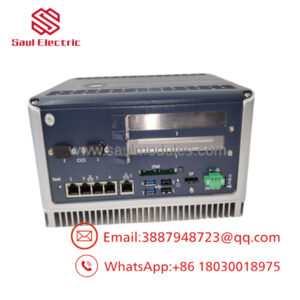
| Module Type | UCSA standalone controller module |
| Processor | Freescale PowerPC 8349, 667 MHz |
| Memory | 256 MB DDR SDRAM |
| Storage | 1 GB CompactFlash |
| Communication | 6 Ethernet interfaces |
| Serial I/O | RS-232 / RS-485 |
| Power Input | 18-36 V DC |
| Operating Temperature | 0°C to 65°C |
Product Introduction & Supply Chain Strategy
GE IS220UCSAH1A is a Mark VIe standalone controller module used to execute application logic and coordinate IONet communication in turbine and industrial control systems. It is a core controller rather than a peripheral card, so uptime and configuration integrity matter more than unit cost.
Buying this as New Surplus makes strategic sense because the part sits in a high-consequence control layer where lead time variability and replacement risk can drive expensive outages. New Surplus preserves OEM-level traceability while avoiding the failure exposure that comes with uncertain-condition alternatives.
Installation & Configuration Guide
Stage 1: Pre-Installation
Perform lock-out/tag-out and confirm the cabinet is de-energized. Use an ESD strap, insulated tools, and a camera. Photograph wiring, network ports, jumpers, and any saved configuration references before removal.
Stage 2: Removal
Disconnect network and field wiring carefully, labeling each cable as it comes off. Remove the controller straight out to avoid bending connector pins. Keep the old module until the replacement boots and communicates correctly.
Stage 3: Installation
Replicate the original wiring, network topology, and any configuration settings exactly. Seat the controller fully and secure it per cabinet procedure. Verify power, network, and I/O connections before energizing.
Stage 4: Power-On & Testing
Check DC input rails for correct voltage and no shorts before startup. Confirm status LEDs, controller boot, and communication with IONet and the host network. Validate the logic image, alarms, and control response before returning the system to service.
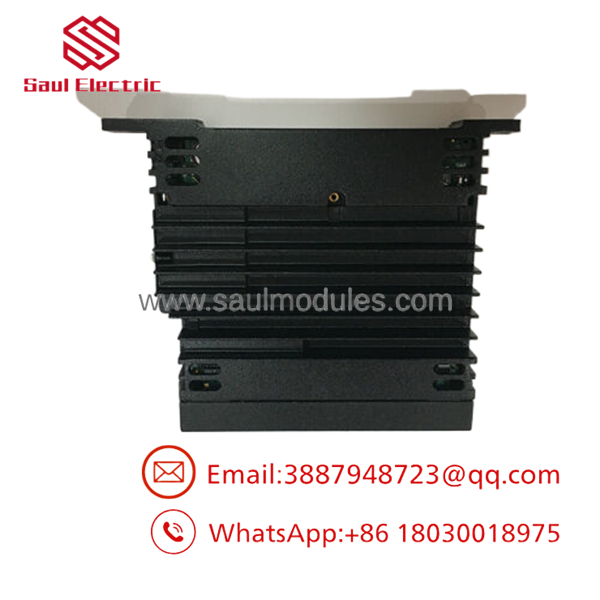
- IS220UCSAH1A
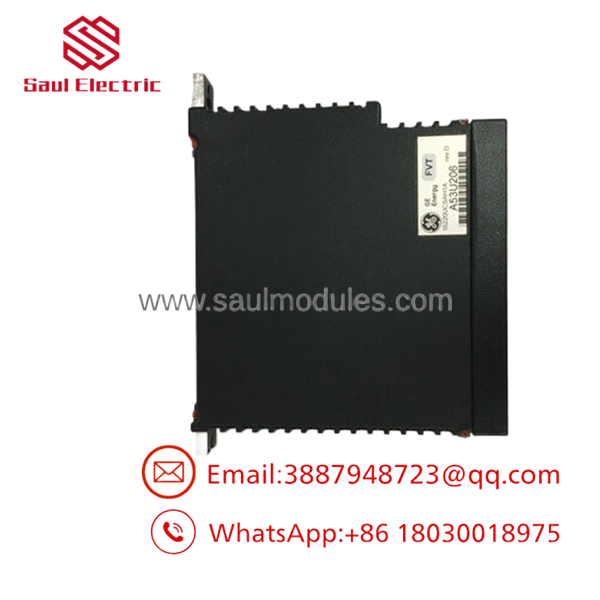
- IS220UCSAH1A
Firmware/Software Versions & Upgrade Notes
Keep the installed firmware and control image documented before any swap. The safest replacement is a like-for-like controller with matching revision history and verified settings.
Firmware changes can introduce compatibility issues with Mark VIe configuration tools, site logic, or downstream I/O behavior. Upgrading or downgrading during a maintenance event adds risk unless you have a tested rollback plan.
Frequently Asked Questions
Is this really new? The procurement position should be New Surplus / Original New, not refurbished or repaired.
Why is it cheaper than OEM new but more expensive than a refurb unit? New Surplus comes from controlled excess inventory, so it costs less than factory list pricing while avoiding the reliability risk of uncertain-condition parts.
Is this part obsolete or EOL? Treat it as a strategic legacy controller spare. Buffer stock, vendor consolidation, and last-time-buy planning are appropriate.
Can I hot-swap it? Do not assume hot-swap is safe. Isolate power, confirm zero energy, and replace it only under a controlled maintenance procedure.
Will the program stay in the module? The site logic and configuration should be backed up before removal. Always verify the restored image after installation.
What warranty terms make sense? For New Surplus control hardware, warranty should be tied to traceability, shipment testing, and functional verification. The main value is avoiding stock-outs and preserving uptime.

 Start Chat


