





Description
3. Key Technical Specifications
- Part Number: F650BFBF2G0HIE
- System: F650 Series Digital Bay Controller
- Functions: Protection, control, metering, and monitoring
- Communications: Ethernet, serial protocols (Modbus, DNP3, IEC)
- I/O Configuration: Configurable inputs/outputs per specific model variant
- Protection Elements: Overcurrent, voltage, frequency, and breaker control
- Display: Graphic display with keypad for local operation
- Mounting: Panel or 19″ rack
- Power Supply: Standard AC/DC options
- Applications: Medium voltage feeder protection and control in substations
- Compliance: Industry standards for utility protection relays
4. Product Introduction & Supply Chain Strategy
The GE F650BFBF2G0HIE is a multifunction digital bay controller and relay that integrates protection, control, metering, and monitoring for medium voltage applications. It provides comprehensive feeder management in substation environments.
Purchasing as New Surplus ensures long-term reliability for F650 deployments facing potential obsolescence. It supports buffer stock strategies, reduces stock-out incidents during maintenance, and lowers total cost of ownership compared to refurbished units that carry higher failure risks in protection-critical roles.
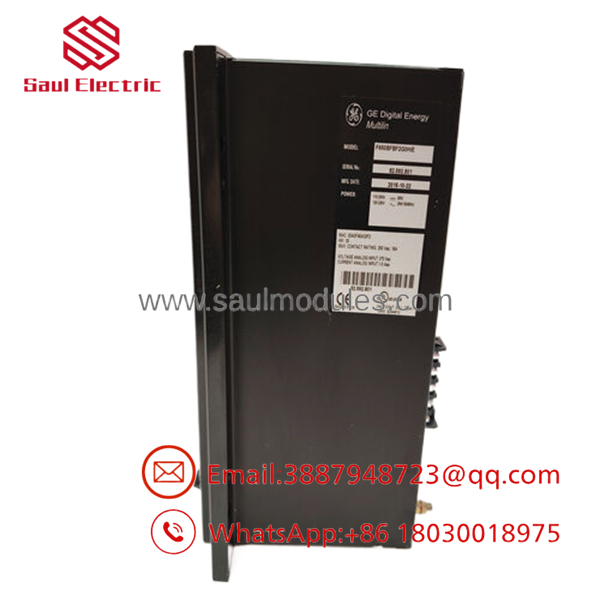
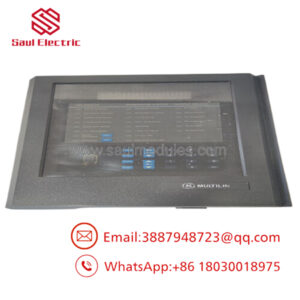
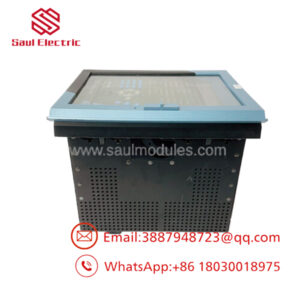
- F650 F650BFBF2G0HIE
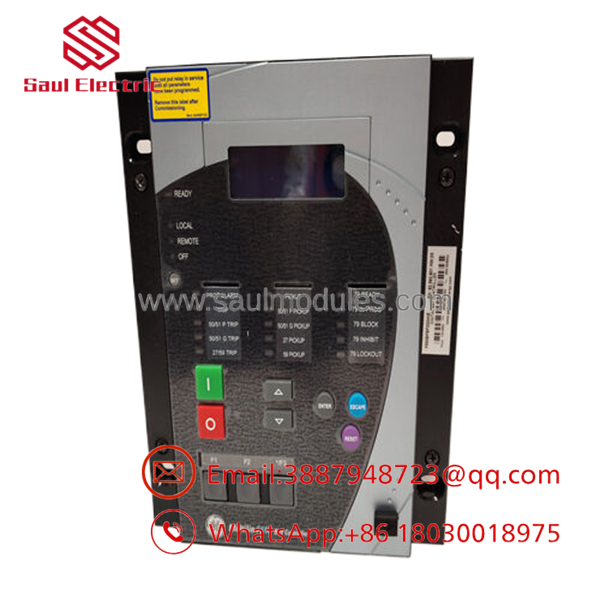
- F650 F650BFBF2G0HIE
5. Installation & Configuration Guide
Stage 1: Pre-Installation (Prep & Safety) Lock-out/tag-out associated breakers and control circuits. Use ESD protection and document existing wiring, settings, and configuration files. Take photos of terminal blocks and front panel.
Stage 2: Removal De-energize the relay. Disconnect all wiring, communication cables, and power. Remove the unit from the panel or rack.
Stage 3: Installation (Clone & Seat) Mount the new F650BFBF2G0HIE securely. Replicate all wiring terminations exactly. Connect Ethernet and serial links as required.
Stage 4: Power-On & Testing Apply power and verify self-diagnostics pass. Download or restore settings via EnerVista software. Test protection elements, metering accuracy, and communication with SCADA. Perform trip and close tests where safe.
6. Firmware/Software Versions & Upgrade Notes
The F650 uses specific firmware loaded via EnerVista software. Match the firmware version to your system requirements for full feature support and compatibility.
Firmware upgrades can add features or fix issues but require validation of all protection settings afterward. Always back up existing configurations before upgrading during a hardware swap to prevent misoperation.
7. Frequently Asked Questions (FAQ)
Q: Is the F650BFBF2G0HIE genuine New Surplus? Yes. This is an original GE unit that has never been installed, with complete quality verification and traceability.
Q: Why buy New Surplus for protection relays? Protection devices must perform flawlessly during faults. Refurbished relays risk calibration drift or hidden defects that could compromise substation safety and reliability.
Q: Is the F650 series obsolete? The platform is mature. Strategic stocking of configured units like this helps maintain existing installations while planning upgrades.
Q: What software is used for configuration? EnerVista Setup software for settings, logic configuration, and firmware management.
Q: What warranty is provided? We offer a 1 year warranty on this New Surplus bay controller for defects and operational performance.
Q: Does this model include Ethernet? Yes, the specific ordering code supports Ethernet communications for modern SCADA integration.
Q: Can it be hot-swapped? Generally requires de-energizing the circuit. Follow proper lock-out/tag-out and testing procedures for safe replacement in live substations.

 Start Chat


