





Description
Key Technical Specifications
| Parameter | Value |
|---|---|
| Manufacturer | GE Multilin |
| Model | 489-P5-LO-A20 |
| Product Type | Generator Management Relay |
| Phase CT Input | 5 A secondary (P5) |
| Control Power | 24–60 V DC or 20–48 V AC, 48–62 Hz (LO) |
| Analog Outputs | Four isolated 4–20 mA outputs (A20) |
| Communication | RS232 and RS485 |
| Generator Type | Synchronous and induction generators |
| Operating Temperature | −40 °C to +60 °C |
| Humidity | Up to 95% non-condensing |
| Drawout Construction | Yes |
| Configuration Software | EnerVista 489 Setup Software |
| Lifecycle Status | Legacy platform; succeeded by the Multilin 889 family. |
Product Introduction & Supply Chain Strategy
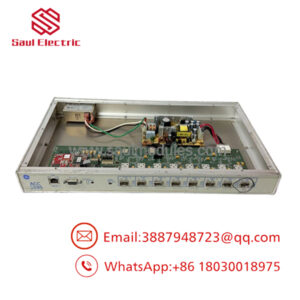
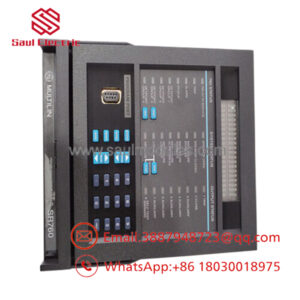
The GE Multilin 489-P5-LO-A20 is a generator management relay designed to provide generator protection, monitoring, metering, diagnostics, and control for industrial power generation systems. It supports both synchronous and induction generators while integrating protection and communications into one relay.
This product is a Brand New Surplus unit. It is not used, not pulled from a decommissioned plant, and not refurbished. All modules undergo rigorous quality verification to ensure OEM-level reliability. Since the 489 platform has been replaced by newer products, maintaining buffer stock and planning a last-time-buy strategy reduces lead time variability, minimizes stock-out risk, and lowers Total Cost of Ownership (TCO). Refurbished relays may reduce purchase cost but expose critical assets to unnecessary failure risk.
Installation & Configuration Guide
Stage 1: Pre-Installation (Prep & Safety)
- Apply lock-out/tag-out procedures.
- Verify generator and control power are fully isolated.
- Wear a grounded ESD wrist strap.
- Photograph:
- DIP switch settings
- Communication parameters
- CT and VT wiring
- Terminal connections
- Record firmware revision before removing the relay.
Stage 2: Removal
- Disconnect all field wiring.
- Release retaining hardware evenly.
- Remove the relay straight from the drawout case.
- Inspect connectors and backplane contacts for damage or contamination.
Stage 3: Installation (Clone & Seat)
- Verify the replacement part number matches exactly.
- Duplicate all DIP switch and jumper settings.
- Seat the relay completely into the case.
- Reconnect all wiring according to the documented terminal layout.
- Confirm the auxiliary power supply maintains at least a 20% capacity margin.
Stage 4: Power-On & Testing
- Verify auxiliary voltage before energizing.
- Check for control power shorts.
- Confirm RUN indicators illuminate normally and ERR indicators remain off.
- Restore configuration settings if required.
- Verify communications, analog outputs, protection elements, metering, and trip logic before returning the generator to service.
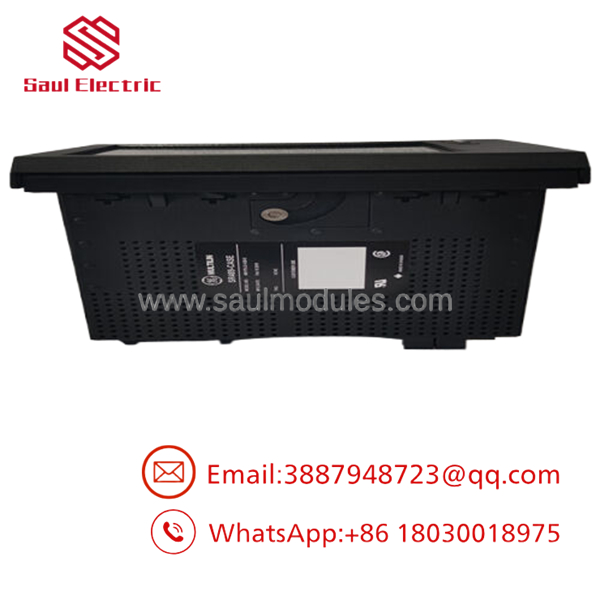
- 489-P5-LO-A20
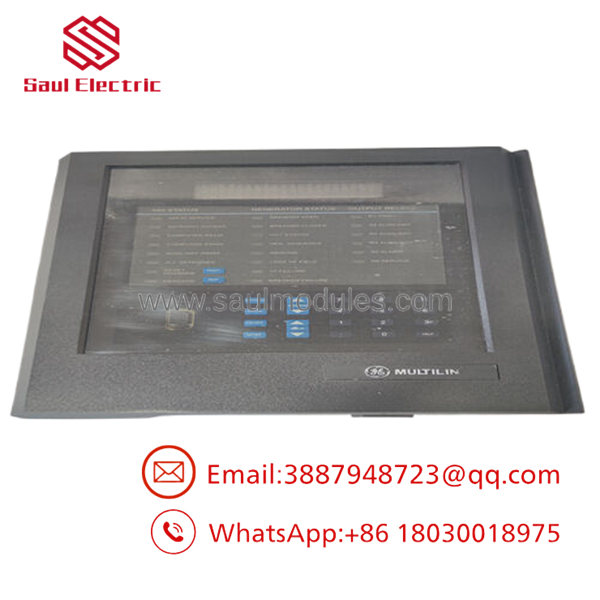
- 489-P5-LO-A20
Firmware/Software Versions & Upgrade Notes
- Recommended Software: EnerVista 489 Setup Software.
- Recommended Practice: Install a replacement relay with the same major firmware revision whenever possible.
- Compatibility: Verify compatibility with existing SCADA drivers, Modbus communications, and protection settings before commissioning.
- Upgrade Warning: Firmware changes during emergency replacement can alter protection logic, communications, and event records.
- Downgrade Warning: Never downgrade firmware unless the hardware revision specifically supports the earlier release.
- Engineering Tip: Record firmware, relay settings, and communication parameters before replacement to avoid protocol timeouts after startup.
Frequently Asked Questions (FAQ)
Q1. Are these units truly new?
Yes. Every relay is supplied as New Original (New Surplus) inventory. It is never used, repaired, or refurbished. Each unit undergoes serial verification, electrical inspection, functional testing, and ESD-safe packaging before shipment.
Q2. Why does New Surplus cost more than refurbished equipment?
New Surplus inventory is sourced from genuine OEM supply channels and offers substantially longer expected service life, typically backed by a 12–24 month warranty. Refurbished equipment may reduce initial purchase cost, but a single unexpected generator trip can exceed the purchase price many times over.
Q3. Is the 489-P5-LO-A20 obsolete?
The GE Multilin 489 family is a legacy product line and has been superseded by the Multilin 889 Generator Protection and Management Relay. Existing installations remain widespread, making lifecycle planning, buffer stock, and last-time-buy strategies important for critical facilities.
Recommended Inventory Strategy
| Item | Recommendation |
|---|---|
| ABC Classification | A – Critical Spare |
| Minimum Stock | 1 unit |
| Maximum Stock | 2 units |
| Buffer Stock | Maintain one emergency spare on-site |
| Lead Time Variability | High due to lifecycle maturity |
| Lifecycle Status | Legacy platform; replacement platform available |
| Vendor Strategy | Vendor consolidation, frame agreements, and cross-site inventory sharing |
Q4. Can the relay be hot-swapped?
No. Always isolate control power before removing or installing the relay. Hot-swapping can damage the relay, interrupt protection functions, or create unsafe operating conditions.
Q5. Will my settings remain after replacement?
Settings can be restored from a saved configuration. Always back up relay settings, document firmware revisions, and photograph all DIP switch positions before removing the existing relay.
Q6. What quality inspections are completed before shipment?
Each New Surplus relay follows a documented SOP including:
- OEM packing slip verification
- Serial number authentication
- Functional power-on testing
- Communication handshake verification
- Insulation resistance and continuity testing
- Firmware documentation
- Inspector approval
- ESD-safe packaging and reinforced export shipping
Q7. What warranty is included?
New Original (New Surplus) units typically include a 12 month warranty, depending on the purchasing agreement. Extended warranty coverage is available for customers using vendor consolidation programs or long-term strategic spare inventory agreements.

 Start Chat


