





Description
Key Technical Specifications
| Parameter | Value |
|---|---|
| Manufacturer | GE Fanuc / General Electric |
| Model | IC695CPU315-BB |
| Product Type | CPU Module |
| Series | PACSystems RX3i |
| Processor | 1 GHz Intel Celeron-M |
| User Memory | 20 MB |
| Non-Volatile Memory | 20 MB Flash/NVRAM |
| Maximum Digital I/O | Up to 32K Points |
| Maximum Analog I/O | Up to 32K Words |
| Integrated Ports | RS-232, RS-485 (model configuration dependent) |
| Backplane | PACSystems RX3i Universal Backplane |
| Operating Temperature | 0 °C to 60 °C |
| Weight | Approx. 0.5 kg |
| Program Storage | SRAM and Flash Memory |
| Real-Time Clock | Battery-backed / Energy Pack support depending on system configuration |
Product Introduction
The GE IC695CPU315-BB is a high-performance CPU module designed for the PACSystems RX3i automation platform. It serves as the central processor for demanding industrial control applications including power generation, water treatment, oil and gas, manufacturing, and process automation.
Its 1 GHz processor, large memory capacity, and support for extensive local and distributed I/O make it suitable for complex PLC applications. The CPU integrates easily with existing RX3i hardware and provides the processing capability required for large automation systems while maintaining compatibility with the PACSystems architecture.
Troubleshooting Quick Reference
| Symptom | Possible Cause | Relevance to this Part | Quick Check Method | Recommendation |
|---|---|---|---|---|
| CPU does not power up | Rack power supply failure | ❌ Low | Measure rack supply voltage before replacing CPU | Verify power supply first |
| CPU OK LED remains OFF | CPU hardware failure | ✅ High | Confirm correct backplane voltage and inspect LED sequence | Replace CPU if rack power is normal |
| PLC enters STOP mode | Program fault or memory corruption | ⚠️ Medium | Review diagnostic buffer using Proficy Machine Edition | Restore backup or reload project |
| Communication failure | Network configuration or serial settings | ⚠️ Medium | Verify Ethernet/Serial configuration and cable integrity | Confirm IP settings and protocol configuration |
| Random CPU resets | Power instability or Energy Pack/Battery issue | ⚠️ Medium | Check rack voltage and backup module condition | Inspect power quality before replacing CPU |
| I/O modules offline | Backplane or rack issue | ❌ Low | Verify adjacent modules and rack diagnostics | Inspect backplane connections |
| Watchdog timeout | Excessive scan time or program loop | ⚠️ Medium | Monitor scan time diagnostics | Optimize application logic |
Service Tip: In most field cases, power supply problems, backplane faults, or communication configuration errors are more common than actual CPU failure. Always collect diagnostic logs, LED status photos, and fault codes before replacing the processor.
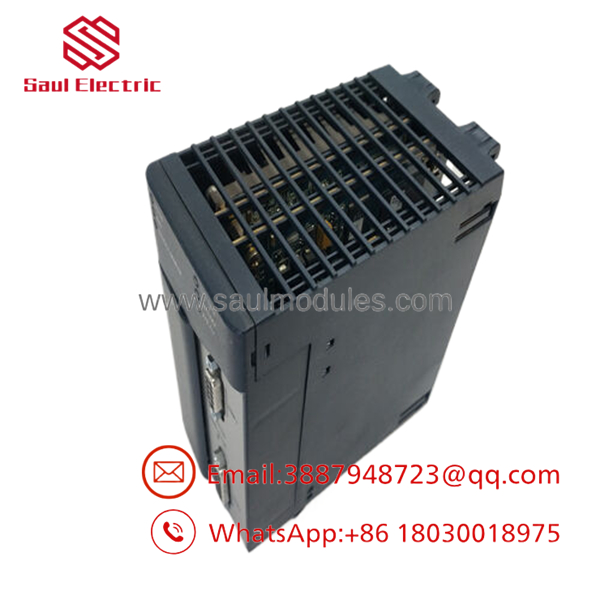
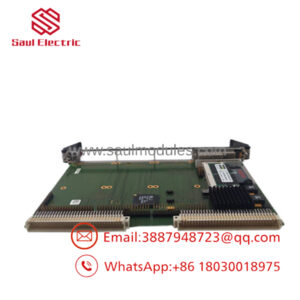
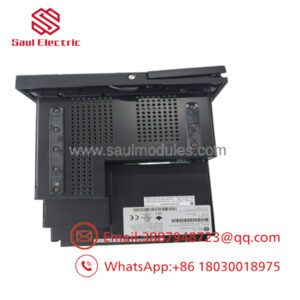
- IC695CPU315-BB
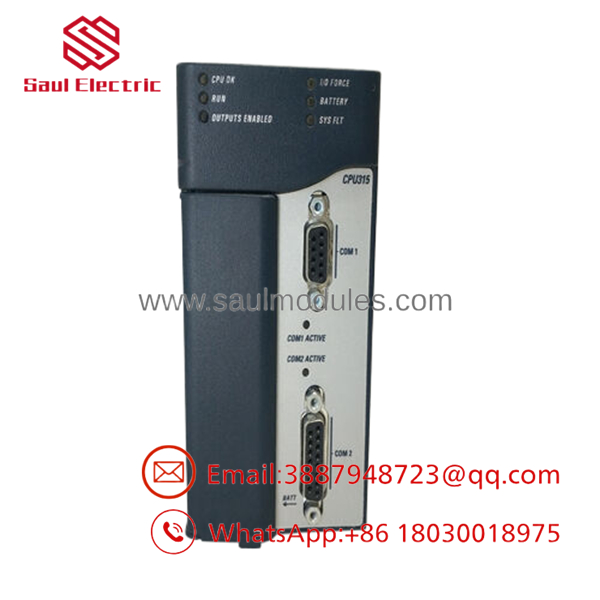
- IC695CPU315-BB
Frequently Asked Questions (FAQ)
Q1. Is the IC695CPU315-BB compatible with other RX3i modules?
Yes. It is designed for the GE PACSystems RX3i platform and supports the RX3i Universal Backplane. Always verify firmware compatibility before installation.
Q2. Can I replace an older RX3i CPU with this model?
Usually yes, provided the firmware revision, project configuration, and hardware compatibility are verified beforehand. Before removing the existing CPU, back up the project and record all hardware settings.
Q3. Can this CPU be hot-swapped?
No. Power down the rack before replacing the CPU. Removing or installing the processor while energized can damage the controller or corrupt memory.
Q4. Will my PLC program remain after replacing the CPU?
Only if a valid backup exists or the program is restored from engineering software or approved storage media. Always perform a complete backup before maintenance.
Q5. Why is a New Surplus unit less expensive than buying directly from the OEM?
New Surplus units are genuine unused inventory from excess stock or discontinued projects. They are typically supplied in original packaging but outside the manufacturer’s normal distribution channel, making them more economical while remaining suitable for industrial spare-parts inventories.
Q6. Does this product include warranty coverage?
Most reputable industrial automation suppliers provide a 12-month warranty on New Original or professionally tested surplus units. Warranty terms should be confirmed before purchase.
Q7. What should I verify before installation?
Experienced field engineers recommend checking these items first:
- Verify CPU firmware compatibility.
- Photograph all DIP switch and jumper settings before removal.
- Confirm the rack power supply has sufficient capacity.
- Inspect the backplane connectors for damage.
- Use proper ESD protection during installation.
- Back up the complete PLC application before replacing the CPU.
These simple checks eliminate the majority of commissioning problems encountered during CPU replacement.

 Start Chat


