





Description
Key Technical Specifications
| Parameter | Value / Specification |
| Microprocessor | Intel Celeron M, 1.0 GHz clock speed |
| User Memory (RAM) | 64 MB battery-backed SRAM |
| Non-Volatile Storage | 64 MB Flash user memory |
| Boolean Execution Speed | 0.047 ms per 1,000 instructions |
| Slot Width | Occupies 2 slots in universal backplane |
| Backplane Support | Dual Bus: High-speed PCI and Series 90-30 serial migration bus |
| Onboard Serial Interfaces | 1 x RS-232, 1 x RS-485 (independent ports) |
| Supported Protocols | SNP Slave, Modbus RTU Slave, Serial I/O |
| Maximum Program Blocks | 512 blocks (Maximum block size: 128 KB) |
| Discrete I/O Capacity | 32K Inputs / 32K Outputs |
| Analog I/O Capacity | 32K Inputs / 32K Outputs |
| Power Consumption | 1.0 A @ 3.3 VDC nominal; 1.2 A @ 5.0 VDC nominal |
| Operating Temperature | 0 to 60°C (32 to 140°F) |
| Primary Battery Backup | IC695ACC302 Lithium Smart Battery |
Product Introduction
The GE Fanuc IC695CPU320-CF is the central processing powerhouse for the PACSystems RX3i controller platform. Driven by a 1.0 GHz Intel Celeron M processor, this dual-slot module executes high-speed logic and floating-point math across complex, multi-axis industrial infrastructure. It handles up to 512 distinct program blocks with a lightning-fast Boolean execution rate of 0.047 ms per 1,000 instructions, making it well-suited for demanding material handling, power generation, and process engineering deployments.
What sets the IC695CPU320-CF apart is its native dual-backplane architecture. It simultaneously manages high-throughput RX3i PCI communication alongside a legacy Series 90-30 serial bus interface. This layout permits system integrators to execute a phased migration strategy, replacing outdated 90-30 processors with modern control capabilities while preserving existing, functional 90-30 I/O modules to prevent unnecessary capital expenditures.
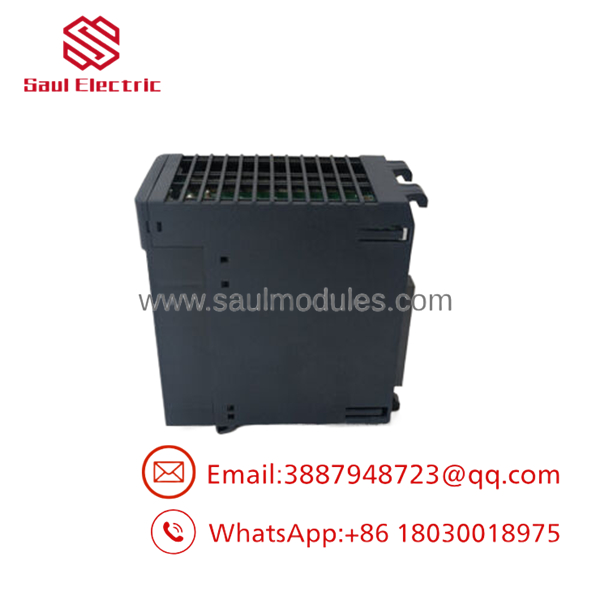
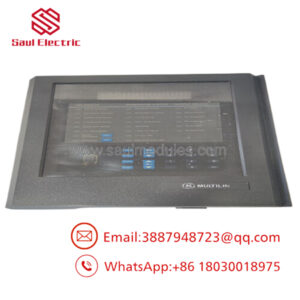
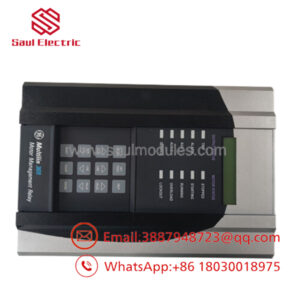
- IC695CPU320-CF
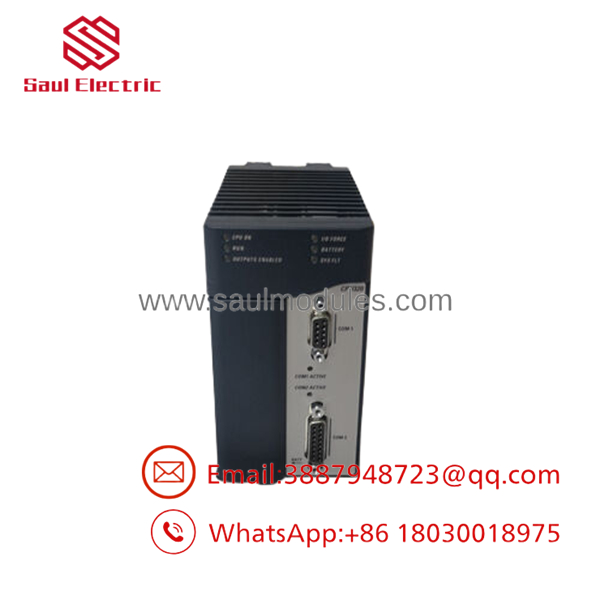
- IC695CPU320-CF
Installation & Configuration Guide
Stage 1: Pre-Installation Preparation (Estimated Time: 10 minutes)
- ⚠️ Safety First: Inform operations of impending system down-time. Ensure the process is brought to a safe, controlled state. Open upstream circuit breakers to completely isolate the rack. Wait 5 minutes for internal backplane capacitors to fully discharge before approaching hardware.
- Tools Required: Grounded ESD wrist strap, small flathead terminal screwdriver, Fluke 115 multimeter, fine-tip wire markers.
- Data Backup: Connect via Proficy Machine Edition (PME) version 5.6 or higher. Upload and save a full backup of the running logic, hardware configuration, and register values (%I, %Q, %R). Document any static IP profiles assigned to neighboring network modules.
Stage 2: Removing the Old Module (Estimated Time: 5 minutes)
- Unclip and remove the front protective bezel to access the interfaces.
- Label each serial cable plugged into the COM 1 and COM 2 serial ports before disconnecting them.
- Squeeze the top and bottom chassis locking tabs on the module simultaneously.
- Pull the module straight out of the universal backplane slots. Keep it parallel to the neighboring modules to prevent bending any of the delicate pins on the rear PCI connector.
- ⚠️ Note: Place the old processor directly into an anti-static bag. Do not discard or cannibalize it until the replacement unit has completed a full 24-hour error-free operational run.
Stage 3: Installing the New Module (Estimated Time: 10 minutes)
- Attach your ESD wrist strap to an unpainted, grounded point on the enclosure frame.
- Unpack the new IC695CPU320-CF. Check that the hardware revision and suffix codes align with your system documentation.
- Configuration Clone: Check the side panel diagram for physical jumper settings. Replicate any custom jumpers or configuration switches from the old unit.
- Align the plastic guides at the top and bottom of the rack. Slide the module smoothly into its designated two-slot footprint until the locking tabs snap firmly into place.
- Reconnect the serial communication leads to the corresponding COM ports.
Stage 4: Power-On & Testing (Estimated Time: 10 minutes)
- Pre-Power Check: Use a multimeter to verify there are no dead shorts between the 24 VDC bus and the chassis ground terminal on the power supply module.
- Re-energize the RX3i chassis power supply.
- Observe LEDs: * CPU OK should flash briefly during boot and then turn solid green.
- RUN will remain off until logic is loaded or commanded to start.
- ⚠️ Troubleshooting: If the red SYS FLT LED illuminates solid red immediately, remove power and check for a backplane seating fault or firmware incompatibility.
- Open Proficy Machine Edition, establish an online connection via the serial port or an adjacent Ethernet module, and verify the CPU firmware version matching. Download the archived logic file and transition the controller back to RUN mode.
Frequently Asked Questions (FAQ)
Can I hot-swap this module under power if a rack power supply is active?
No, you cannot hot-swap the IC695CPU320-CF module. Pulling a primary processor while the backplane is energized breaks active PCI bus traces, which can easily induce an electrical arc or voltage spike that permanently ruins the backplane channels and destroys neighboring option cards. Always completely isolate the rack power supply before extracting or inserting a CPU.
Is this model obsolete, and is it genuinely new?
The variant has been largely superseded by newer Ethernet-enabled PACSystems controllers (such as the CPE330 series). However, our units are New Original / New Surplus stock. They have never been deployed in an active plant environment and are kept in climate-controlled storage to maintain the integrity of internal components.
What is the direct replacement if this specific part number is out of stock?
The standard IC695CPU320 (without the -CF suffix) is functionally identical and serves as a direct drop-in replacement. If you require built-in RJ45 network interfaces rather than relying solely on separate option modules, look at migrating to the IC695CPE310 or IC695CPE330, though these will require a slight modification to your hardware configuration file inside Proficy Machine Edition.
Will I lose my programming logic when I pull the old CPU?
Yes, the volatile application memory (SRAM) inside the CPU will clear once backplane power is removed unless a healthy, unexpired IC695ACC302 Lithium Smart Battery is actively connected to the card. Because you cannot rely on battery condition during an emergency swap, always upload and archive your program from PME before unseating the module.
Why is your price lower than the OEM factory list price?
As an independent industrial automation supplier, we source surplus, overstock, and project-canceled inventory directly from system integrators, plant upgrades, and distribution liquidations. By bypassing traditional multi-tier distributor markups, we can pass these direct cost savings along to plant maintenance teams and procurement managers without sacrificing technical component quality.

 Start Chat


