





Description
Product Introduction
The GE Fanuc IC754VSF12CTD is a 12.1-inch industrial operator interface terminal belonging to the QuickPanel View family. Designed for mounting in control cabinet doors, it serves as the central visualization hub for machine control, process sequencing, and system diagnostics in harsh factory floor environments.
Featuring an 800 x 600 SVGA color TFT liquid crystal display with an analog resistive touch screen, the IC754VSF12CTD runs on the Microsoft Windows CE operating system. It interfaces seamlessly with PACSystems (RX3i, RX7i), Series 90-30, Series 90-70, and third-party PLCs (Allen-Bradley, Modicon, Siemens) via onboard 10/100 Ethernet and multi-protocol RS-232/RS-485 serial ports.
Key Technical Specifications
| Parameter | Value |
| Display Type & Size | 12.1-Inch Active Matrix Color TFT LCD |
| Resolution | SVGA (800 × 600 pixels) |
| Touchscreen Type | Analog Resistive Touch Screen Overlay |
| Operating System | Microsoft Windows CE |
| Input Voltage | 24 VDC (18 to 30 VDC operating range) |
| Power Consumption | ~30 Watts nominal |
| Ethernet Port | 1 × 10/100Base-TX RJ-45 Port |
| Serial Ports | RS-232 / RS-422 / RS-485 Configurable Ports |
| Expansion & Storage | CompactFlash (CF) Card Slot & USB Host Ports |
| Enclosure Rating | NEMA 4X / IP65 Front Bezel (when panel mounted) |
Application Scenarios & The “Trench” Experience
When an HMI display fails in a critical cell, operators lose all visibility into system pressures, temperatures, and alarm states. Machine cycles often pause automatically due to heartbeat loss between the HMI runtime and the primary PLC.
- Automotive Stamping & Assembly Lines – Displaying real-time part counts, cycle times, and fault diagnostics to line supervisors.
- Material Handling & High-Bay Warehousing – Serving as the primary interface for crane controllers, sorter belts, and conveyor loops.
- Packaging & Palletizing Cells – Allowing operators to modify recipe parameters, acknowledge alarms, and manual-jog servo axes.
Field Case Study: A plastic injection molding plant experienced a total screen blackout on an IC754VSF12CTD unit due to backlight inverter degradation after 10 years of continuous operation. Replacing the terminal with a pre-tested unit and transferring the application runtime file via a CompactFlash card restored full operator control in under 20 minutes, avoiding a multi-hour machine teardown.
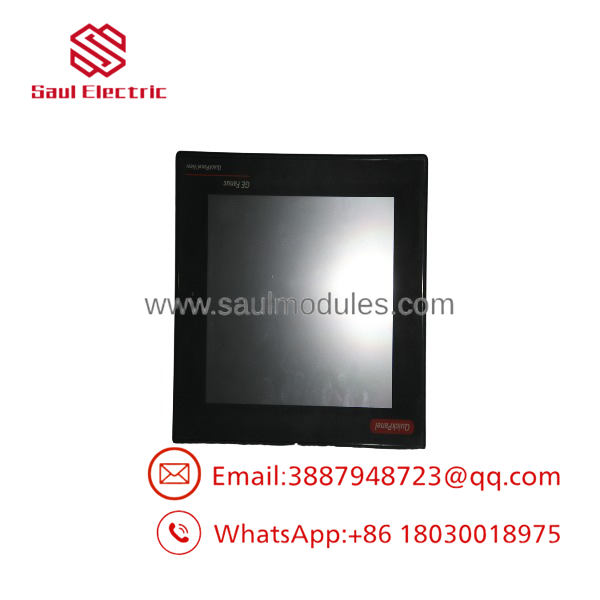
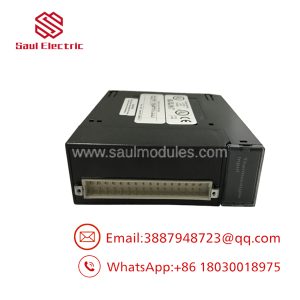
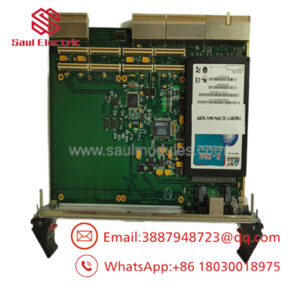
IC754VSF12CTD
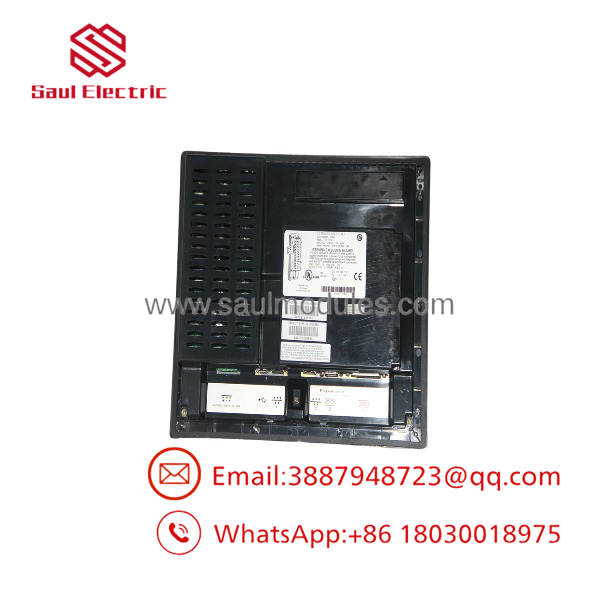
IC754VSF12CTD
Transparency SOP: Quality Assurance & Testing
Industrial HMIs undergo intensive physical, display, and touch-calibration checks before approval for field installation.
- Inbound Mechanical Inspection: Check aluminum housing, panel mounting gasket, bezel corners, terminal block screws, and rear connector pins.
- Display & Backlight Audit: Inspect screen brightness, color uniformity, and contrast; verify zero dead pixels or backplate discoloration.
- Touchscreen Calibration: Perform a multi-point grid alignment test across the full resistive overlay to ensure fast touch response and zero drift.
- Communication & Port Check: Download a test runtime project via Ethernet; verify RS-232/RS-485 serial communication loopback with a PACSystems RX3i test rack.
- ESD Packaging & Display Protection: Apply a protective film overlay across the glass screen, wrap in an anti-static bag, and package inside dense foam boxes.
The Veteran’s Tech Trap Guide (Crucial Value-Add)
⚠️ Backup Your Runtime (.X2M / .PRO) Project! Windows CE terminals store application files in internal flash memory. Always back up your project configuration using Proficy Machine Edition (PME) or via a CompactFlash card to ensure you have a copy ready if the terminal hardware ever needs emergency field replacement!
❗ Observe Correct 24 VDC Power Polarity! The IC754VSF12CTD operates strictly on 24 VDC input power. Swapping the positive (+24V) and negative (DC Ground) leads on the rear terminal block can blow the internal protection fuse or damage the internal power board.
⚠️ Use Screen Protectors in Grimy Environments: In food processing, machining, or chemical environments, oil overspray and harsh cleaning solvents can cause the outer resistive touch membrane to delaminate. Applying an overlay film dramatically extends touch screen lifespan.
Frequently Asked Questions (FAQ)
Q: What programming software is used to configure the IC754VSF12CTD?
A: Project files and screen layouts are created using GE Fanuc / Emerson Proficy Machine Edition (PME) View or legacy QuickPanel software.
Q: Can I load my project onto the IC754VSF12CTD using a USB flash drive or CompactFlash card?
A: Yes! You can transfer the compiled runtime project file directly via a CompactFlash card or USB drive through the unit’s onboard expansion slots without needing a direct serial/Ethernet connection.
Q: Is the direct-drop compatible with older QuickPanel Jr. or 10.5″ units?
A: It replaces older 12″ QuickPanel units, but cut-out dimensions should always be double-checked against your cabinet panel cutout before installation.
Q: What should I do if the touchscreen becomes unaligned with my touches?
A: Boot into the Windows CE control panel using a USB mouse or keyboard, navigate to the Touch Screen calibration tool, and re-calibrate the screen grid points.
Q: What warranty is provided with this unit?
A: All new surplus and fully bench-tested pre-owned HMI terminals supplied from our stock carry a full 12-month replacement warranty.

 Start Chat


