





Description
Key Technical Specifications
| Parameter | Value |
|---|---|
| Part Number | IS215UCCCM04A |
| Brand | GE |
| Series | Mark VIe / Speedtronic |
| Product Type | CPCI / VME controller card |
| Primary Function | Turbine control processor |
| Memory | 128 MB flash, 256 MB DRAM |
| Network Interfaces | Six Ethernet ports |
| Platform Role | Main controller assembly in Mark VIe architecture |
| Cooling | Integrated heat dissipation hardware |
| Lifecycle Status | Legacy / obsolescence-sensitive |
| Stocking Strategy | Keep 1-2 units on site for critical assets |
| Condition | New Surplus / Original New |
Product Introduction & Supply Chain Strategy
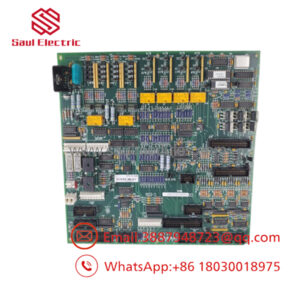
The GE IS215UCCCM04A is a Mark VIe controller card used in turbine control systems. It handles core processing and network communication for GE Speedtronic applications, making it a high-impact component in gas or steam turbine automation cabinets.
Buying this as New Surplus is a smart TCO move for legacy assets. It reduces stock-out risk, shortens recovery time during failures, and avoids the hidden cost of uncertain-condition replacements when lead time variability is high.
Installation & Configuration Guide
Stage 1: Pre-Installation
- Apply lock-out/tag-out and confirm the cabinet is de-energized.
- Use an ESD wrist strap and insulated tools.
- Photograph the card, cabling, network ports, and any configuration jumpers before removal.
- Verify the exact part number and revision against the installed controller.
Stage 2: Removal
- Shut down the turbine control system using the approved sequence.
- Label every connector before disconnecting it.
- Remove the card evenly to avoid bending pins or damaging sockets.
- Inspect the connector area and cooling surfaces for heat, corrosion, or contamination.
Stage 3: Installation
- Match the replacement card to the documented original configuration.
- Reconnect every cable exactly as recorded.
- Seat the card fully and secure it with the proper fasteners.
- Confirm network and backplane connections are tight before power-up.
Stage 4: Power-On & Testing
- Check the 24 V supply and associated rails for shorts before energizing.
- Power up and verify normal LED status.
- Confirm Ethernet link activity and controller startup behavior.
- Load or verify the correct application and perform a controlled functional test.
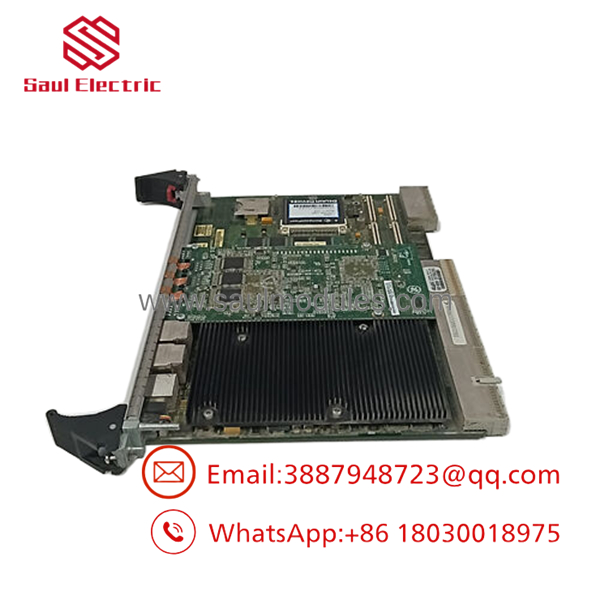
- IS215UCCCM04A
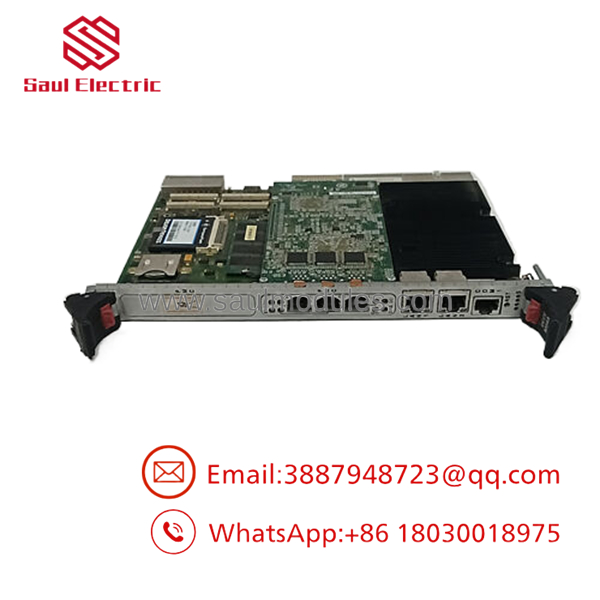
- IS215UCCCM04A
Firmware/Software Versions & Upgrade Notes
This controller should be matched to the existing Mark VIe software and firmware baseline already running at the site. A mismatch can interrupt communications, startup sequencing, or controller recognition.
Avoid upgrades or downgrades during a hardware swap unless compatibility is already documented and rollback is available. For legacy turbine control, the safest approach is a like-for-like replacement with firmware and configuration preserved.
Frequently Asked Questions
Q: Is this part really New Surplus?
A: It should be sold as New Surplus / Original New, not refurbished. That means it comes from secured legacy inventory with traceability, not from a repair cycle.
Q: Why is it cheaper than OEM new but not as cheap as refurb stock?
A: New Surplus usually comes from excess inventory or project closeout channels. That lowers price versus OEM list while keeping a much stronger reliability profile than uncertain-condition parts.
Q: Is IS215UCCCM04A obsolete?
A: Yes, treat it as a legacy Mark VIe spare with obsolescence risk. Critical sites should keep buffer stock and plan for last-time-buy coverage.
Q: Can it be hot-swapped?
A: Do not assume hot-swap is safe. Controller cards should be handled under a controlled outage unless the site procedure explicitly allows otherwise.
Q: Will my settings transfer automatically?
A: No. Record the existing firmware, network settings, and application state before replacement. The new card should mirror the original setup exactly.
Q: What warranty terms are typical?
A: New Surplus industrial parts often carry vendor-backed warranty coverage, but the exact term depends on the supplier. Confirm warranty length, return policy, and serial traceability before purchase.

 Start Chat


