





Description
Key Technical Specifications
| Parameter | Value |
|---|---|
| Manufacturer | GE |
| Model Number | IS215UCVEM06A |
| Series | Mark VI |
| Product Type | Universal controller module |
| Processor | Intel Celeron, 300 MHz |
| Memory | 128 MB flash memory |
| Operating System | QNX |
| Ethernet | 10BaseT / 100BaseTX, RJ-45 |
| Analog Output Current | 0-20 mA |
| Operating Temperature | -30 to 65 C |
| Lifecycle Status | Legacy spare / obsolescence risk |
| Condition | New Surplus / New Original |
Product Introduction & Supply Chain Strategy
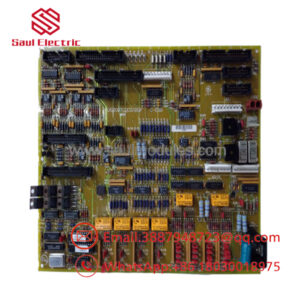
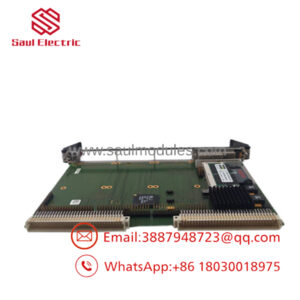
GE IS215UCVEM06A is a Mark VI universal controller module used in Speedtronic turbine control systems. It handles real-time control, data acquisition, and communications inside the rack, so it sits at the center of system availability and response.
Buying this as New Surplus makes solid supply-chain sense for an aging control platform. It lowers Total Cost of Ownership, reduces lead time variability, and protects against stock-out incidents without exposing the plant to the reliability risks that come with uncertain source parts.
Installation & Configuration Guide
Stage 1: Pre-Installation
Apply lock-out/tag-out and verify the cabinet is fully de-energized. Use an ESD strap, insulated tools, and a camera to document the module face, connector positions, wiring, jumpers, and any configuration labels before removal. Confirm the replacement part number and revision match the installed unit.
Stage 2: Removal
Disconnect all cabling carefully and pull the module straight out of the rack. Avoid twisting the board or forcing the backplane connector. Inspect the slot, pins, and adjacent hardware for dust, corrosion, or heat damage.
Stage 3: Installation
Install the replacement in the same slot and reconnect every cable exactly as documented. Mirror any jumper or board settings from the removed unit. Seat the module evenly and secure it before power is restored.
Stage 4: Power-On & Testing
Check supply rails and verify there are no shorts before energizing the cabinet. Power up and confirm the module boots normally, then validate Ethernet communication, analog outputs, and control loop response. Record alarms, confirm stable operation, and return the system to service only after testing.
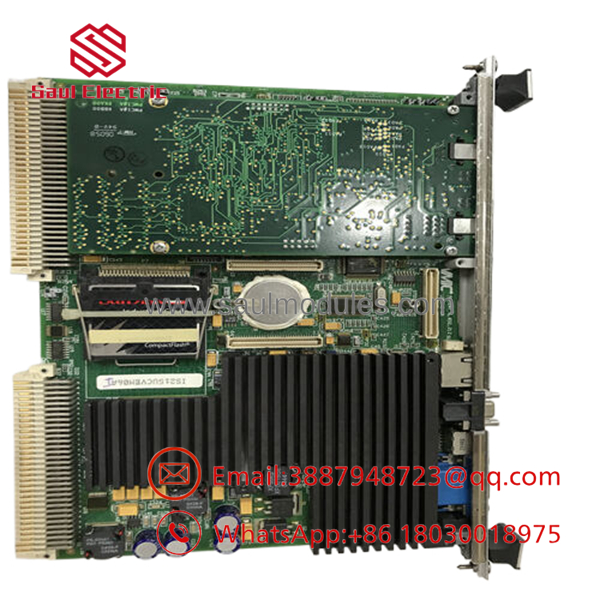
- IS215UCVEM06A
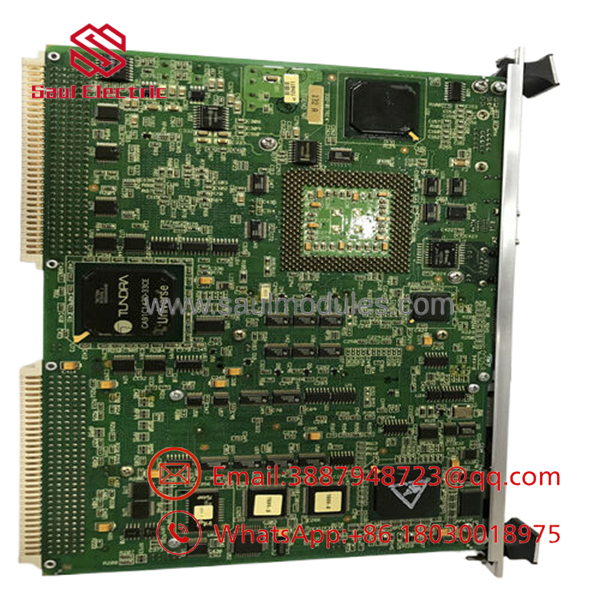
- IS215UCVEM06A
Firmware/Software Versions & Upgrade Notes
This module runs on QNX and is tied closely to the Mark VI system configuration. The safest approach is to match the installed firmware and software environment rather than changing versions during a spare swap.
Avoid upgrading or downgrading during an urgent replacement unless the site has already validated that path. Version mismatches can create boot issues, communication faults, or control instability.
Frequently Asked Questions
Is this really New Surplus? Yes. The correct procurement position is New Surplus / New Original, meaning genuine OEM inventory rather than a rebuilt or repaired unit.
Why is the price lower than OEM new but higher than lower-cost listings? New Surplus usually comes from excess inventory. It preserves OEM origin and lower lifecycle risk without the full OEM list price.
Is IS215UCVEM06A obsolete? Treat it as a legacy Mark VI spare with lifecycle risk. For critical turbine assets, keep buffer stock and plan for last-time-buy coverage.
Can I hot-swap it? Do not assume hot-swap capability. Controller modules should be isolated before service to avoid faults or loss of control.
Will the program transfer automatically? No. Document the software version, wiring, and board configuration before removal so the replacement can be restored correctly.
What warranty should I expect? New Surplus industrial spares typically carry limited supplier warranty coverage, often 1 year depending on source and contract terms. Confirm the exact warranty before purchase.

 Start Chat


