





Description
Key Technical Specifications
| Parameter | Value |
| Manufacturer | General Electric (GE) |
| Part Number | IS220PPDAH1B |
| Functional Acronym | PPDA |
| Revision Level | H1B (Group 1, Second-Generation Component Profiling) |
| Processor Type | Internal high-reliability embedded microcontroller |
| Network Interfaces | Dual redundant 10/100Base-TX RJ-45 Ethernet ports |
| Monitored Variables | Bus DC voltages, AC frequency, ground faults, fuse health statuses |
| System Integration | Mounts directly onto SPDF, JPDF, or BPDR terminal blocks |
| Input Supply Voltage | 28 V DC standard system control power |
| Operating Temperature | −30 to +65°C |
Product Introduction
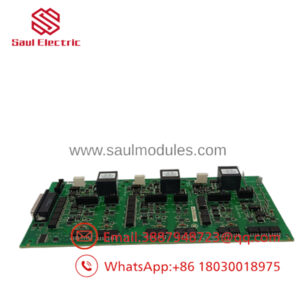
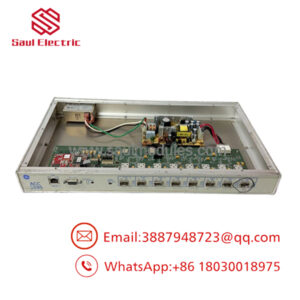
The GE IS220PPDAH1B is a Power Distribution Application (PPDA) I/O pack developed for the Mark VIe control architecture. This specialized module acts as the localized intelligence interface for the cabinet power infrastructure, monitoring real-time voltage levels, ground faults, AC network frequencies, and circuit breaker/fuse statuses before delivering the data to the central control processors over an Ethernet highway.
Equipped with dual redundant Ethernet interfaces, the IS220PPDAH1B fits cleanly onto legacy power terminal boards like the SPDF or JPDF frameworks via a high-density connector interface. By collecting data and processing diagnostics directly at the distribution point, it isolates system processors from noise spikes and tracks transient power anomalies that could destabilize turbine grid-synchronization components.
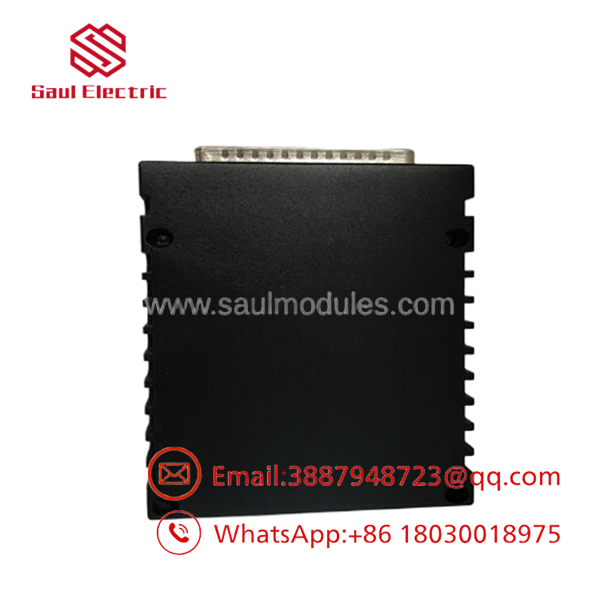
- IS220PPDAH1B
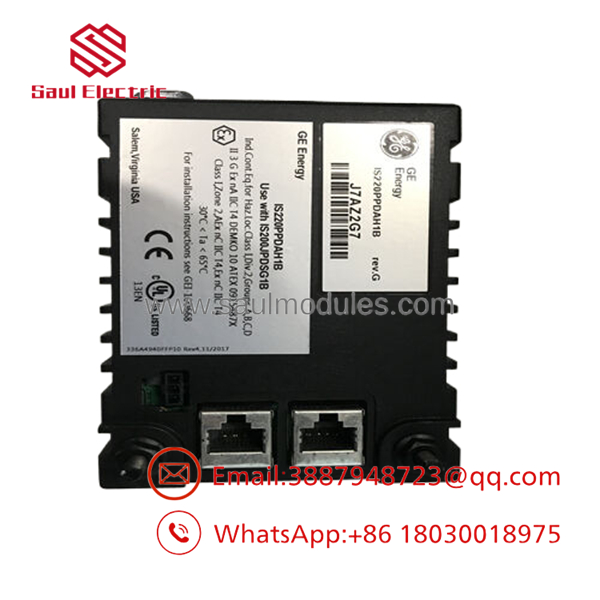
- IS220PPDAH1B
Installation & Configuration Guide
Stage 1: Pre-Installation Preparation
- ⚠️ Safety First: The PPDA pack interfaces directly with critical power distribution hardware. While the control network can tolerate single-channel dropouts, manual interference on active power distribution blocks can disrupt cabinet energy routing. Ensure you isolate the specific sub-feed powering this diagnostic node. Verify the absence of loose or floating grounds within the cabinet structure using a digital multimeter.
- Tools Required: Grounded anti-static (ESD) wrist strap, static-shielding mat, 3mm flathead screwdriver, and an Ethernet port ping tool.
- Data Backup: Before replacing the pack, open the ToolboxST application. Document the MAC address, primary IP configurations, subnet allocations, and IONet channel assignments associated with the device node.
Stage 2: Removing the Old Module
- Connect your grounded ESD wrist strap to a bare metal chassis point on the cabinet rack framework.
- Unplug the dual RJ-45 IONet Ethernet cables from the faceplate, using label wrap to maintain proper channel separation (IONet A vs. IONet B).
- Loosen the captive mounting screws that secure the PPDA pack body to the mating terminal board.
- Pull the module straight outward from the terminal board connector header to avoid bending the multi-pin connector arrays.
- ⚠️ Note: Inspect the pin sockets on the terminal board for carbon tracking or thermal stress before preparing the new assembly.
Stage 3: Installing the New Module
- Keep the replacement IS220PPDAH1B card inside its anti-static packaging until the target mounting location is clean.
- Configuration Clone (Crucial): Visually compare the revision labels. The “H1B” suffix signifies updated structural components but preserves backward compatibility. Ensure that the electronic ID matches your active engineering specification sheet.
- Align the rear connector plug of the PPDA pack with the matching pin matrix on the distribution terminal board. Push the pack inward until it seats firmly against the block.
- Tighten the captive faceplate mounting screws to secure the frame assembly against high-frequency physical vibration.
- Reconnect the labeled IONet Ethernet cables to their designated RJ-45 ports.
- Self-Checklist:
- [ ] Pack is pushed flush against the terminal block matrix.
- [ ] Captive screws are hand-secured to ground the outer shielding casing.
- [ ] Redundant network cables are locked into their correct IONet ports.
Stage 4: Power-On & Testing
- Re-apply auxiliary control power to the power distribution framework.
- Monitor the diagnostic LEDs on the module faceplate: the Power indicator must light up green, and the Attn/Fault lamp should clear once initialization finishes.
- Launch ToolboxST, navigate to the I/O configuration dashboard, and verify that the system detects the new pack. If the unit uses dynamic address assignments, configure the new hardware device ID code to link the telemetry data.
- Run an system diagnostic audit to verify that live system parameters—such as bus voltage levels and fuse indicators—read correctly without generating communications errors.
- ⚠️ Troubleshooting Note: If the software throws an configuration mismatch alarm or reports an offline state on both IONet ports, verify that the MAC address entered in ToolboxST matches the printed label on the side of the new casing.
Frequently Asked Questions (FAQ)
Can I hot-swap this PPDA pack while the Mark VIe cabinet is powered up?
Yes, the is designed to support hot-swapping under live power, provided the system is running a redundant IONet network and you do not disturb the main power terminal lines below the board. Removing the pack temporarily stops the transmission of power diagnostic data to the controllers, but it does not interrupt the actual flow of physical current through the distribution blocks. Always follow standard site guidelines before handling live panels.
What is the purpose of the dual Ethernet ports on the pack faceplate?
The dual RJ-45 connections provide redundant interfaces to the Mark VIe system’s internal Ethernet Global Data (EGD) framework, known as IONet. The pack publishes diagnostic values onto both channels simultaneously. If one network switch fails or an individual cable breaks, the central controllers continue to receive uninterrupted power telemetry from the second path, preventing a blind spot in your system diagnostics.
Does the retain its internal software logic when powered down?
The application logic, scaling calculations, and communications firmware reside permanently in the module’s non-volatile flash memory. However, specific network identifiers, including the node IP assignment and system configuration details, are pushed down from the master controller upon startup based on the device ID and MAC address validation rules established within ToolboxST.
What should I check if the internal temperature sensor logs a high-temperature alarm?
The PPDA pack features an onboard internal thermal sensor that flags an alarm if internal temperatures exceed 80°C. If this diagnostic warning activates, use an infrared thermal camera to check the terminal block below the pack. A loose screw connection on a high-current bus line can generate localized heat that conducts upward into the pack housing.
Why choose New Surplus modules over factory repair options?
Opting for a New Surplus module allows maintenance teams to avoid long lead times associated with OEM repair programs. These factory-original modules are kept in climate-controlled environments and undergo complete structural, continuity, and network communication loops testing to verify they are ready for immediate installation during an outage window.

 Start Chat


