





Description
Key Technical Specifications
| Parameter | Value |
|---|---|
| Functional Acronym | PTUR (Turbine Specific Primary I/O Pack) |
| Hardware Variant | H1A (First generation high-density series execution) |
| Operating System | Embedded QNX real-time operating system engine |
| Speed Sensor Inputs | 4 x Magnetic Speed Pickup channels (passive or active pulses) |
| Speed Input Frequency Range | 2 Hz to 20,000 Hz tracking capability |
| Synchronization Loops | 1 x Single-phase generator and bus voltage synchronization tracking interface |
| Breaker Interfaces | Direct processing links for generator circuit breaker status tracking |
| Communication Ports | 2 x Redundant 10/100BaseT RJ45 Ethernet ports (ENET1 / ENET2) |
| System Input Power | Nominal 28 V DC (Range: 18 to 32 V DC; 0.5 A maximum draw) |
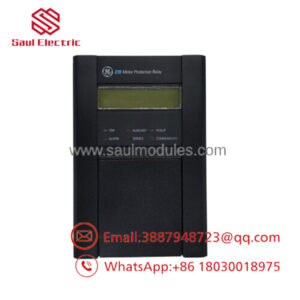
| Local Diagnostic Matrix | Faceplate LED cluster: PWR, ATTN, ENET1 Link, ENET2 Link |
| Compatible Terminal Boards | IS200TTURH1C, IS200TTURH1D (Simplex or TMR configurations) |
| Operating Temperature | −30 to +70 °C (−22 to 158 °F) structural enclosure limits |
Product Introduction
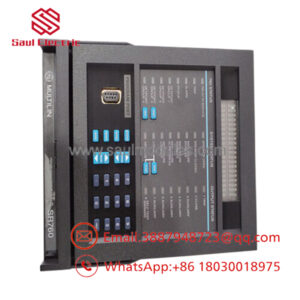
The GE IS220PTURH1A is a highly specialized Turbine Specific Primary Input (PTUR) Pack manufactured by GE Energy for the PACSystems Mark VIe Speedtronic turbine control architecture. Operating as a critical distributed automation node, this module mounts directly to local terminal cards to handle the core electromechanical telemetry of steam and gas turbines—specifically measuring shaft rotational speed, tracking utility grid synchronization, and monitoring circuit breaker trip status.
Internally, the PTURH1A features an embedded microprocessor running a deterministic real-time QNX operating system. The board digitizes input pulse arrays from up to 4 magnetic speed pickups across a broad range of 2 Hz to 20,000 Hz, transferring this critical overspeed data directly to master control racks via redundant Ethernet backbones. To ensure continuous operation on hot turbine decks, the unit incorporates dedicated soft-start power isolators and physical thermal tracking sensors to protect against localized power surges.
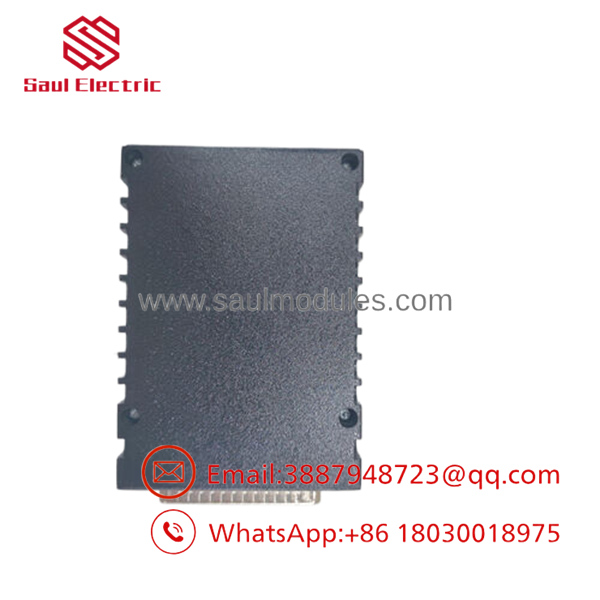
- IS220PTURH1A
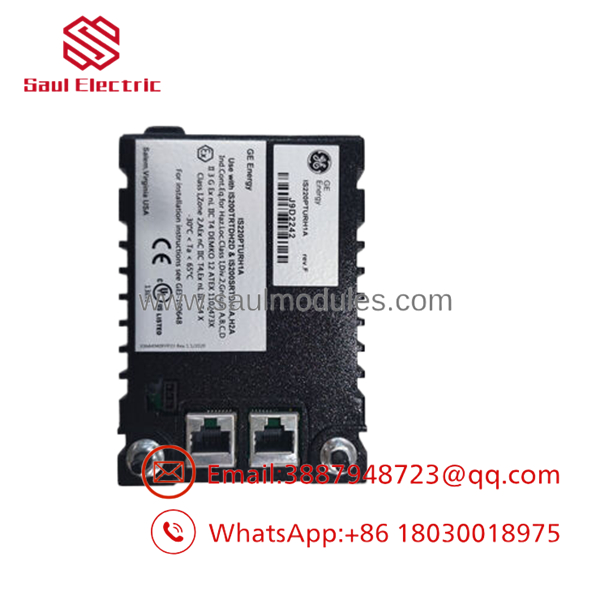
- IS220PTURH1A
Installation & Field Swap Guide
Stage 1: Pre-Installation Preparation (Estimated Time: 15 minutes)
- ⚠️ Safety First: Prior to servicing, place the turbine’s primary overspeed trip protection loops and automatic generation synchronizers into manual bypass. Pulling or inserting a PTUR pack while active can cause ghost overspeed trips or crash the automatic synchronizer sequence.
- Tools Required: Grounded static-dissipative ESD wrist strap, small flat-head positioning driver, metric hex socket drivers, and a digital multimeter.
- Network Logging: Verify your target node ID, software subnet masks, and network path addresses inside the ToolboxST programming suite.
Stage 2: Extracting the Defective Module (Estimated Time: 10 minutes)
- Affix your ESD wrist strap to a verified bare-metal frame ground terminal block inside the control enclosure.
- Unplug the 3-pin 28 V DC terminal supply plug from the side of the housing pack.
- Disconnect both RJ45 network lines from the ENET1 and ENET2 ports.
- Back out the long mounting screws that secure the PTUR module body onto its underlying terminal card.
- ⚠️ Note: Pull the module straight off the D-sub mounting connector interface on the terminal board. Do not rock or twist the module during extraction to prevent bending the high-density DC-37 pin connector contacts on the bottom. Slide the unit directly into an ESD shielding bag.
Stage 3: Seating the New PTUR Pack (Estimated Time: 10 minutes)
- Extract the new IS220PTURH1A module from its anti-static box, checking the integrity of the rear pins.
- Align the bottom DC-37 pin connector socket precisely with the matching male header block on the terminal board assembly (such as the IS200TTURH1C).
- Press firmly on the center of the aluminum enclosure until the pack sits completely flush against the board baseline.
- Tighten the mounting screws to lock the physical and grounding connections.
- Reconnect the ENET1/ENET2 network cables and plug back in the 3-pin power harness.
Stage 4: Power-On & Loop Commissioning (Estimated Time: 15 minutes)
- Turn on the local 28 V DC distribution breaker to energize the module.
- Watch the front face LED indicators. The PWR LED should glow solid green. If the red ATTN LED lights up or flashes rapidly, the module has failed its initial self-test or lacks correct configuration parameters.
- Once the boot cycle completes, the processor will use Dynamic Host Configuration Protocol (DHCP) to request its network parameters via a unique hardware ID read directly from the underlying terminal board.
- Open the ToolboxST software interface. Check that the module shows a normal online configuration status and verify that the speed pickup lines and bus voltage synch frequencies are tracking accurately in real-time.
- ⚠️ Troubleshooting Note: If the software displays a permanent configuration fault, open the diagnostic buffer. Ensure the hardware part version suffix code (
IS220PTURH1A) and revision level in your software configuration matrix match the physical card properties.
Frequently Asked Questions (FAQ)
What specific turbine metrics does the PTURH1A monitor compared to standard I/O packs?
Unlike standard analog inputs that track static parameters like temperature or pressure, the PTURH1A is built for high-speed dynamic tracking. It captures passive and active pulse waves from magnetic speed pickups to track rotational RPM. It also calculates the phase angle, slip frequency, and voltage differences between the generator and the utility grid to enable safe automatic synchronization across main breakers.
Can the IS220PTURH1A be replaced while the turbine is running?
If the turbine control system is deployed in a Triple Modular Redundant (TMR) configuration with three parallel PTUR packs, an individual pack can be swapped out while online, provided the remaining two packs are operating without errors. However, if the system is configured in a Simplex layout, pulling this card will break the primary speed-tracking loop, triggering an immediate safety trip and turbine shutdown.
Do I need to calibrate the frequency tracking circuits on a new PTUR pack?
No. The frequency tracking loops and analog conversion coefficients are managed digitally by the embedded processor chip according to the parameters configured in ToolboxST. When replacing a unit, the configuration values are loaded automatically once the card initializes and syncs with the master controller.
What causes the red “ATTN” LED to flash on the faceplate?
The ATTN (Attention) LED flashes red when the onboard diagnostics detect an anomaly. Common causes include a missing or corrupt software configuration, an unresolved IP address assignment, network loss on both ENET1 and ENET2 ports, or a detected physical hardware fault like an internal over-temperature condition or power rail drop.
Since the Mark VIe line has been updated, what is the source and condition of this inventory?
This module is available as a verified New Original / New Surplus component sourced from climate-controlled warehouse reserves, canceled plant modernization projects, and industrial spare parts pools. We subject every module to physical trace examinations, connector pin checks, and powered network connectivity diagnostics to guarantee out-of-the-box reliability. Each assembly is backed by our full 1-year independent operational warranty.

 Start Chat


