





Description
Key Technical Specifications
| Parameter | Value / Specification |
| System Compatibility | GE Mark VI / Mark VIe Control Systems |
| Form Factor | 6U Single-Slot VME (Versa Module Eurocard) architecture |
| Processor Assembly | Intel Ultra-Low Voltage Celeron, 650 MHz clock speed |
| Volatile System Memory | 128 MB high-speed SDRAM |
| Non-Volatile Storage | 128 MB User Flash memory |
| Operating System Engine | QNX Real-Time OS (RTOS) |
| Primary Network Ports | 2 x 10Base-T / 100Base-TX Ethernet lines (RJ45 interfaces) |
| Peer-to-Peer Protocol | Ethernet Global Data (EGD) over active UDH network layers |
| Auxiliary Interfaces | 3 independent onboard serial ports |
| Power Consumption | +5 VDC nominal operating draw from VME backplane rail |
| Airflow Cooling Demands | 70 CFM forced-air cooling framework required for peak load profiles |
| Operating Temperature | 0 to 70°C (32 to 158°F) working window |
Product Introduction
The GE IS415UCVGH1A, carrying factory designator V7666-111000, is a rugged single-slot VME Single-Board Computer (SBC) built for GE Mark VI and Mark VIe Speedtronic turbine control architectures. Operating as an application controller card, this high-availability unit executes heavy turbine algorithms, floating-point calculations, and localized vibration monitoring routines. It provides process control safety across utility-scale gas and steam turbine systems, power generation networks, and large industrial compressor trains.
Powered by an Intel Ultra-Low Voltage 650 MHz Celeron processor and running on the deterministic QNX Real-Time Operating System, the IS415UCVGH1A ensures sub-millisecond calculation loops. It features two onboard 10/100 Mbps RJ45 Ethernet communication channels; the primary link facilitates peer-to-peer data transfers via Ethernet Global Data (EGD) across the plant’s Unit Data Highway (UDH), while the secondary port can be segregated onto a distinct subnet to handle dedicated Modbus TCP traffic or private I/O tracking loops.
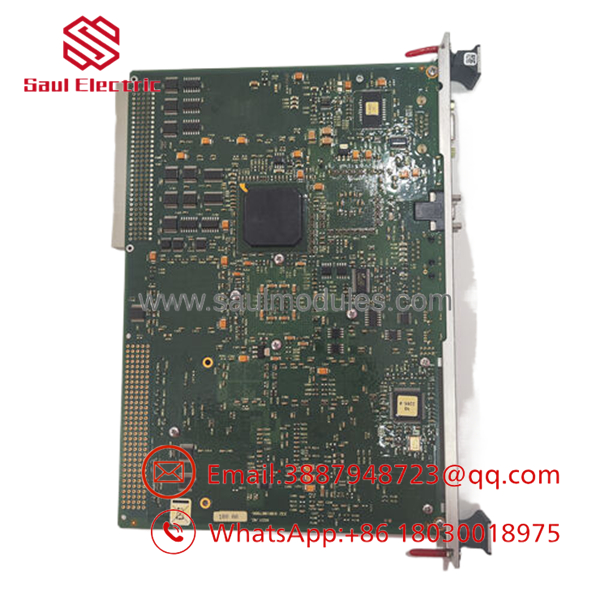
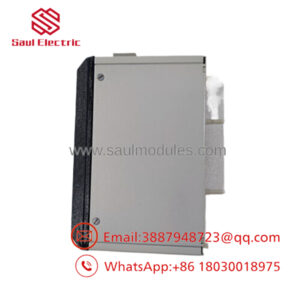
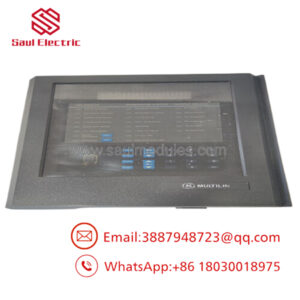
- IS415UCVGH1A V7666-111000
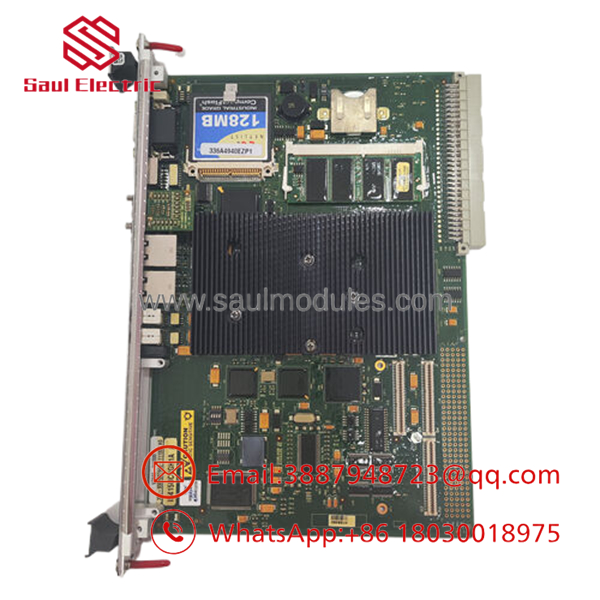
- IS415UCVGH1A V7666-111000
Installation & Configuration Guide
Stage 1: Pre-Installation Preparation (Estimated Time: 15 minutes)
- ⚠️ Safety First: The UCVG processor operates critical fuel valves and protective trip boundaries. Never remove or insert this controller card while the VME rack backplane is energized. Bring the turbine to a complete, verified stop, isolate fluid headers, and execute a full lock out/tag out (LOTO) on the master control power distribution breaker feeding the target card cage.
- Tools Required: Grounded static-prevention wrist strap, medium flathead screwdriver, specialized card puller tabs (if not integrated), laptop loaded with GE Toolbox or ToolboxST.
- Data Backup: Establish an online connection via the primary network line before shutting down. Upload and save the complete active runtime configuration, hardware profile parameters, and network IP settings from the processing card to local backup media.
Stage 2: Removing the Old Module (Estimated Time: 5 minutes)
- Affix your anti-static wrist strap to a bare metal frame point on the control rack enclosure.
- Label and disconnect the RJ45 network links and serial port interfaces attached to the card face.
- Use a flathead screwdriver to loosen the upper and lower faceplate retaining screws.
- Grasp the injector/ejector handles at the top and bottom of the card face. Unlatch them outward simultaneously to break the mechanical friction seal with the VME backplane pins.
- Slide the module cleanly straight out along its rack guide tracks, taking care not to scrape components against adjacent option cards. Place it inside a static-shielded storage box.
Stage 3: Installing the New Module (Estimated Time: 10 minutes)
- Extract the new IS415UCVGH1A (V7666-111000) module from its sealed ESD protective sleeve.
- ⚠️ Inspection: Look down the rear edge of the new module to confirm that all VME backplane pins are straight and perfectly parallel.
- Align the module card edges with the designated rack cage guide tracks. Slide the card smoothly inward until the ejector levers touch the frame face.
- Press both ejector handles inward firmly until they sit flat against the faceplate, locking the card securely into the VME backplane connector array.
- Tighten the top and bottom retaining screws by hand, then lock them into place using your screwdriver. Reconnect the labeled network and serial communication lines.
Stage 4: Power-On & Testing (Estimated Time: 20 minutes)
- Restore main power to the VME control rack framework.
- Monitor the initial hardware boot sequence via the faceplate diagnostic LEDs:
- Power should display a steady green hue.
- Online should flash during initial software handshakes, changing to solid green when communication is active.
- ⚠️ Troubleshooting: If a solid red hardware fault code remains active, open the Toolbox utility to check the power-up configuration logs for an electronic identification or hardware mapping conflict.
- Connect your engineering laptop to the processor via Toolbox or ToolboxST. The system will auto-verify the physical board against the project file. Download the saved application configuration and operational parameters to sync the replacement card with the active master control baseline.
Frequently Asked Questions (FAQ)
Can I hot-swap this processor module while the turbine is running?
No, the IS415UCVGH1A cannot be hot-swapped in a simplex rack architecture. Extracting the active master processor card while power is applied disrupts the VME data bus and breaks the communication paths holding the turbine fuel and trip networks open. This will cause an immediate, unpreventable emergency system shutdown. Only pull the board after confirming the rack power breaker is isolated.
What is the relationship between the codes and V7666-111000?
The code is General Electric’s catalog identification and ordering string, which indicates the product’s functional class (UCVG processor card), revision tier (H1A), and system generation. The alternative string V7666-111000 is the technical hardware manufacturing tracking part number. Both numbers designate the exact same single-slot 6U VME processing hardware assembly.
Why does my replacement card require a 70 CFM forced-air cooling profile?
The embedded Intel processor and dense internal logic arrays on the UCVG module generate significant concentrated heat during heavy application runs. To prevent localized thermal hot spots, premature component failure, or processing speed degradation, the card cage must be fitted with functional fan trays that deliver a steady 70 CFM forced-air cooling pattern across the board face.
Does this processor require specialized hardware switches or jumpers to assign its IP addresses?
No, the does not utilize manual physical DIP switches or board jumpers to assign system address configurations. The network configuration, including the primary Ethernet Global Data (EGD) IP settings, is defined electronically within the engineering software platform. Upon system startup, the rack automatically assigns the designated configuration to the physical module based on its electronic identifier.
How do I resolve an “Electronic Configuration Deviation” error during startup?
This alert indicates that the system configuration loaded in your project software toolset does not match the hardware revision code read from the physical board during its power-on self-test. To clear the alert, connect to the rack using the Toolbox application, run a hardware auto-discovery scan to log the new card parameters, accept the updated electronic signature, and download the modified configuration package to the controller.

 Start Chat


