





Description
Key Technical Specifications
| Parameter | Value |
|---|---|
| Manufacturer | GE |
| Model Number | IS420UCSBH1A |
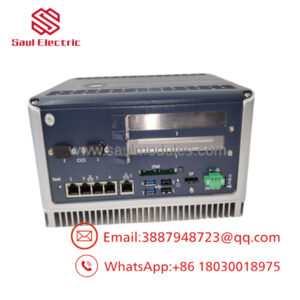
| Product Type | UCSB Standalone Controller Module |
| Control Platform | Mark VIe, Mark VIeS, EX2100e, LS2100e |
| Processor | Intel EP80579, 600 MHz |
| System Memory | 256 MB DDR2 SDRAM with ECC |
| Flash Storage | 2 GB NAND Flash |
| Operating System | QNX Neutrino RTOS |
| Input Voltage | 18–30 V DC (24/28 V DC nominal) |
| Maximum Input | 28 V DC, 1.1 A max |
| Ethernet Interfaces | 2 × UDH/CDH, 3 × IONet 10/100Base-TX RJ-45 |
| Programming | GE ControlST / ToolboxST |
| Operating Temperature | −30 °C to +65 °C |
| Certifications | UL, ATEX Zone 2 (model dependent) |
Product Introduction
The GE IS420UCSBH1A is a standalone UCSB Controller Module designed for the GE Mark VIe, Mark VIeS, EX2100e, and LS2100e control platforms. It executes real-time application logic while communicating with distributed I/O through redundant IONet Ethernet networks. Unlike traditional PLC CPUs, the UCSB controller does not host local I/O and instead receives all process data across the network.
In turbine control projects, this controller is commonly installed in gas turbines, steam turbines, generator excitation systems, and compressor controls where deterministic execution and controller redundancy are required. Before installation, verify the hardware revision, firmware version, and ControlST project compatibility with the existing system.
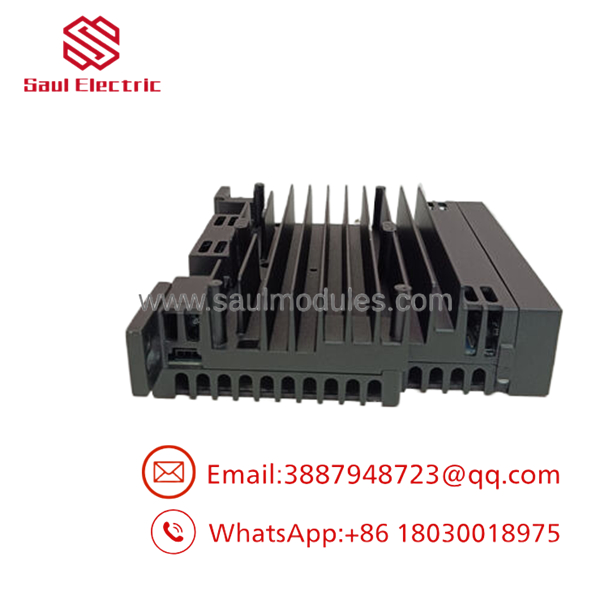
- IS420UCSBH1A
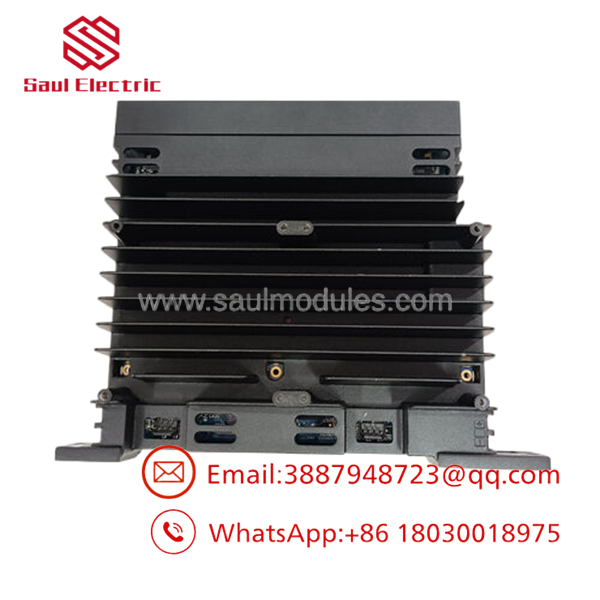
- IS420UCSBH1A
Troubleshooting Quick Reference
| Symptom | Possible Cause | Relevance to this Part | Quick Check Method | Recommendation |
|---|---|---|---|---|
| Controller will not boot | Missing 24/28 V DC supply | ❌ Low | Measure input voltage at controller connector | Verify power supply before replacing controller |
| RUN LED remains OFF | Internal controller fault | ✅ High | Observe boot sequence and diagnostic LEDs | Replace controller after confirming power |
| IONet communication lost | Ethernet cable or switch failure | ❌ Low | Verify link LEDs and network switch status | Check IONet infrastructure first |
| ToolboxST cannot connect | IP configuration mismatch | ✅ Medium | Verify controller IP address through setup interface | Correct network configuration |
| Application fails to load | Firmware incompatibility | ✅ High | Compare firmware with existing project | Install matching firmware revision |
| Controller repeatedly reboots | Power instability | ✅ Medium | Monitor 24/28 V DC during startup | Inspect power supply and wiring |
| I/O unavailable | IONet configuration error | ❌ Low | Verify network redundancy and controller assignment | Check network configuration before replacing hardware |
Technical Note: The UCSB controller is generally reliable. Most reported failures originate from network configuration errors, power supply instability, firmware mismatches, or damaged Ethernet infrastructure rather than controller hardware. If the issue remains unresolved, collect the controller diagnostics, LED status, ControlST logs, and network configuration before replacing the module.
Frequently Asked Questions (FAQ)
Q1. Is the GE IS420UCSBH1A still available?
Yes, but it has been discontinued by the OEM. Most available inventory comes from verified New Surplus stock or professionally tested surplus inventory.
Q2. Which GE control systems use this controller?
The IS420UCSBH1A is designed for Mark VIe, Mark VIeS, EX2100e, and LS2100e applications, including turbine control and generator excitation systems.
Q3. Can I hot-swap the controller?
Generally, no.
Although redundant controller architectures may allow maintenance under controlled conditions, replacing the controller while energized should only follow the OEM maintenance procedure. For most installations, remove power before replacing the controller.
Q4. Does this controller contain onboard I/O?
No.
The UCSB controller executes application logic only. All field signals are transferred through distributed I/O packs over the redundant IONet network rather than terminating directly on the controller.
Q5. Why should I verify the firmware before ordering?
Firmware compatibility is one of the most common causes of startup problems.
I’ve seen a replacement controller spend nearly two days in commissioning because the firmware revision differed from the running ControlST project. The hardware was healthy—the software wasn’t.
Q6. Why is New Surplus inventory less expensive than factory supply?
New Surplus inventory typically originates from canceled projects, excess maintenance inventory, or OEM warehouse stock. The controller has not been used in production service but is no longer in regular factory production.
Q7. What warranty is typically available?
Most industrial automation suppliers provide a 12-month warranty on verified New Surplus or fully tested controllers. Request the functional test report, serial number photos, and firmware verification before shipment.
Quality Inspection & Testing SOP
1. Inbound Inspection & Traceability
- Verify GE labels, serial number, and part number.
- Inspect enclosure and connectors for scratches, corrosion, rework marks, or impact damage.
- Confirm anti-counterfeit markings where applicable.
- Record serial number and hardware revision.
2. Live Functional Testing
- Install the controller on an in-house GE Mark VIe test system.
- Verify boot sequence and diagnostic LEDs.
- Establish communication with ControlST/ToolboxST.
- Test all Ethernet ports, including UDH/CDH and IONet interfaces.
- Run continuous operation for more than 24 hours while monitoring CPU temperature and communication stability.
- Generate a documented functional test report.
- Test photos and videos are available upon request.
3. Electrical Parameter Testing
- Measure insulation resistance using a 500 V Megger where applicable.
- Verify chassis ground continuity.
- Measure supply voltage and operating current using a calibrated Fluke 115 multimeter.
- Confirm stable current consumption during extended operation.
4. Firmware & Configuration Verification
- Record installed firmware version.
- Verify ControlST compatibility.
- Photograph hardware labels and configuration information before shipment.
5. Final QC & Packaging
- QC inspector approval.
- Package inside an ESD-safe bag.
- Protect with anti-static foam and heavy-duty corrugated packaging.
- Apply a dated QC Passed label.
Technical Pitfalls & Survival Guide
❗ Firmware Revision Mismatch
This is probably the most common commissioning problem.
I’ve seen a replacement controller refuse to synchronize with the existing system simply because one cabinet was running an older ControlST release. Always document the existing firmware before removing the original controller.
❗ IP Address and Network Configuration
Don’t assume the replacement controller will automatically inherit the original settings.
Verify IP addresses, controller assignments, and network redundancy before commissioning.
❗ Ethernet Connections
Never reconnect Ethernet cables from memory.
The UCSB uses multiple network ports for UDH, CDH, and IONet communications. Label every cable before removal.
❗ Power Supply Verification
Confirm the controller receives a stable 24–28 V DC supply. Leave at least a 20% power margin in the cabinet power budget to prevent intermittent resets during startup.
❗ Electrostatic Discharge (ESD)
Always use a grounded wrist strap.
I’ve watched a technician unpack a replacement controller on a dry winter morning without ESD protection. The controller powered up once, then never completed the boot sequence again.
Keep these checks in mind and you’ll eliminate most commissioning problems, reduce unnecessary controller replacements, and shorten outage time.

 Start Chat


