





Description
Key Technical Specifications
| Parameter | Value |
|---|---|
| Manufacturer | GE |
| Model | IS420PUAAH1A |
| Product Type | Universal Input/Output Pack |
| Series | Mark VIe / Mark VIeS |
| Functional Abbreviation | PUAA |
| Number of Channels | 16 independently configurable channels |
| Supported Signal Types | Thermocouple, RTD, Voltage, 4–20 mA Input, 0–20 mA Output, Digital Input, Pulse Accumulator |
| Measurement Accuracy | Better than ±0.1% (within specified temperature range) |
| Frame Rate | 10 ms |
| Typical Scan Time | 5 ms |
| Communication | Ethernet / Mark VIe IONet |
| Software Compatibility | ControlST V7.02.00C or later |
| Operating Temperature | -40 °C to +70 °C |
| Relative Humidity | 5–95% non-condensing |
| Hot Swap | Supported |
| Auto-Reconfiguration | Supported |
These specifications are consistent with GE Mark VIe documentation referenced by multiple industrial automation suppliers.
Product Introduction
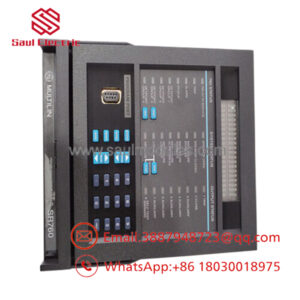
The GE IS420PUAAH1A is a Universal Input/Output Pack developed for the GE Mark VIe and Mark VIeS Speedtronic control platforms. It provides flexible field interfacing by allowing each of its sixteen channels to be configured independently for analog or digital signals, including RTDs, thermocouples, voltage, current loops, and pulse inputs.
Its configurable architecture enables one module to replace several dedicated I/O cards, reducing cabinet space, simplifying spare-parts management, and shortening commissioning time. Support for hot replacement, automatic reconfiguration, and ControlST integration makes it well suited for gas turbines, steam turbines, and balance-of-plant automation systems.
Troubleshooting Quick Reference
| Symptom | Possible Cause | Relevance to this Part | Quick Check Method | Recommendation |
|---|---|---|---|---|
| Universal I/O Pack not detected | Ethernet or backplane communication fault | ✅ High | Verify IONet connections and module LEDs | Reseat module and inspect connectors |
| Analog values unstable | Incorrect channel configuration | ✅ High | Compare ControlST configuration with field device type | Reconfigure channel settings |
| RTD or thermocouple reads incorrectly | Sensor wiring fault | ⚠️ Medium | Measure sensor resistance or millivolt signal | Verify field wiring before replacing module |
| 4–20 mA input fixed at one value | Open current loop | ✅ High | Measure loop current with a calibrated meter | Repair field circuit |
| Multiple channels fail simultaneously | Power supply issue | ⚠️ Medium | Verify module supply voltage and controller diagnostics | Check system power before replacing module |
| ATTN or FAULT LED ON | Internal hardware diagnostic | ✅ High | Review ControlST diagnostics | Replace module only after confirming hardware failure |
| Configuration lost after replacement | Software mismatch | ⚠️ Medium | Verify ControlST version and auto-reconfiguration status | Reload configuration if required |
Field Tip: The IS420PUAAH1A rarely fails because of its analog circuitry. Most service calls are traced to incorrect channel configuration, open 4–20 mA loops, or mismatched sensor types. Before replacing the module, verify the software configuration, measure the actual field signal, and compare it with the diagnostics in ControlST. Those checks typically resolve the issue without changing hardware.
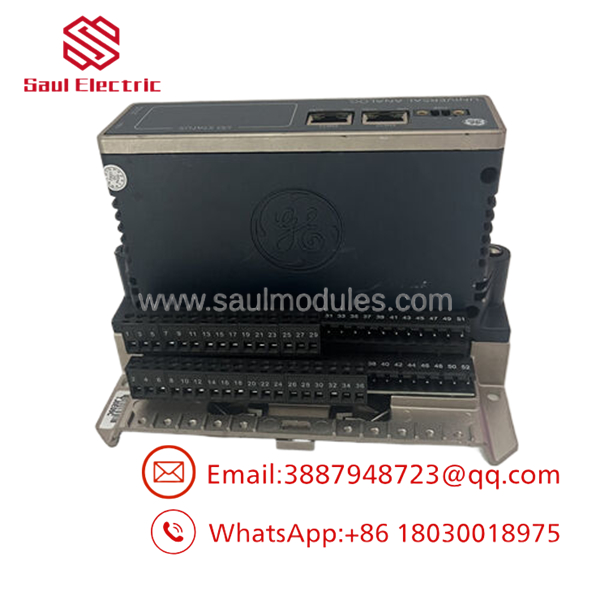
- IS420PUAAH1A
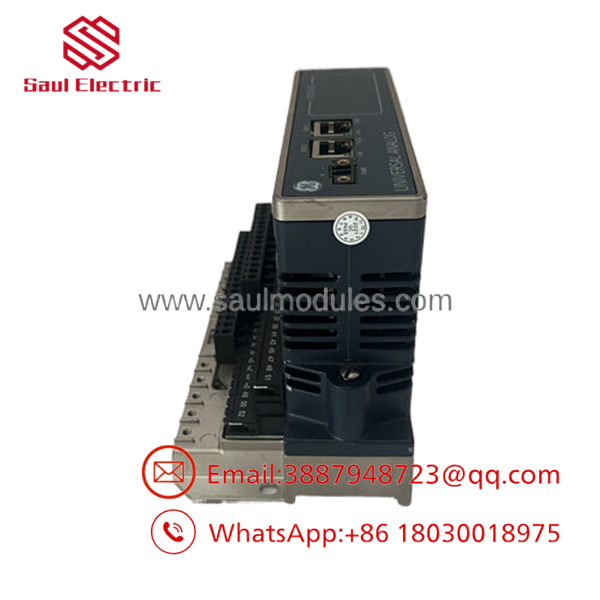
- IS420PUAAH1A
Frequently Asked Questions (FAQ)
Q1. What is the primary function of the IS420PUAAH1A?
It is a Universal I/O Pack that allows sixteen independently configurable channels to process a wide range of analog and digital field signals within the GE Mark VIe and Mark VIeS control systems.
Q2. What signal types are supported?
Each channel can be configured for:
- Thermocouple input
- RTD input
- Voltage input
- 4–20 mA current input
- 0–20 mA analog output
- Digital input
- Pulse accumulator
This flexibility allows one module to replace several dedicated I/O cards.
Q3. Does the module support hot replacement?
Yes. The supports hot-swap replacement and automatic reconfiguration when used within the approved Mark VIe architecture and supported ControlST software versions. Follow GE maintenance procedures before performing replacement.
Q4. Which software version is required?
GE specifies ControlST Version 7.02.00C or later for the . Using unsupported software may prevent proper configuration or diagnostics.
Q5. Why is this called a “Universal” I/O Pack?
Unlike fixed-function analog or digital modules, every channel can be configured independently through software. This reduces spare-part inventory, minimizes cabinet space, and simplifies future system modifications.
Q6. Is the still available?
Yes, although it is now considered a mature Mark VIe product. Most inventory consists of New Surplus or professionally tested surplus units supplied with a distributor warranty.
Q7. What should I verify before installation?
Experienced Mark VIe engineers recommend checking:
- Complete model number ()
- ControlST software version
- Channel configuration
- IONet communication
- Sensor type (RTD, thermocouple, current, voltage)
- Field wiring integrity
- System power supply
- ESD protection during installation
Completing these checks before commissioning helps eliminate most startup issues and avoids unnecessary replacement of a functioning Universal I/O Pack.

 Start Chat


