





Description
Key Technical Specifications
| Parameter | Value |
|---|---|
| Manufacturer | GE / Abaco Systems |
| Model Number | ACC-5595-208 |
| Order Number | 350-805595-208 |
| Product Type | Reflective memory managed hub assembly |
| Network Speed | 2 Gb/s |
| Optical Ports | 8 SFP ports |
| Ethernet Interface | 10BaseT |
| Serial Interface | RS232 |
| Power Input | 90-264 VAC, 47-440 Hz |
| Power Consumption | 25 W |
| Operating Modes | Managed hub, bypass, port control |
Product Introduction & Supply Chain Strategy
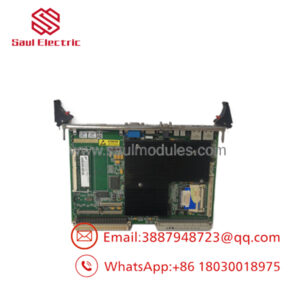
GE ACC-5595-208 350-805595-208 is a reflective memory managed hub assembly used in real-time embedded networking systems. It supports optical node synchronization, hub control, and monitored traffic handling for legacy GE Fanuc and Abaco-based environments.
Buying this as New Surplus is strategically sound when uptime matters and replacement supply is thin. For this kind of niche module, the Total Cost of Ownership is usually better than chasing cheaper pull parts, because lead time variability, integration risk, and obsolescence exposure can create far larger costs than the initial purchase price.
Installation & Configuration Guide
Stage 1: Pre-Installation
Apply lock-out/tag-out before opening the cabinet. Prepare an ESD strap, fiber cleaning tools, and a camera for documenting cable routing, port assignments, and switch positions. Record the existing SFP type, loop topology, and any front-panel selector settings.
Stage 2: Removal
Power down the system and verify zero energy at the module. Remove fiber links carefully and cap them immediately to prevent contamination. Extract the unit straight out to avoid bending rack connectors or damaging adjacent hardware.
Stage 3: Installation
Install the correct SFPs, then restore the exact port mapping and loop structure. Seat the module firmly, confirm the rear power connection, and reattach the fiber links with correct polarity. Match any local configuration switches or bypass settings to the removed unit.
Stage 4: Power-On & Testing
Apply power and verify the supply LED, port LEDs, and network status indicators. Confirm the hub recognizes the installed transceivers and that the reflective memory links come up without sync loss. Validate communication from the host system before returning the network to production use.
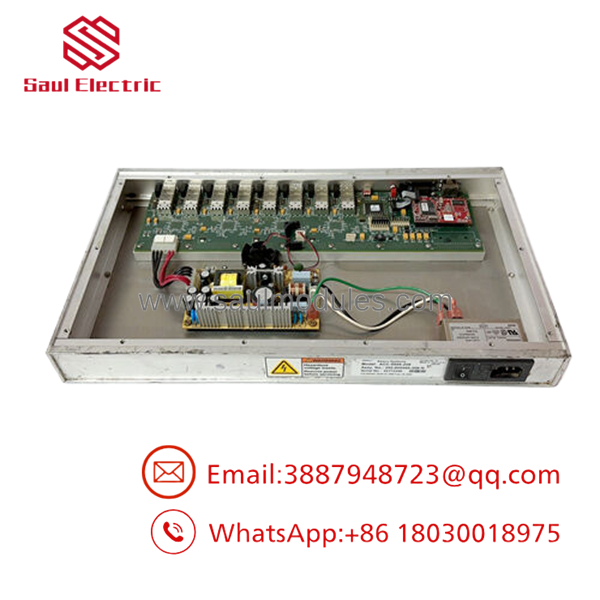
- ACC-5595-208 350-805595-208
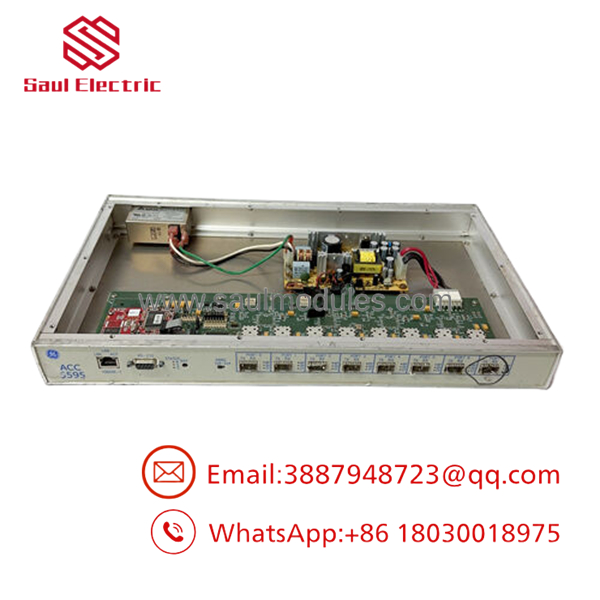
- ACC-5595-208 350-805595-208
Firmware/Software Versions & Upgrade Notes
This hub supports firmware-dependent features such as “dark-to-dark” behavior, and the source material notes that version 02.00 and higher is required for that function. Keep the installed firmware documented before replacement, because mismatched revisions can change network behavior or managed-port functions.
Avoid firmware changes during a simple hardware swap unless you have a validated reason to do so. Upgrading can alter control behavior, while downgrading may remove features or settings already in use.
Frequently Asked Questions
Is this part really new? The correct commercial positioning is New Surplus / Original New, not refurbished or repaired.
Why does the price differ so much between suppliers? This part is niche, legacy, and sourced from limited inventory channels, so pricing often reflects availability more than raw hardware cost.
Is it obsolete or EOL? Treat it as a strategic spare. For planning, that means buffer stock, vendor consolidation, and last-time-buy thinking are appropriate.
Can I hot-swap it? Do not assume hot-swap is safe. Fiber hubs and reflective memory systems should be isolated and restored in a controlled sequence.
Will the settings survive a swap? Managed settings may be stored locally, but you should still document port mode, bypass behavior, and loop configuration before removal.
What warranty is reasonable? For New Surplus legacy network hardware, warranty should be tied to serial traceability and shipment testing. The main value is verified condition and known-good functional status.

 Start Chat


