





Description
Key Technical Specifications
| Parameter | Value |
|---|---|
| Brand | GE |
| Model | LV5F30-NF |
| Series | PECeLite |
| Product Type | Controller module |
| Primary Function | Industrial automation control |
| Application | Plant control and system integration |
| Condition | New Surplus, original OEM inventory |
| Lifecycle Status | Obsolete / EOL |
| Replacement Strategy | Keep buffer stock, plan last-time-buy |
| Supply Strategy | Vendor consolidation and cross-site sharing |
| Storage Priority | High, for critical spares |
| Procurement Focus | TCO, lead time variability, availability |
Product Introduction & Supply Chain Strategy
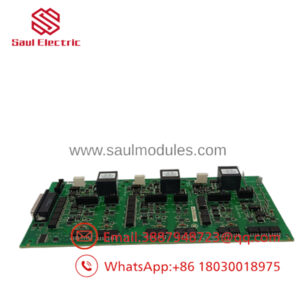
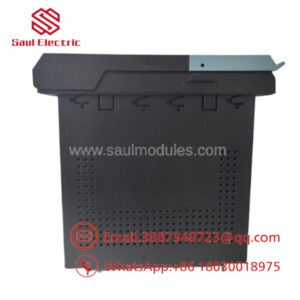
GE LV5F30-NF is a PECeLite controller module used in industrial automation and plant control environments. It fits maintenance, retrofit, and replacement work where exact model matching matters and downtime risk is high.
Buying this as New Surplus makes supply-chain sense when the part is obsolete or hard to source. It lowers Total Cost of Ownership by reducing stock-out exposure, avoids the hidden failure risk of questionable supply, and supports last-time-buy planning for critical assets.
Installation & Configuration Guide
Stage 1: Pre-Installation
Lock out and tag out the equipment before touching the module. Use an ESD strap, insulated hand tools, and a camera to document DIP switches, jumpers, terminal wiring, and connector orientation. Verify the replacement part number and revision before opening the package.
Stage 2: Removal
Power down fully and confirm all rails are de-energized. Release the module straight out of the slot without twisting, prying, or forcing it, because bent backplane pins create hard-to-trace failures. Inspect the connectors and backplane for debris or oxidation.
Stage 3: Installation
Copy every DIP switch and jumper setting exactly from the removed module. Seat the module evenly into the rack, then apply firm, straight pressure until fully latched. Reconnect all wiring exactly as documented, and do not rely on memory for terminal order.
Stage 4: Power-On & Testing
Before full startup, check the 24 V supply rails for shorts and correct polarity. Power up and confirm normal LED behavior, especially RUN and ERR status. Load or verify the control logic, then test communications, I/O response, and any interlocks tied to the module.
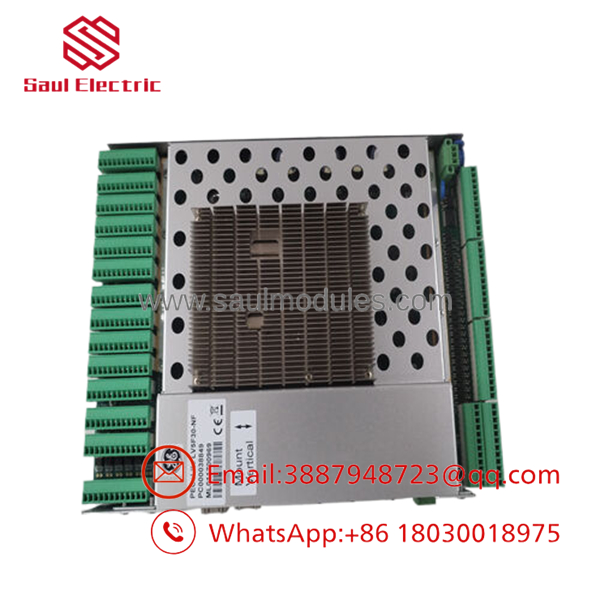
- LV5F30-NF
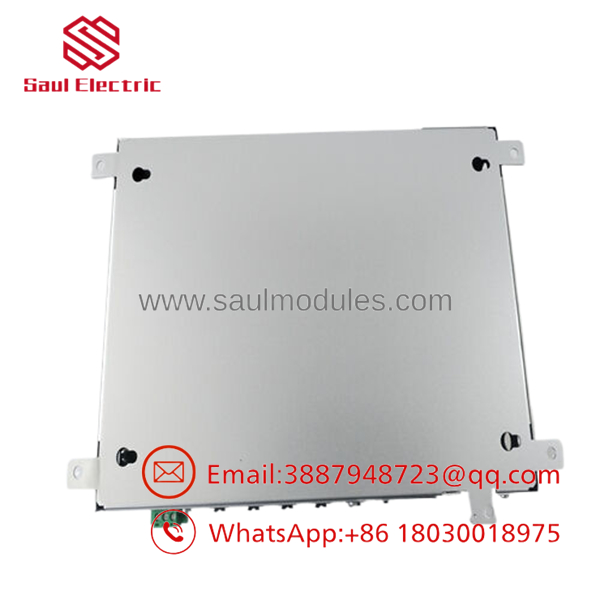
- LV5F30-NF
Firmware/Software Versions & Upgrade Notes
The exact firmware version for LV5F30-NF should be verified against the existing installed unit before replacement. In mixed hardware environments, firmware mismatch can trigger communication faults, scan-time issues, or startup inhibition.
Do not upgrade firmware during a swap unless the site change-control plan requires it. A replacement should match the running system as closely as possible, because downgrading or upgrading during maintenance introduces unnecessary integration risk.
Frequently Asked Questions
Q: Is this really new?
Yes. The correct procurement target for this part is New Surplus original inventory, not refurbished stock. That gives you OEM-origin hardware with lower risk than repaired alternatives and much better reliability planning.
Q: Why is it cheaper than OEM new but higher than refurbished supply?
New Surplus sits between those two extremes. It usually costs less than factory list pricing because it comes from excess inventory, but it carries more trust and lower failure risk than repaired or heavily handled parts.
Q: Is this part obsolete?
Yes, it should be treated as an obsolete or EOL item for stocking purposes. That means you should plan buffer stock, monitor lead time variability, and consider a last-time-buy strategy if the module is critical.
Q: Can I hot-swap it?
Do not assume hot-swap capability unless the specific installed system documentation explicitly allows it. For a controller replacement, the safer practice is full shutdown, lockout/tagout, and a controlled restart.
Q: Will programming or configuration be retained?
The module itself may not preserve all site-specific logic or settings during replacement. Always back up the application, record DIP/jumper positions, and document any firmware or parameter data before removal.
Q: What warranty should I expect?
New Surplus parts typically carry stronger warranty terms than repaired stock, but the exact period depends on the supplier and lot traceability. For procurement, the priority is verifiable serial data, packing traceability, and a written QC record.
Q: How should I stock it?
For a critical spare, keep 1–2 units on-site as insurance against stock-outs. For slower demand, use consignment, vendor-managed stock, or cross-site sharing so capital is not trapped in excess inventory.

 Start Chat


