





Description
Key Technical Specifications
| Parameter | Value |
|---|---|
| Part Number | MIFIIPI55E10HI00 |
| Brand | GE |
| Series | Multilin MiF II |
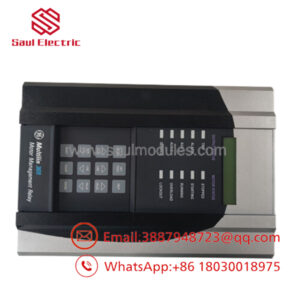
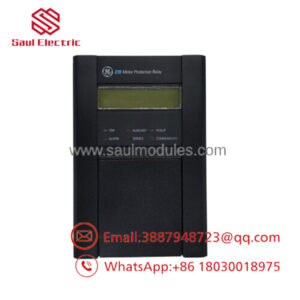
| Product Type | Digital feeder relay |
| Primary Function | Feeder protection, control, and monitoring |
| Protection Functions | Overcurrent, short-circuit, ground fault, thermal overload |
| Measurements | Voltage, current, power, energy, frequency, harmonics |
| Communications | IEC 61850, DNP3, Modbus RTU |
| HMI | Backlit LCD with local menu navigation |
| Logic | Programmable FlexLogic-style control |
| Operating Environment | Industrial and utility electrical systems |
| Lifecycle Status | Strategic spare; manage for lead time variability |
Product Introduction & Supply Chain Strategy
The GE MIFIIPI55E10HI00 is a digital feeder protection relay used in medium-voltage electrical distribution, utility substations, microgrids, and industrial power systems. It combines protection, metering, event logging, and communications in one device, so it directly affects feeder reliability and fault response.
Buying this as New Surplus is a practical TCO decision when outage risk matters more than a small purchase-price difference. It reduces stock-out incidents, supports buffer stock planning, and avoids last-minute sourcing risk when lead time variability or vendor consolidation limits replacement options.
Installation & Configuration Guide
Stage 1: Pre-Installation
- Apply lock-out/tag-out and verify the feeder is de-energized.
- Use an ESD wrist strap and insulated test tools.
- Photograph all wiring, terminal labels, and any setting files or relay maps.
- Record protection settings, CT/PT ratios, communications addresses, and firmware revision before removal.
Stage 2: Removal
- Confirm the relay is isolated from live circuits.
- Label every wire before disconnecting it.
- Remove the relay carefully from the panel or rail mount.
- Inspect terminals, connectors, and the enclosure for heat, corrosion, or loose hardware.
Stage 3: Installation
- Match the replacement relay to the recorded configuration.
- Reconnect CT, PT, trip, alarm, and communication wiring exactly as documented.
- Mount the unit securely and verify terminal torque.
- Load the saved settings file or manually enter the original protection values.
Stage 4: Power-On & Testing
- Verify control power and secondary circuits for shorts before energizing.
- Power up and confirm normal display and status LEDs.
- Check current and voltage readings against expected values.
- Test trip logic, alarms, and communications in a controlled commissioning window.
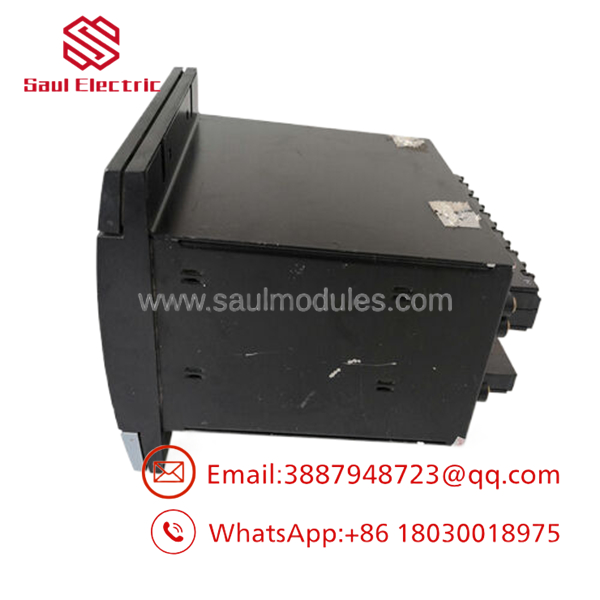
- MIFIIPI55E10HI00
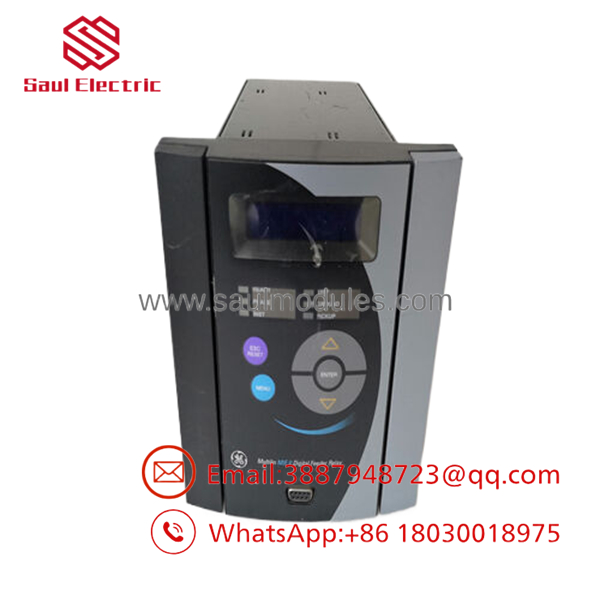
- MIFIIPI55E10HI00
Firmware/Software Versions & Upgrade Notes
For a relay like this, the safest version is the one already validated in the installed protection scheme. If the site uses SCADA integration, confirm compatibility with IEC 61850, DNP3, or Modbus mappings before swapping hardware.
Avoid firmware upgrades during replacement unless you have a documented change plan and rollback path. In protection systems, a version mismatch can affect settings behavior, logic execution, or communications reliability.
Frequently Asked Questions
Q: Is this really New Surplus?
A: It should be supplied as New Surplus / Original New, not refurbished. That means traceable legacy inventory rather than a repair-cycle unit.
Q: Why is it cheaper than OEM new but not as cheap as a refurb?
A: New Surplus usually comes from excess inventory, project closeout, or secured distributor stock. That lowers price versus OEM list while keeping a much stronger reliability profile than uncertain-condition parts.
Q: Is MIFIIPI55E10HI00 obsolete?
A: Treat it as a strategic utility spare and check site-specific lifecycle status. If the installed base is aging, keep buffer stock and plan for last-time-buy coverage.
Q: Can I hot-swap it?
A: No, not as a default assumption. Protection relays should be replaced under a controlled outage unless the site procedure explicitly allows live work.
Q: Will my protection settings transfer automatically?
A: No. Save the setting file, CT/PT ratios, communications addresses, and logic before removing the old unit. Then verify them after installation.
Q: What warranty terms are typical?
A: New Surplus industrial relays often carry vendor-backed warranty coverage, but the exact term depends on the supplier. Confirm warranty length, return policy, and serial traceability before purchase.

 Start Chat


