





Description
Key Technical Specifications
| Parameter | Value |
|---|---|
| Manufacturer | GE Multilin (General Electric) |
| Model | MIVII1000E00HI00 |
| Product Type | Digital Voltage/Frequency Protection Relay |
| Series | Multilin MIV II |
| Protection Functions | Overvoltage, Undervoltage, Frequency Monitoring* |
| Communication | RS-232 (front), RS-485 Modbus RTU (rear) |
| Configuration Software | GE EnerVista™ |
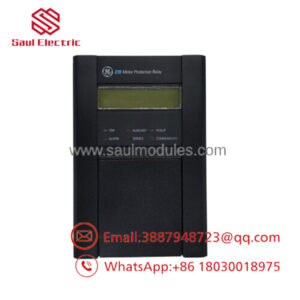
| Display | 2 × 16 Character LCD |
| LED Indicators | 6 Status LEDs (programmable) |
| Event Recording | Disturbance and Trip Records |
| Setting Groups | Dual Configuration Groups |
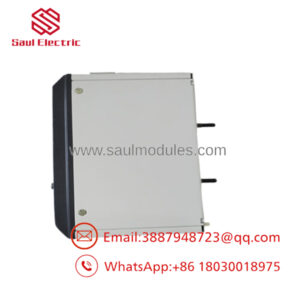
| Mounting | Panel Mount (Withdrawable Design) |
| Typical Applications | Feeders, Motors, Generators, Transformers, Busbars |
*The exact protection functions depend on the ordering code. The MIVII1000E00HI00 ordering code identifies a voltage protection variant with a high-range auxiliary power supply. Always verify the complete order code before replacement.
Product Introduction
The GE MIVII1000E00HI00 is a Multilin MIV II Digital Protection Relay designed to provide voltage monitoring and protection for industrial and utility power systems. It protects feeders, motors, generators, transformers, and busbars against abnormal voltage conditions while recording fault events for maintenance and diagnostics.
The relay incorporates a microprocessor-based protection platform with programmable logic, event recording, front-panel configuration, and Modbus RTU communications through EnerVista™ software. Its withdrawable design and configurable I/O make it suitable for new installations and retrofit projects in power generation, substations, and industrial distribution systems.
Troubleshooting Quick Reference
| Symptom | Possible Cause | Relevance to this Part | Quick Check Method | Recommendation |
|---|---|---|---|---|
| Relay display remains blank | Auxiliary power missing | ✅ High | Measure auxiliary supply at the relay terminals | Verify control power before replacing the relay |
| Relay trips immediately | Protection settings incorrect | ✅ High | Compare settings with the original relay configuration | Restore the correct protection settings |
| No communication with SCADA | RS-485 wiring or Modbus configuration | ✅ High | Verify baud rate, address, and communication wiring | Check network settings before replacing hardware |
| Incorrect voltage measurement | PT wiring or scaling error | ✅ High | Measure PT secondary voltage and compare with relay display | Inspect PT wiring and ratio settings |
| False undervoltage alarms | Loose PT connections or unstable supply | ⚠️ Medium | Check PT terminals and review event records | Correct wiring before replacing the relay |
| Relay indicates self-test failure | Internal hardware fault | ✅ High | Review self-diagnostic messages and event logs | Replace the relay after confirming power quality |
Field Tip: Protection relays are often replaced when the actual problem is an incorrect protection setting, failed potential transformer (PT), or communication configuration. Before replacing the MIVII1000E00HI00, upload the existing settings with EnerVista, save the event records, and verify the PT secondary voltage. These steps usually identify the real cause of the fault.
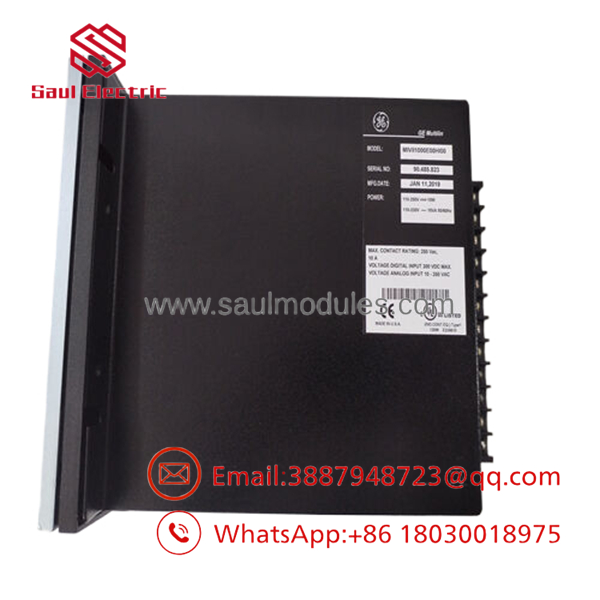
- MIVII1000E00HI00
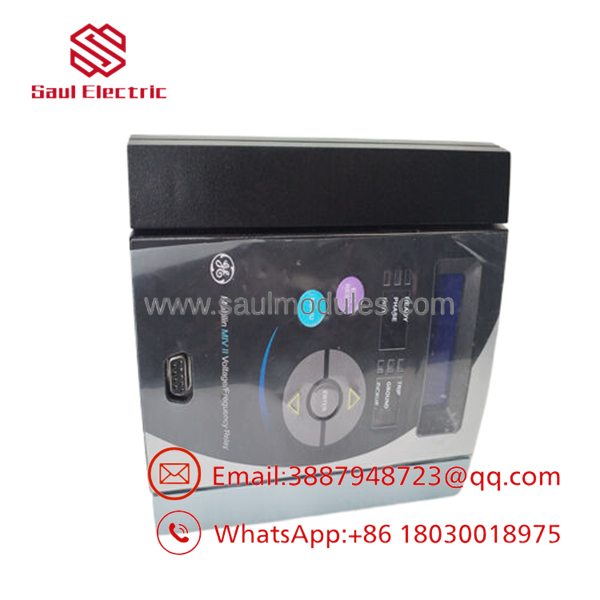
- MIVII1000E00HI00
Frequently Asked Questions (FAQ)
Q1. What is the primary function of the ?
The is a GE Multilin MIV II digital protection relay designed primarily for voltage protection in electrical power systems. It protects feeders, generators, motors, transformers, and busbars against abnormal voltage conditions while recording events for diagnostics.
Q2. Does this relay support communication with SCADA systems?
Yes. The relay includes a front RS-232 port and a rear RS-485 Modbus RTU interface, allowing integration with SCADA, DCS, and plant monitoring systems through EnerVista™ software.
Q3. What does the suffix “E00HI00” indicate?
The suffix defines the relay configuration, including language, auxiliary power supply, and protection options. For this model, HI identifies the high-range auxiliary power supply, while the remaining characters specify the relay configuration. When ordering a replacement, always match the entire part number, not just the base model.
Q4. Can I replace the relay without copying the settings?
No. Before removing the original relay, upload and save all protection settings, logic configuration, and communication parameters using EnerVista. Installing a relay with default settings may result in nuisance trips or inadequate system protection.
Q5. Is this product supplied as new or refurbished?
Unless otherwise specified, this listing refers to New Original (New Surplus) inventory. Each relay should undergo visual inspection, power-on verification, communication testing, keypad verification, and ESD-safe packaging before shipment.
Q6. What quality inspections should be completed before shipment?
A recommended quality inspection includes:
- OEM part number and serial number verification
- Anti-counterfeit and traceability inspection
- Visual inspection for corrosion or repair marks
- Auxiliary power verification
- LCD display and keypad functional testing
- Modbus communication testing
- Protection self-test verification
- Final anti-static packaging with QC documentation
Test reports and inspection photographs should be available upon request.
Q7. What is the most common installation mistake?
The most common mistake is installing the replacement relay with factory-default protection settings or an incorrect PT ratio. Before removing the original relay, back up the complete configuration, document the communication address, and verify the auxiliary power supply rating. Restoring the original settings significantly reduces commissioning time and prevents unnecessary protection trips.

 Start Chat


