





Description
Key Technical Specifications
| Parameter | Value |
|---|---|
| Manufacturer | GE Intelligent Platforms / Emerson |
| Model | RXE2N0F7G132A |
| Product Type | Industrial PC (IPC) |
| Series | PACSystems RXi-XP |
| CPU | Intel® Core™ i7 Dual-Core 2.5 GHz |
| Memory | 8 GB ECC DDR3 RAM |
| Storage | 128 GB Industrial SSD |
| Operating System | Windows® 7 |
| Expansion | 2 PCI Slots |
| Ethernet | 5 × Gigabit Ethernet Ports |
| Cooling | Fanless Passive Cooling |
| Operating Temperature | 0 °C to +60 °C |
| Mounting | Industrial Cabinet / Panel Installation |
| Typical Applications | HMI, SCADA, Historian, Machine Control, Edge Computing |
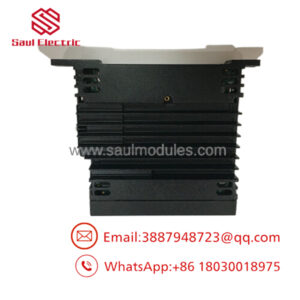
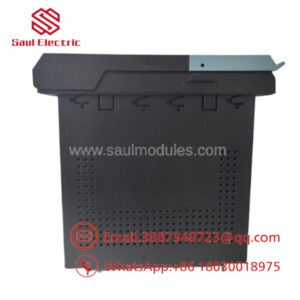
The RXE2N0F7G132A is a 2-slot RXi-XP Industrial PC featuring a 2.5 GHz dual-core Intel Core i7 processor, 8 GB ECC memory, 128 GB SSD, and Windows 7. It is designed for high reliability in industrial automation environments.
Product Introduction
The GE RXE2N0F7G132A is a rugged PACSystems RXi-XP Industrial PC engineered for demanding industrial automation applications. Built with industrial-grade components and a fanless architecture, it delivers reliable operation in environments subject to vibration, dust, and continuous operation.
Equipped with an Intel Core i7 dual-core 2.5 GHz processor, 8 GB ECC memory, 128 GB solid-state drive, and five Gigabit Ethernet ports, the system provides an ideal platform for GE Proficy software, SCADA systems, HMIs, historians, industrial databases, and edge computing applications. The two PCI expansion slots allow integration of additional communication or data acquisition cards.
Troubleshooting Quick Reference
| Symptom | Possible Cause | Relevance | Quick Check | Recommendation |
|---|---|---|---|---|
| IPC does not power on | Power supply failure | ✅ High | Measure DC input voltage | Verify power supply before replacing IPC |
| Windows fails to boot | SSD corruption | ✅ High | Check BIOS and SSD detection | Restore system image or replace SSD |
| No Ethernet communication | Network configuration or cable issue | ✅ High | Verify Link LEDs and IP settings | Check cables and network configuration |
| System overheating alarm | Ventilation blocked | ⚠️ Medium | Inspect cooling fins and airflow | Clean enclosure and improve ventilation |
| Random system reboot | Memory or power instability | ⚠️ Medium | Run hardware diagnostics | Verify ECC RAM and power quality |
| PCI card not detected | Improper installation | ✅ High | Reseat expansion card | Verify PCI compatibility and BIOS settings |
Field Tip: Most RXi-XP IPC failures are caused by storage media degradation, power supply instability, or operating system corruption rather than motherboard failure. Before replacing the RXE2N0F7G132A, back up application software, verify SSD health, inspect the DC power supply, and confirm network configuration.
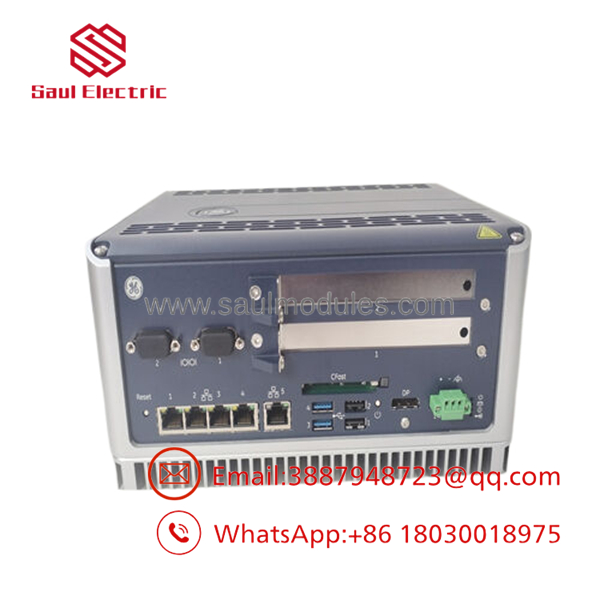
- RXE2N0F7G132A
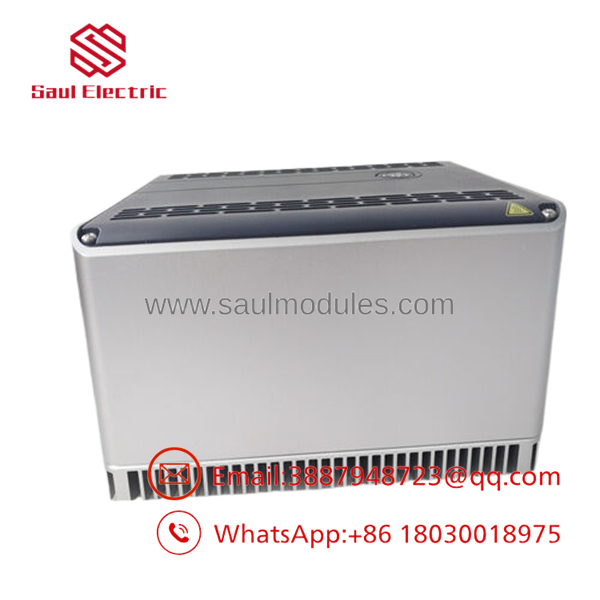
- RXE2N0F7G132A
Frequently Asked Questions (FAQ)
Q1. What is the primary function of the ?
The is a rugged industrial computer used for HMI, SCADA, industrial data processing, edge computing, and machine automation applications.
Q2. What processor does this IPC use?
It is equipped with an Intel® Core™ i7 Dual-Core processor operating at 2.5 GHz, providing high-performance computing for industrial software applications.
Q3. What storage configuration is included?
This model is supplied with an industrial-grade 128 GB Solid-State Drive (SSD) and 8 GB ECC RAM to maximize reliability and data integrity.
Q4. Is the fanless?
Yes. The RXi-XP series utilizes a fanless passive cooling design, reducing maintenance requirements and improving reliability in harsh industrial environments.
Q5. Is this product supplied as new or refurbished?
Unless otherwise specified, this listing refers to New Original (New Surplus) inventory. Every unit should undergo visual inspection, power-on verification, SSD health testing, communication testing, and ESD-safe packaging before shipment.
Q6. What inspections should be completed before shipment?
Recommended quality inspections include:
- OEM part number verification
- Visual inspection
- Power-on and BIOS verification
- SSD diagnostic testing
- ECC memory testing
- Ethernet port functional testing
- PCI slot inspection
- Final anti-static packaging with QC documentation
Q7. What is the most common installation mistake?
The most common issue is deploying the IPC without preserving the original software image or network configuration. Before replacing the unit, create a complete backup of the operating system, application software, and configuration files, then document all IP addresses and communication settings. This greatly reduces commissioning time and minimizes production downtime.

 Start Chat


