





Description
3. Key Technical Specifications
- Product Type: Digital I/O Module
- Outputs: 8 Form-C relay outputs
- Compatibility: Multilin UR series relays
- Function: Expands digital communication with auxiliary devices
- Mounting: Plug-in module for UR chassis
- Application: Protection and control system I/O expansion
- Contact Rating: Standard industrial relay contacts
- Isolation: Galvanic isolation for reliability
- Status Indication: LED indicators for output status
- Design: Modular for easy field replacement
4. Product Introduction & Supply Chain Strategy
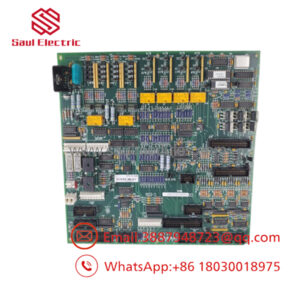
The GE UR6CH is a Digital I/O Module for the Multilin UR series relays. It provides eight Form-C outputs to expand control capabilities and interface with auxiliary equipment in protection and automation systems.
New Surplus availability for UR6CH modules supports efficient inventory management in plants running legacy UR platforms. These I/O cards are essential for maintaining full system functionality, and strategic stocking of 1-2 units minimizes downtime risks from module failures. This approach lowers Total Cost of Ownership versus emergency OEM purchases while avoiding the reliability concerns of refurbished components.
5. Installation & Configuration Guide
Stage 1: Pre-Installation (Prep & Safety) Lock-out and tag-out the relay power. Wear an ESD wrist strap. Photograph the module position, wiring terminations, and any labeling on the existing UR6CH.
Stage 2: Removal De-energize the UR chassis if required. Release latches and carefully extract the old I/O module from its slot without bending pins.
Stage 3: Installation (Clone & Seat) Align the new UR6CH module with the slot guides. Seat it firmly until fully engaged and latches secure. Reconnect any associated wiring.
Stage 4: Power-On & Testing Restore power to the relay. Check module recognition in the UR interface. Test each Form-C output through logic or manual commands. Verify no faults and proper contact operation.
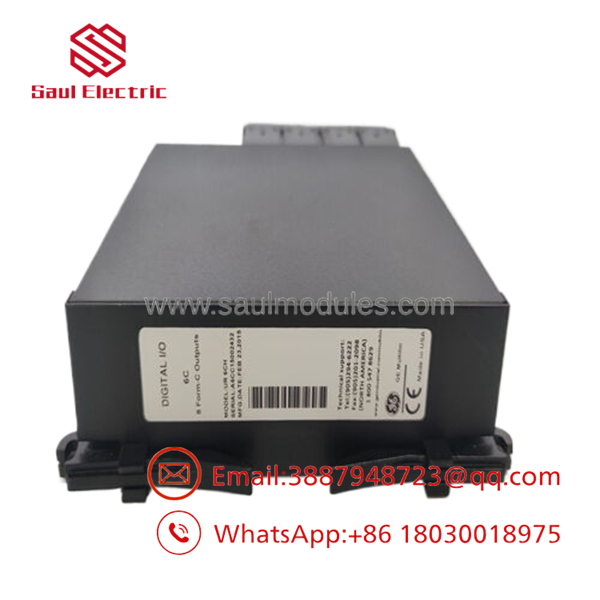
- UR6CH
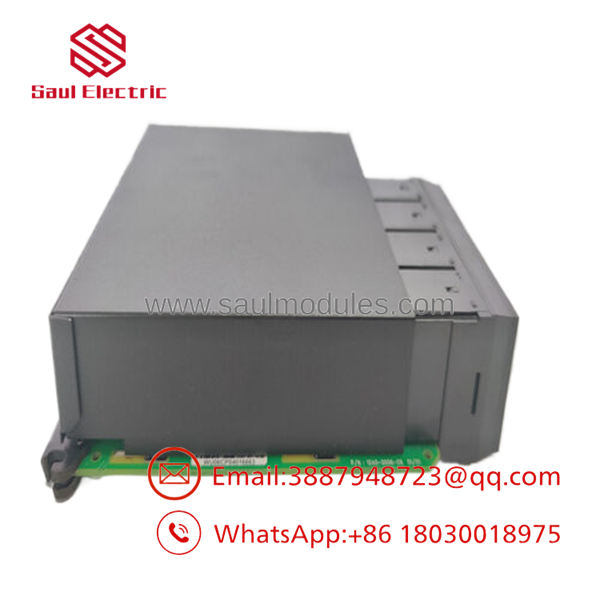
- UR6CH
6. Firmware/Software Versions & Upgrade Notes
The hardware module works with the main UR relay firmware. Ensure the relay firmware supports the I/O configuration.
No direct firmware on the I/O module itself, but relay firmware updates can change I/O mapping or logic behavior. Always validate output logic after hardware replacement or system firmware changes. Maintain a backup of the relay settings file before any work.
7. Frequently Asked Questions (FAQ)
Yes. This is a genuine New Surplus module supplied in original condition with full traceability. It undergoes basic functional verification but is not refurbished.
Q: Why buy New Surplus I/O modules? Digital output modules in protection systems require proven reliability. New Surplus avoids hidden wear that can lead to contact failures or false operations in critical applications.
Aged relays inside refurbished modules may stick or fail under load. This creates hidden costs through nuisance alarms or loss of control during events.
Q: Are UR series I/O modules obsolete? The UR platform continues in service, but individual modules benefit from strategic spares. Buffer stock prevents long lead times for replacements.
Q: Is hot-swapping supported? Some UR configurations allow I/O module replacement while the relay is powered, but always follow safety procedures and test outputs afterward.
Q: What warranty do you offer? We provide a 1 year warranty on this New Surplus module.
Q: How do I integrate the new module? The UR relay should auto-detect the module. Configure output logic in the settings if needed. Test each contact to confirm proper function before placing the system back online.

 Start Chat


