





Description
Key Technical Specifications
| Parameter | Value |
|---|---|
| Brand | GE |
| Model | V7768-322001 |
| Series | GE Intelligent Platforms VME SBC |
| Product Type | VME single board computer |
| Processor | Intel Core 2 Duo up to 2.16 GHz |
| Memory | Up to 2 GB DDR2 SDRAM |
| Cache | Up to 4 MB L2 cache |
| Storage | Up to 8 GB bootable CompactFlash |
| Ethernet | 2 x Gigabit Ethernet |
| Expansion | 1 x PCI-X PMC site |
| I/O | 4 x USB 2.0, 2 x serial, SATA, PS/2 |
| Form Factor | 6U VMEbus SBC |
| Operating System Support | Windows, VxWorks, Linux |
| Lifecycle Status | Obsolete / EOL |
| Condition | New Surplus, original OEM inventory |
Product Introduction & Supply Chain Strategy
GE V7768-322001 is a VMEbus single board computer used in industrial automation, process control, and legacy embedded systems. It combines an Intel Core 2 Duo processor, dual Gigabit Ethernet, serial ports, USB, SATA, and PMC expansion in a 6U VME format.
Buying it as New Surplus is a practical supply-chain choice when the installed platform is still running but no longer in active production. It reduces Total Cost of Ownership, lowers lead time variability risk, and helps avoid outage exposure from obsolete control-computer failures.
Installation & Configuration Guide
Stage 1: Pre-Installation
Perform lock-out/tag-out before opening the rack. Use an ESD strap, insulated tools, and a camera to document the existing board, cable routing, jumpers, and BIOS or boot settings. Confirm the exact board revision and rear transition module compatibility before removal.
Stage 2: Removal
Power down the system and verify all rails are safe. Remove the board straight out of the VME slot without twisting, prying, or rocking it, because backplane damage creates costly intermittent faults. Inspect the connector fingers, guide rails, and adjacent slots for wear or contamination.
Stage 3: Installation
Install the replacement board into the correct VME slot and seat it evenly. Restore any PMC, rear I/O, or carrier-related hardware exactly as configured on the original unit. Reconnect cables and verify that boot media, network links, and serial paths match the documented configuration.
Stage 4: Power-On & Testing
Apply power and confirm that the board boots normally. Check Ethernet, serial, storage, and any application-specific I/O before handing the system back to operations. Validate the operating system, application load, and downstream communications layer before declaring the swap complete.
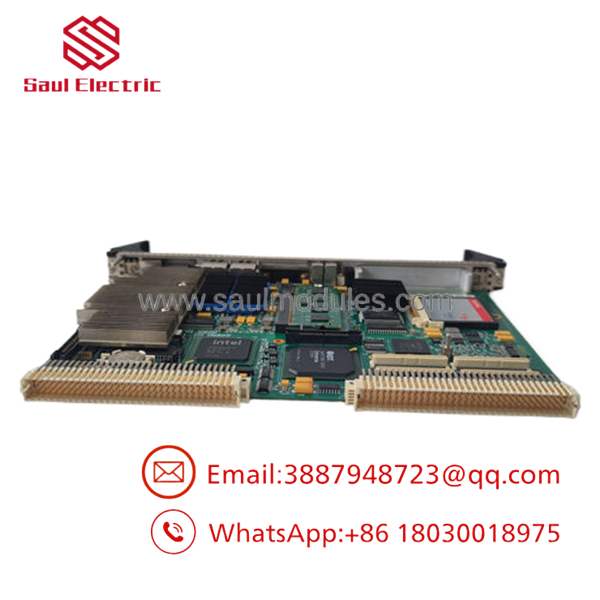
- V7768-322001
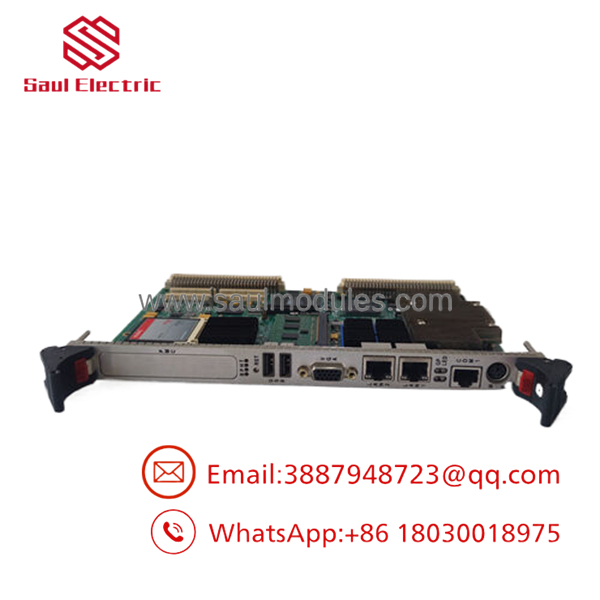
- V7768-322001
Firmware/Software Versions & Upgrade Notes
The board supports Windows, VxWorks, and Linux, so software compatibility depends on the installed site image and driver stack.
Do not change firmware or BIOS settings during a routine replacement unless the maintenance plan requires it. When swapping an obsolete SBC, the safest approach is to preserve the existing software image and match the previous configuration as closely as possible.
Frequently Asked Questions
Q: Is V7768-322001 really New Surplus?
Yes, the correct procurement target is New Surplus original inventory. That gives you OEM-origin hardware without the uncertainty of repaired or salvaged supply.
Q: Why is it cheaper than factory new but not as cheap as questionable supply?
Because New Surplus comes from excess inventory, not from repair channels. You pay less than list pricing, but you still retain traceability and lower failure risk.
Q: Is this part obsolete?
Yes, it should be treated as an EOL or at-risk spare. For critical VME systems, keep buffer stock and consider a last-time-buy strategy.
Q: Can I hot-swap it?
Do not assume hot-swap support unless the system documentation explicitly allows it. For VME SBC replacements, a controlled shutdown is usually the safer method.
Q: Will programming or boot configuration be retained?
Not automatically. Always image the boot media, document BIOS settings, and record cable placement before removal.
Q: What warranty should I expect?
Warranty depends on supplier traceability and condition documentation, but New Surplus generally carries stronger terms than repaired stock. The real value is in verified serials, QC records, and predictable replacement behavior.

 Start Chat


