





Description
Key Technical Specifications
| Parameter | Value |
|---|---|
| Part Number | VMIVME-7452 |
| Brand | GE / VMIC |
| Product Type | VME storage module |
| Form Factor | 6U single-slot VMEbus |
| Primary Function | Hard disk and floppy storage support |
| Bus Standard | VMEbus-compatible |
| Application | Embedded systems and industrial control |
| Interface Role | Storage interface for legacy VME processors |
| Mounting | VME backplane plug-in module |
| Lifecycle Status | Legacy / obsolescence-sensitive |
| Stocking Strategy | Buffer stock recommended for critical systems |
| Condition | New Surplus / Original New |
Product Introduction & Supply Chain Strategy
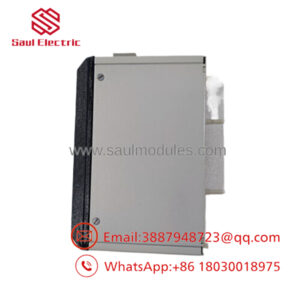
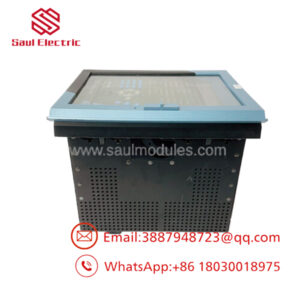
The GE VMIVME-7452 is a VMEbus-compatible storage module used to provide hard disk and floppy disk storage support in legacy embedded systems. It typically pairs with GE Fanuc or VMIC VME processor platforms that still rely on removable or legacy boot media.
Buying this as New Surplus is a practical TCO decision for aging VME installations. It reduces stock-out risk, shortens recovery time, and avoids the cost of emergency sourcing when lead time variability and obsolescence pressure make exact-match replacements difficult to secure.
Installation & Configuration Guide
Stage 1: Pre-Installation
- Apply lock-out/tag-out and confirm the system is de-energized.
- Use an ESD wrist strap and insulated tools.
- Photograph the board, connectors, jumpers, and storage cabling before removal.
- Record any BIOS, boot-media, or drive settings used by the host system.
Stage 2: Removal
- Shut down the host system using the approved sequence.
- Label every cable and module position before disconnecting it.
- Remove the module straight out to avoid bending VME connector pins.
- Inspect the backplane, card guides, and storage connectors for damage or contamination.
Stage 3: Installation
- Match the replacement module to the documented original configuration.
- Insert the module evenly into the VME backplane and secure it.
- Reconnect all storage and interface cables exactly as recorded.
- Confirm any boot-media or jumper settings match the original setup.
Stage 4: Power-On & Testing
- Check supply rails for shorts before energizing.
- Power up and verify normal status indications.
- Confirm storage device recognition and boot behavior.
- Run a controlled functional test before returning the system to service.
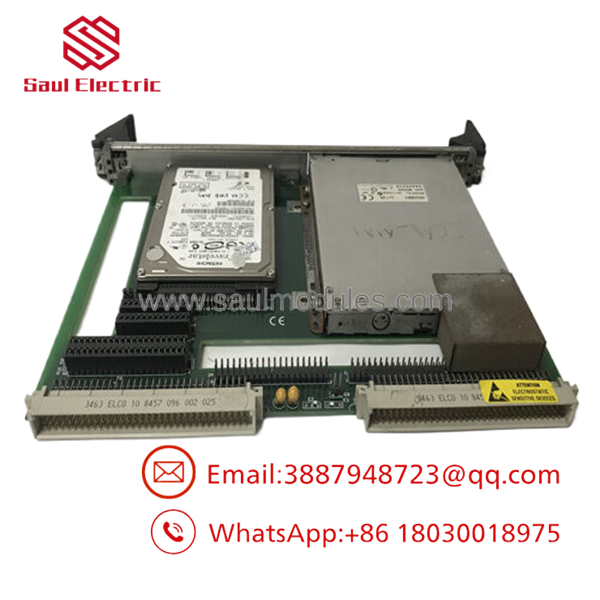
- VMIVME-7452
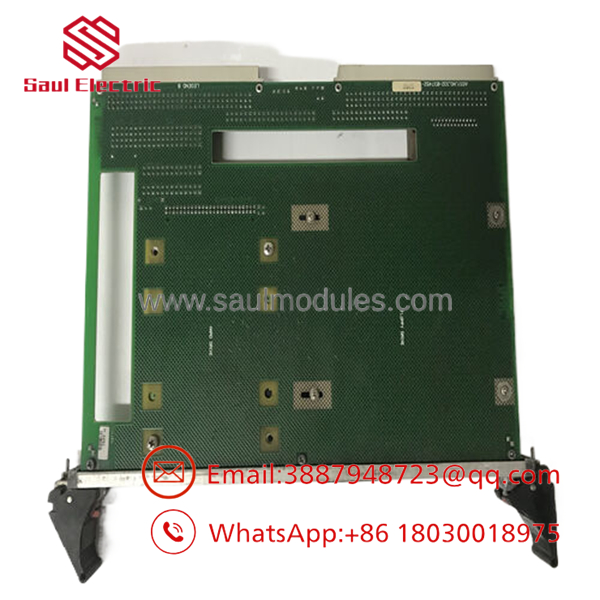
- VMIVME-7452
Firmware/Software Versions & Upgrade Notes
This module should be matched to the same host firmware and software image already validated at the site. In legacy VME systems, the main failure mode is usually a boot-media or configuration mismatch rather than the module hardware itself.
Avoid firmware changes during replacement unless you already have compatibility data and rollback coverage. The safest approach is a like-for-like swap with the existing boot and storage configuration preserved.
Frequently Asked Questions
Q: Is this really New Surplus?
A: It should be supplied as New Surplus / Original New, not refurbished. That means traceable legacy inventory rather than a repaired module.
Q: Why is it cheaper than OEM new but not as cheap as refurb stock?
A: New Surplus usually comes from excess inventory, project closeout, or secured distributor stock. That lowers price versus OEM list while keeping a stronger reliability profile than uncertain-condition parts.
Q: Is VMIVME-7452 obsolete?
A: Treat it as a legacy VME spare and check the installed platform’s lifecycle status. If your system still depends on it, keep buffer stock and plan for last-time-buy coverage.
Q: Can I hot-swap it?
A: No, not as a default assumption. VME storage modules should be replaced under a controlled outage unless the site procedure explicitly allows otherwise.
Q: Will my settings transfer automatically?
A: No. Record the boot-media setup, connector routing, and any jumper or BIOS settings before removal. The replacement should mirror the original setup exactly.
Q: What warranty terms are typical?
A: New Surplus industrial parts often carry vendor-backed warranty coverage, but the exact term depends on the supplier. Confirm warranty length, return policy, and serial traceability before purchase.

 Start Chat


