





Description
Key Technical Specifications
| Parameter | Value / Specification |
|---|---|
| System Compatibility | GE Entellisys Low Voltage Switchgear Architecture |
| Model Designation | WES5120 |
| Manufacturing Reference | 5120-1506 |
| Primary System Role | Central System Control Engine / Communication Gateway |
| Network Interfaces | Redundant Ethernet communication networks + dedicated serial diagnostic links |
| Bus Topology | High-speed, deterministic internal architecture |
| Data Interrogation Rate | Dynamic, continuous point scanning and status update capability |
| Mounting Configuration | Dedicated DIN-rail or specialized internal rack chassis footprints |
| Enclosure Shielding | Heavy-duty steel housing providing excellent EMI/RFI noise immunity |
| Input Power Envelope | Standard low-voltage industrial DC power feed requirements |
| Operating Temperature | −20 to +65°C (−4 to +149°F) performance environment |
Product Introduction
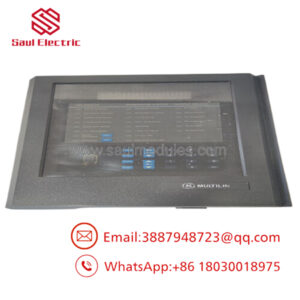
The GE WES5120, carrying the technical manufacturing reference 5120-1506, is the central control processing and communications engine developed for the GE Entellisys™ Low Voltage Switchgear system. Within an Entellisys power distribution matrix, the WES5120 acts as the main system brain, decoupling the complex protective logic and configuration settings from individual circuit breakers and moving them into a secure, centralized processing node.
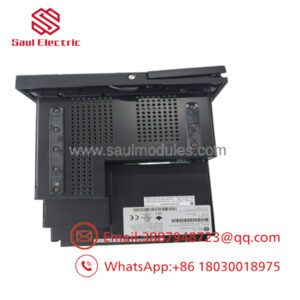
Equipped with an embedded real-time processor, the WES5120 continuously polls downstream I/O modules, power meters, and intelligent electronic devices (IEDs). It runs real-time automation algorithms, including zone selective interlocking (ZSI), bus differential protection configurations, and advanced wave tracking diagnostic loops. Encased in a rugged metal housing that shields the internal electronics from high-power electromagnetic interference (EMI) and radio frequency interference (RFI), this module bridges the high-voltage gear with plant-wide SCADA and HMI monitoring networks.
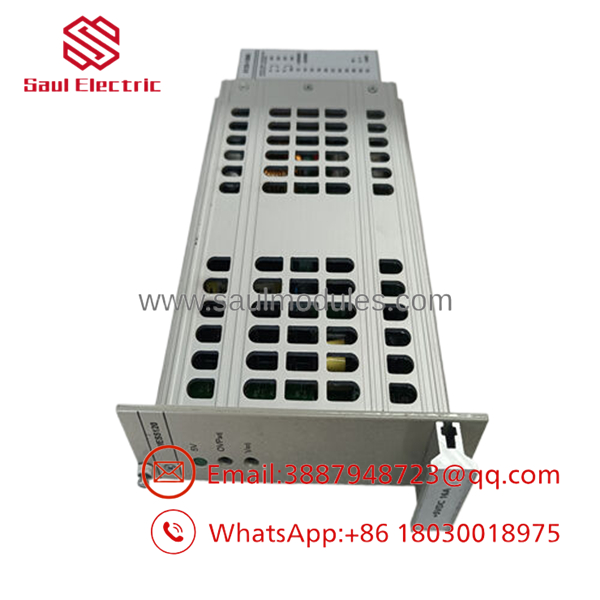
- WES5120 5120-1506
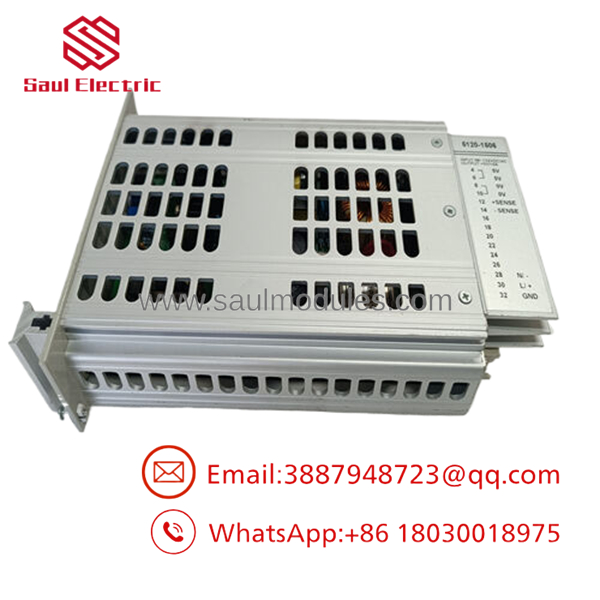
- WES5120 5120-1506
Installation & Configuration Guide
Stage 1: Pre-Installation Preparation (Estimated Time: 15 minutes)
- ⚠️ Safety First: The manages protection and coordination commands for your entire low-voltage switchgear lineup. Never pull or insert this processor module while the switchgear control bus is powered. Tripping paths can be accidentally completed, dropping massive electrical loads downstream. Lock out and tag out (LOTO) all internal 24 VDC auxiliary control power feeds before beginning.
- Tools Required: Grounded static-elimination wrist strap, small terminal slot screwdriver, metric socket set, and an engineering laptop loaded with Entellisys System software.
- Data Backup: Connect through your master engineering workstation terminal. Back up and export the current switchgear operational profile, circuit breaker settings profiles, and communications network map file.
Stage 2: Removing the Old Module (Estimated Time: 10 minutes)
- Affix your anti-static grounding wrist strap to an unpainted metal surface inside the switchgear auxiliary control bucket.
- Label and carefully disconnect the redundant Ethernet communication connections and adjacent serial links attached to the module’s ports.
- Unplug any removable terminal block strips routing auxiliary power and digital I/O signals to the module.
- Unscrew the mounting hardware bolts that secure the heavy metallic housing to the interior chassis frame or disengage the heavy-duty rail clips.
- Slide the module out from its slot and place it immediately into an ESD protective shielding bag.
Stage 3: Installing the New Module (Estimated Time: 10 minutes)
- Extract the new 5120-1506 module from its factory packaging, taking care not to impact the rear connector interfaces.
- Align the module housing onto the target DIN-rail tracks or the designated enclosure rack mount point.
- Secure the module tightly by driving home the chassis mounting bolts or locking down the integrated mounting clips.
- Reengage all labeled low-voltage terminal strip plugs, ensuring they click tightly into place.
- Reinsert the redundant network communication lines into their original port configurations.
Stage 4: Power-On & Synchronization (Estimated Time: 20 minutes)
- Reapply the 24 VDC auxiliary control power feed to the switchgear automation bucket.
- Watch the module faceplate during its initial power-up boot sequence:
- The Power and status indicators should turn solid green, indicating a successful internal self-test.
- Redundant network link indicators should flash rapidly as communication with adjacent devices resumes.
- ⚠️ Troubleshooting: If a red Fault or communication error status light remains active, hook up your laptop to inspect the error log. This generally points to an electronic ID mismatch or uninitialized network settings.
- Launch your Entellisys configuration utility tool, match the physical barcode serial identifier of the new module, and download your archived configuration parameters to restore full system synchronization.
Frequently Asked Questions (FAQ)
Can I hot-swap the CPU card while the switchgear is carrying live power?
No. The handles centralized logic processing and coordination functions for the Entellisys network. Pulling the master processor while the switchgear is online breaks the data loop holding the circuit breakers’ protective profiles active. This sudden disruption can lead to an immediate loss of communication, network timeout errors, or an accidental, systemic emergency trip of the main breakers.
What is the structural significance of the Entellisys architecture relative to this CPU?
In conventional switchgear designs, each circuit breaker contains its own independent trip unit containing specialized configuration rules. The GE Entellisys platform centralizes this framework. It uses dumb breakers that transmit low-level signal metrics up to the centralized CPU module, which evaluates all system waves simultaneously. This centralized logic design provides highly advanced interlocking and protection functions across the entire switchgear array.
How should I resolve a “Communication Loop Timeout” alert right after a swap?
This alert typically indicates that the new module has not been assigned the proper network IP addresses, or that the primary and secondary redundant Ethernet lines were reversed during installation. First, cross-check your cable labels and verify that they match the original ports. If the cabling is correct, connect to the unit via your engineering software tools to verify that the master software file configuration matches the target node ID requirements.
Does this processor require independent hardware firmware flashing?
Yes. The relies on an internal operating system build that must align precisely with the versions running on adjacent Entellisys controllers and display HMIs. When you connect to the new board using your development software, the system will compare the card against your project file and prompt you to run a firmware update if a version mismatch is detected.
Why are these parts sold as “New Surplus” rather than current production?
As newer power distribution platform models enter the industrial market, older legacy configurations like the original Entellisys series are phased out of active high-volume manufacturing lines. Our inventory comprises pristine New Original / New Surplus parts—unused factory components sourced directly from plant modernizations, canceled building project overstocks, or warehouse liquidations. This allows you to find exact replacement spares without long lead times.

 Start Chat


