





Description
Product Introduction & Engineering Value
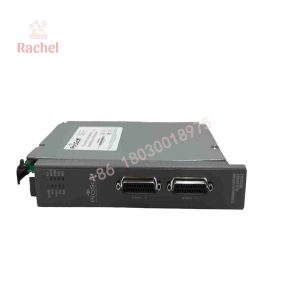
The 6104-WA-PDPM was designed for a specific networking problem: extending PROFIBUS DP communication where a conventional wired connection is inconvenient or impractical. It operates as a PROFIBUS DP Master and uses ProSoft’s wireless protocol to move the shared database between wireless ProLinx modules.
That makes this module particularly relevant to legacy PROFIBUS installations, remote I/O islands, mobile equipment, and retrofit projects where replacing the entire control architecture would create unnecessary engineering work. ProSoft classifies the product today within its legacy-product documentation rather than its current-generation gateway portfolio.
Technical Specifications
Identification: 6104-WA-PDPM
Manufacturer: ProSoft Technology, Inc.
Platform: ProLinx 6000 Series
Communication Role: PROFIBUS DP Master
PROFIBUS Type: PROFIBUS-DP
Wireless Function: Wireless transfer between ProLinx modules using ProSoft Wireless Protocol (PWP)
PROFIBUS Operating Model: The PDPM operates as a master and communicates with PROFIBUS DP slave devices.
Database Architecture: The module uses an internal database to pass data and commands between the processor and PROFIBUS devices.
Configuration Software: SyCon can be used for PROFIBUS configuration, while ProSoft Configuration Builder is used for ProLinx module configuration.
Configuration Interface: The setup documentation identifies a serial configuration connection and provides a DB-9-to-Mini-DIN8 conversion cable for configuration.
Wireless Configuration: Network name/SSID, radio channel, subnet information, and related PWP parameters must be configured consistently across the wireless system.
Installation Format: Stand-alone ProLinx wireless gateway module; third-party technical references identify DIN-rail mounting. The original manufacturer documentation should take precedence for mechanical installation details.
Product Status: Legacy product.
Specification caution: Third-party listings sometimes publish electrical, environmental, or wireless figures that are not reproduced in the current ProSoft legacy product page. For replacement purchasing, use the original ProSoft documentation and the installed unit’s nameplate rather than treating marketplace specifications as authoritative.
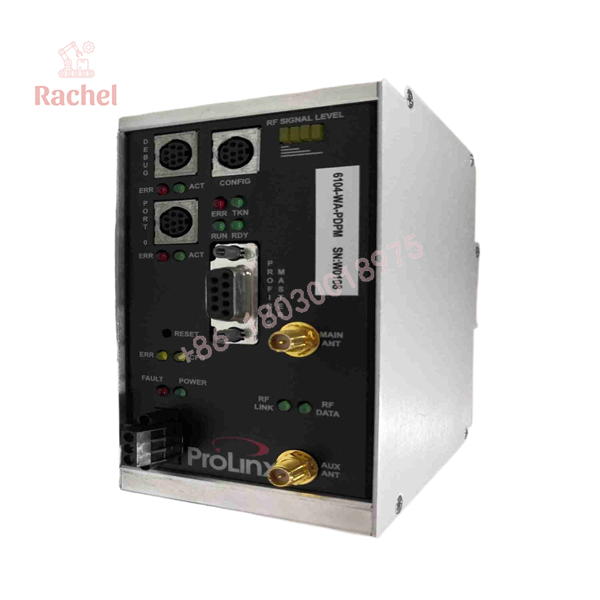
6104-WA-PDPM
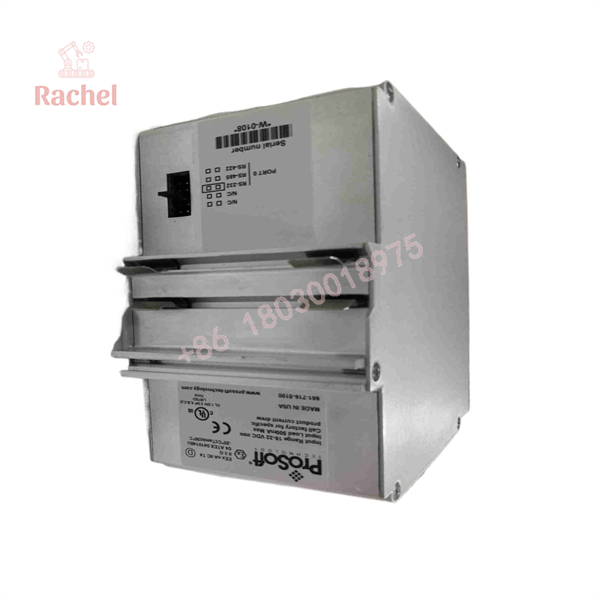
6104-WA-PDPM
Field Application & the “Trench” Experience
A realistic retrofit scenario is a remote conveyor or process skid where an existing controller communicates with PROFIBUS DP field devices, but installing new copper cable between the control room and remote equipment would require significant cable routing and shutdown work.
An engineer can use a 6104-WA-PDPM at the PROFIBUS Master side and a compatible ProSoft wireless PROFIBUS module at the remote end. The wireless modules exchange data through the PWP mechanism while the control system continues to work with its PROFIBUS architecture. The original setup guide explicitly describes this master/slave wireless arrangement.
Niche applications include:
- Remote PROFIBUS I/O islands where physical bus cabling is difficult to install.
- Mobile process equipment that must communicate with a fixed automation system.
- Retrofit projects where extending an existing PROFIBUS installation is preferable to redesigning the controller and field-device network.
An ABB technical presentation also documents ProSoft 6104-WA-PDPM/6105-WA-PDPS hardware in wireless PROFIBUS DP configurations involving S800 I/O and AC 800M systems.
Transparency SOP: QA & Testing
For a New Surplus or refurbished 6104-WA-PDPM, a practical inspection sequence is:
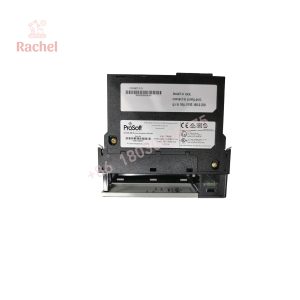
- Part-number verification — Confirm the complete
6104-WA-PDPMdesignation and compare the physical label with the purchase documentation. - Hardware inspection — Examine the enclosure, terminal connections, PROFIBUS interface, configuration connector, indicators, and radio-related hardware.
- Power-up test — Verify startup behavior and front-panel LED activity before connecting the unit to a production PROFIBUS network.
- Configuration test — Confirm that the module can be accessed with the appropriate configuration tools.
- PROFIBUS test — Where test equipment is available, configure a controlled PROFIBUS DP network and verify Master communication with representative slave hardware.
- Wireless test — For a complete gateway pair, verify the PWP link and database exchange rather than testing only the local PROFIBUS port.
The original setup documentation specifically instructs technicians to verify power and front-panel LEDs before beginning configuration and identifies SyCon and ProSoft Configuration Builder as configuration tools.
The Veteran’s Tech Trap Guide
⚠️ Trap #1 — Confusing the PDPM with the PDPS
The two models are closely related but have different PROFIBUS roles. 6104-WA-PDPM is the Master; 6105-WA-PDPS is the Slave. The original documentation is explicit about this distinction.
⚠️ Trap #2 — Forgetting that the wireless configuration is part of the system
A replacement PDPM is not simply a plug-in radio. Wireless parameters such as the network name, channel, subnet information, and PWP settings must correspond with the other modules in the wireless network.
PRO TIP: Preserve the original configuration files before removing a failed module. The documentation describes downloading configuration files to the 6104-WA-PDPM through its DEBUG connection.
⚠️ Trap #3 — Assuming a PROFIBUS configuration automatically transfers to the wireless side
There are two configuration layers to consider: the PROFIBUS device configuration and the wireless/PWP data-transfer configuration. Troubleshooting only one side can leave the system apparently configured while the remote data exchange remains unavailable.
Dynamic FAQ
What is the ProSoft 6104-WA-PDPM?
It is a ProLinx Wireless PROFIBUS DP Master module designed to connect PROFIBUS DP devices and transfer PROFIBUS data wirelessly through ProSoft’s wireless protocol.
Is the 6104-WA-PDPM still a current ProSoft product?
It is documented by ProSoft Technology under its Legacy Products / ProLinx 6000 Series support area. The manufacturer still provides legacy documentation, including the datasheet, setup guide, and driver manuals.
Can a 6104-WA-PDPM replace a 6105-WA-PDPS?
Not as a direct functional substitute. The PDPM is the PROFIBUS Master, while the 6105-WA-PDPS performs the Slave role. Their network positions are different.
What software is used to configure it?
The original documentation identifies SyCon for PROFIBUS configuration and ProSoft Configuration Builder for configuring the ProLinx module and wireless network.
Is New Surplus 6104-WA-PDPM available?
Because this is a legacy product, supply generally depends on remaining inventory, surplus stock, and refurbished units. A “New Surplus” designation should refer to the actual physical unit being supplied, with its label, condition, and test status verified before purchase.
What warranty should I expect?
Warranty coverage is determined by the individual supplier rather than by the 6104-WA-PDPM part number. For a surplus or refurbished unit, request the warranty period, functional-test scope, and return conditions in writing before placing the order.

 Start Chat


