





Description
Product Introduction
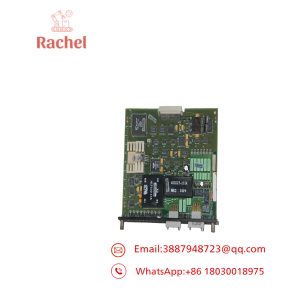
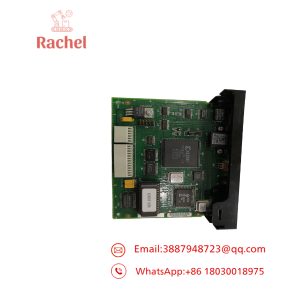
The Reliance Electric 57C554 is an AutoMax Remote I/O Shark Interface Module used to connect a remotely located Shark I/O rack to the AutoMax Remote I/O network. In a Shark remote rack, the 57C554 functions as the I/O scanner and replaces the processor module.
This is communications hardware, not a conventional I/O card. It contains an onboard microprocessor for network buffering and timing, provides a 9-pin D-shell network connection, and uses a rotary switch to establish the remote rack’s drop number. The module belongs to a legacy architecture, so exact rack position and network configuration matter.
Key Technical Specifications
| Parameter | Specification |
|---|---|
| Manufacturer | Reliance Electric |
| Model | 57C554 |
| Alternate Part Number | 0-57554 / 57554 |
| Product Type | AutoMax Remote I/O Shark Interface Module |
| System | AutoMax / DCS 5000 |
| Remote Rack Type | Shark I/O Rack |
| Primary Function | Shark rack interface to AutoMax Remote I/O network |
| Processor Function | I/O scanning, buffering, and timing |
| Network Connector | 9-pin female D-shell |
| Status Indicators | CPU OK / COM OK |
| Drop Configuration | 16-position rotary switch |
| Valid Drop Numbers | 1-7 and 9-F |
| Installation Position | First slot to the right of the rack power supply |
| Logic Supply | +5 VDC from rack |
| Lifecycle | Discontinued / Legacy |
The OEM-related documentation identifies the 57C554 as the Shark Interface Module and states that it plugs into the Shark rack backplane in the first slot to the right of the power supply. The front panel contains the NETWORK connector, CPU OK and COM OK LEDs, and the drop-number selector.
The drop-number switch is important. Documentation states that its setting is read during power-up, and changing the rack’s drop number requires changing the switch and cycling power. Valid settings are 1-7 or 9-F; an invalid setting causes the COM OK indication to flash.
Application Scenarios & The “Trench” Experience
The failure looks deceptively simple. The remote Shark rack is powered. The local I/O modules appear healthy. Yet the AutoMax controller suddenly reports that an entire remote I/O drop has disappeared.
That is where technicians start checking every I/O card in the rack.
Often, the problem is upstream.
The 57C554 is the communications gateway between the Shark rack and the AutoMax Remote I/O network. If it fails, an otherwise healthy collection of digital and analog I/O modules can become invisible to the controller.
- Industrial Automation — Remote Shark I/O — Connects a remotely located Shark rack to the AutoMax Remote I/O network.
- DCS 5000 — Distributed I/O — Provides the scanning interface required for a Shark rack operating as a remote network drop.
- Motor Control — Remote Machine I/O — Allows field I/O installed in a remote Shark rack to exchange data with the AutoMax control system.
- Process Automation — Distributed Control Cabinets — Keeps remote I/O physically separated from the main processor rack while maintaining network communication.
- Legacy Plant Maintenance — AutoMax Replacement — Provides an exact architectural replacement when an existing 57C554 fails.
Field case — plausible replacement scenario:
A production machine loses communication with one remote Shark rack. The processor rack remains online, and the AutoMax application continues executing. Only one remote drop disappears.
The technician checks the remote rack.
Power is present. The I/O cards look normal. The CPU OK LED on the 57C554 is off.
The replacement module is identified as the same 57C554. Before installation, the technician records the original drop-number switch position and network cabling. The replacement is installed in the correct slot, the rotary switch is duplicated, and power is cycled.
CPU OK comes on.
Then COM OK.
The remote I/O data returns.
No PLC program modification was required. That is exactly the kind of fault where having one tested spare in the cabinet pays for itself very quickly.
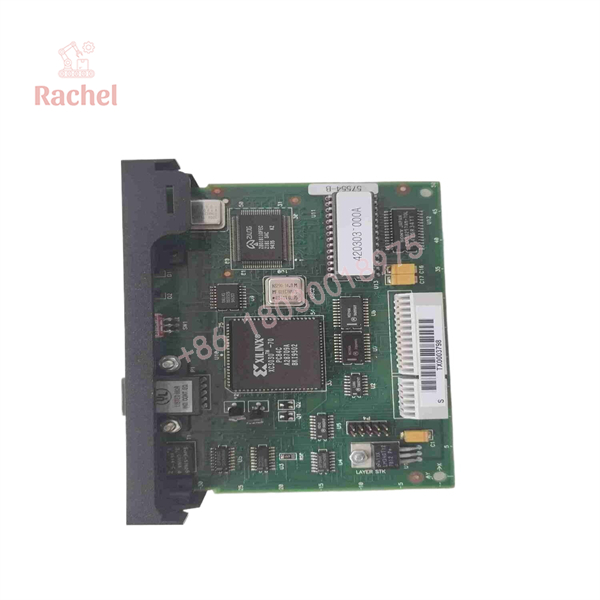
57C554
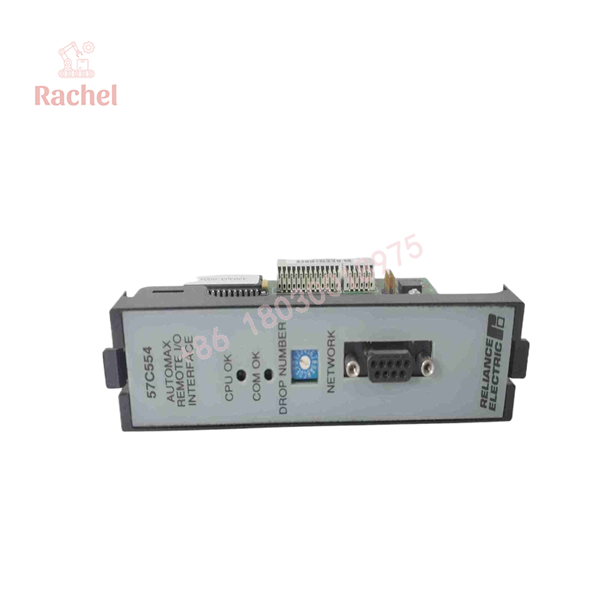
57C554
Transparency SOP: Quality Assurance & Testing
A 57C554 should be tested as a communications module, not merely powered on.
- Inbound Inspection
- Verify 57C554 or 0-57554 identification.
- Inspect the PCB, faceplate, backplane connectors, and retaining tabs.
- Check the 9-pin NETWORK connector for bent or damaged contacts.
- Inspect the rotary drop-number switch for mechanical damage.
- Live Rig Testing
- Install the module in a compatible Shark rack.
- Verify the rack supplies the required logic power.
- Confirm CPU OK after power-up diagnostics.
- Connect the module to a compatible AutoMax Remote I/O network.
- Verify COM OK communication.
- Test remote I/O scanning through the network.
- Electrical Parameter Checks
- Verify rack power conditions before inserting the module.
- Check the network interface for proper electrical behavior.
- Inspect the backplane connector for intermittent contact.
- Investigate abnormal current consumption before allowing network operation.
- Configuration Verification
- Record the original rotary drop-number setting.
- Confirm that the selected drop number is valid.
- Verify that the network recognizes the expected remote drop.
- Confirm that the configuration matches the AutoMax network database.
- Final QC & Anti-static Packaging
- Record CPU OK and COM OK test results.
- Photograph the front panel and configuration switch.
- Protect the backplane connectors against ESD and mechanical damage.
- Package the board with appropriate anti-static protection.
We don’t just ship boxes. A 57C554 should prove that it can initialize and communicate with an actual Shark/AutoMax network before being treated as a production spare.
The Veteran’s Tech Trap Guide (Crucial Value-Add)
- ⚠️ Photograph the drop-number switch before removing the old card. The 16-position rotary switch determines the remote rack’s network drop address, and its setting is read at power-up. Trust the photograph, not memory.
- ❗ Do not install the module in an arbitrary Shark slot. The documentation specifies the first slot to the right of the power supply for the Shark Interface Module.
- ⚠️ CPU OK and COM OK mean different things. CPU OK indicates that the module has passed its power-up diagnostics. COM OK indicates communication with the Remote I/O network. A healthy CPU indication does not prove network communication.
- ❗ A flashing COM OK can point to an invalid drop number. Check the rotary switch before replacing the communication board. You may be looking at a configuration problem, not a failed module.
Frequently Asked Questions (FAQ for Conversion)
Q1. What is the Reliance 57C554?
It is an AutoMax Remote I/O Shark Interface Module. It allows a Shark rack containing I/O modules to operate as a remote I/O drop on an AutoMax Remote I/O network. Rockwell documentation describes it as the I/O scanner for a remotely located XLII/Shark rack.
Q2. Where does the 57C554 install?
It installs in the first slot to the right of the Shark rack power supply. The module connects to the rack backplane through two rear connectors.
Q3. What does the 57C554 replace in a remote Shark rack?
When a Shark rack is configured as an AutoMax remote I/O drop, the 57C554 replaces the processor module and performs the remote I/O scanning function.
Q4. What does the drop-number switch do?
The 16-position rotary switch selects the Shark rack’s Remote I/O drop number. Documentation identifies valid settings as 1-7 and 9-F. The setting is read at power-up, so changing it requires a power cycle.
Q5. Can I hot-swap the 57C554?
No. Do not treat this legacy Shark interface as a hot-swappable network card. Power down the applicable rack and follow the AutoMax/plant electrical isolation procedure before removing or installing the module.
Q6. Is the 57C554 discontinued?
Yes. Current industrial references identify it as discontinued, although replacement and repair services remain available through secondary-market suppliers.
Q7. Is a surplus 57C554 acceptable for production use?
It can be, provided it is correctly identified and communication-tested. For procurement, request the actual module photograph, PCB revision, drop-switch condition, CPU OK/COM OK test results, network test evidence, condition classification, and written warranty. A powered-on test without network communication is not enough.

 Start Chat


