





Description
3. Product Introduction & Engineering Value
AutoMax Remote I/O networks were built around a simple master/slave polling scheme, and the Remote I/O Head is one of the workhorse slave-drop devices in that architecture — it takes the coaxial or fiber-optic network signal and translates it into rail-level I/O the AutoMate system understands, without needing a full processor rack at every remote location.
The 57C328 has its own on-board power supply (120/240 VAC input) and can directly drive up to 4 digital rails, analog I/O rails, or Local Heads — and since each Local Head can in turn drive up to 4 more AutoMate digital rails, a single 57C328 with 4 Local Heads attached can ultimately control up to 16 digital rails. One real constraint worth knowing up front: each digital rail must be configured as all-inputs or all-outputs — mixed rails aren’t supported at the rail level.
4. Technical Specifications
| Parameter | Value |
|---|---|
| Input power | 120/240 VAC, jumper-selectable |
| Rated input current | 0.5 A / 0.25 A (120V/240V, per distributor listings) |
| Input frequency | 50/60 Hz |
| Storage temperature | −40°C to 85°C (−40°F to 185°F) |
| Operating temperature | 0°C to 60°C (32°F to 140°F) |
| Humidity | 5–95%, non-condensing |
| Altitude | 1000 m (3300 ft) without derating |
| Network role | Slave drop only — valid drop numbers 1–7; settings 0, 8, 9 are invalid and trigger Error Code A |
| Rail capacity | Up to 4 digital rails, analog I/O rails, or Local Heads directly; up to 16 digital rails total with 4 Local Heads attached |
| Programming interface | RS-232 port for local terminal communication (via Interface Cable M/N 61C127) |
| Network attachment | BNC Tee Adapter (M/N 45C70); requires 75-ohm terminating loads (M/N 45C71) at network ends |
| Status indicators | POWER, CPU, READY, FAULT MSB, FAULT LSB, RAIL FAULT LEDs plus 7-segment fault code display |
5. Field Application & The “Trench” Experience
Illustrative scenario — not a specific reported incident:
A recurring situation with 57C328/57C330 replacements: a tech orders a Remote I/O Head to interface with a variable-speed drive that has a rail-type interface port (like a GP 2000/VTAC controller), because the 57C328 can technically be used that way. Reliance’s own manual flags this directly — it’s recommended to use the Remote Drive Interface Head (M/N 57C329) for drive interfacing instead, even though the 57C328 can be pressed into that role. Skipping that recommendation isn’t a compatibility failure, but it does forgo purpose-built handling that the 57C329 provides for drive applications specifically.
Specific application scenarios:
- Remote digital I/O for a material-handling conveyor zone too far from the main AutoMax rack to run direct wiring economically, using the coaxial Remote I/O network instead
- Multi-rail expansion via Local Heads, where a single 57C328 aggregates several nearby digital rail locations into one network drop
- Legacy AutoMate rail system support in facilities maintaining older Reliance/AutoMax infrastructure without a full platform migration
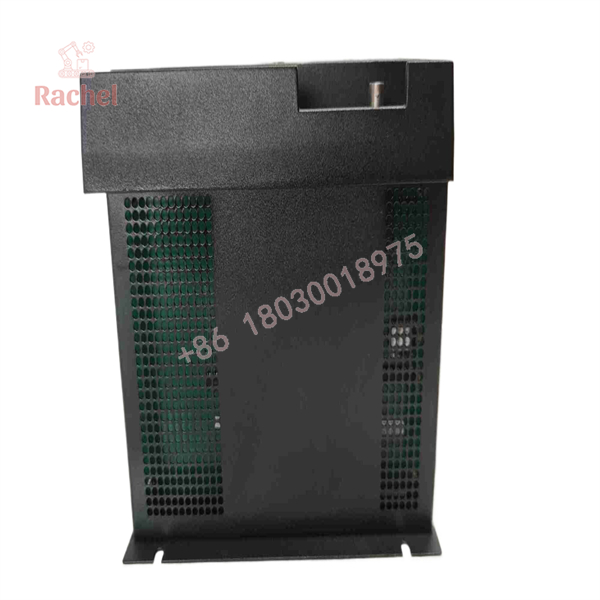
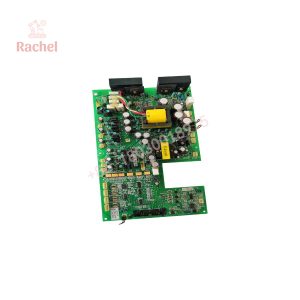
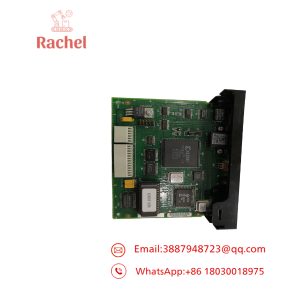
57C328
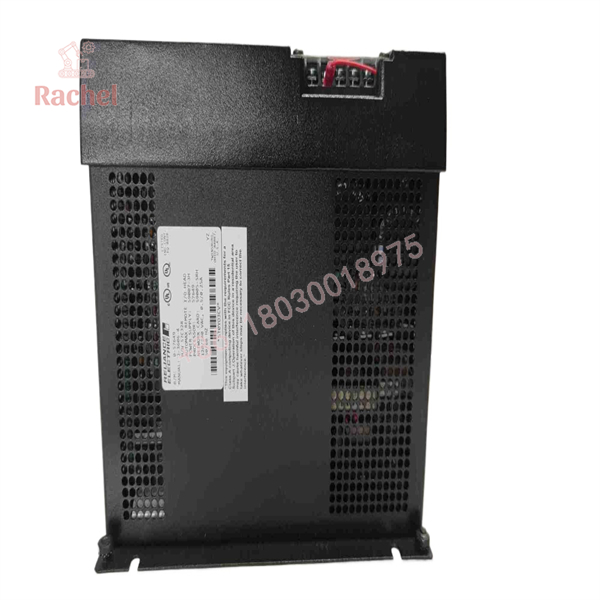
57C328
6. Transparency SOP: QA & Testing
Generic verification framework for surplus/refurbished Remote I/O Heads:
- Visual and connector inspection — check BNC connector condition, terminal block guard integrity, and fuse condition
- Power-up diagnostics verification — confirm the unit runs its power-up self-test (CPU, EPROM, RAM, SIO port, DMA) cleanly, per the documented diagnostic sequence
- Drop number/thumbwheel switch test — verify the thumbwheel switch reads correctly and the unit rejects invalid settings (0, 8, 9) with the expected Error Code A
- Network communication test — verify the unit establishes communication as a slave drop on a test Remote I/O network
(General framework — substitute your actual documented QA process where it differs.)
7. The Veteran’s Tech Trap Guide
⚠️ Thumbwheel drop number setting requires a power cycle to take effect. Per Reliance’s manual, after changing switches you must cycle power to the rack (or use the self-test/reset function) for the new drop number to actually register. Changing the switch alone while powered doesn’t apply the change.
⚠️ Drop numbers 1–7 and 9–F are treated as equivalent pairs — you can assign drop 1 or 9, but not both on the same network; same for 2/A, 3/B, and so on. This mutual-exclusivity rule catches people who assume the extended hex range gives them more usable addresses than it actually does.
PRO TIP: Digital rails must be configured as all-input or all-output — don’t assume you can mix input and output points on a single rail hanging off this Remote I/O Head.
⚠️ Powering down a drop on a coaxial network can disrupt communication for the whole segment, not just that drop — per Reliance’s own caution in the manual. Plan any drop disconnection/reconnection with that ripple effect in mind, especially on a live production network.
⚠️ Line-voltage shock hazard on faceplate terminals. The plastic guard covering the terminal strip must be reinstalled after making power connections — exposed terminals are explicitly flagged as a shock hazard risk in Reliance’s documentation.
8. Dynamic FAQ
Q: Can this Remote I/O Head interface directly with a variable-speed drive?
It can technically be used with drives that have rail-type interface ports, but Reliance’s own documentation recommends using the Remote Drive Interface Head (M/N 57C329) for that role instead.
Q: How many rails can one 57C328 support?
Up to 4 digital rails, analog I/O rails, or Local Heads directly — and up to 16 digital rails total if 4 Local Heads are attached, since each Local Head supports up to 4 more rails.
Q: What drop numbers are valid for this module?
1 through 7 only — it operates strictly as a slave drop. Settings 0, 8, and 9 are invalid and will show Error Code A on the 7-segment display.
Q: Is a mixed input/output rail supported?
No — each digital rail connected to this Remote I/O Head must be configured as all-inputs or all-outputs.
Q: What warranty applies to used/refurbished stock?
Varies by seller — some resellers list 1-year or 2-year warranties on tested/repaired units; confirm the specific term at time of purchase.
Q: Does changing the drop number thumbwheel take effect immediately?
No — you must cycle power to the rack, or use the module’s self-test/reset function, for a new drop number setting to be recorded.

 Start Chat


