





Description
3. Product Introduction & Engineering Value
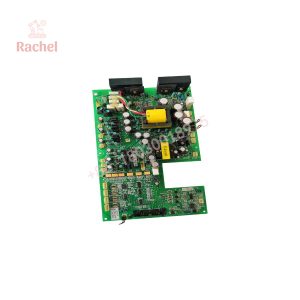
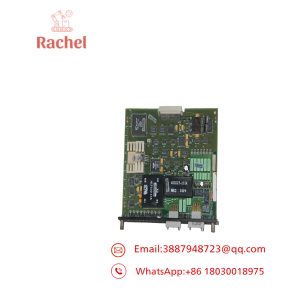
Every AutoMax Remote I/O network needs exactly one thing at its center: a card in the master rack that actually talks to everything else on the network. That’s the 57C416‘s whole job — it sits in the Processor’s master rack and polls every slave drop (Remote I/O Heads, Remote Drive Interface Heads, Shark racks, other AutoMax racks) in a round-robin sequence, moving I/O data back and forth over coax or fiber.
It’s a backplane card, not a standalone enclosure — it plugs directly into the master rack alongside the Processor module, drawing 2.5 A at 5 VDC from the backplane supply. Two front-panel thumbwheel switches set the network drop number (upper wheel = most significant digit, lower wheel = least significant digit), and an RS-232C port lets you connect a terminal or PC directly to check module and network status without touching the Processor’s own programming port.
4. Technical Specifications
| Parameter | Value |
|---|---|
| Backplane power draw | 2.5 A at 5 VDC |
| Storage temperature | −40°C to 85°C (−40°F to 185°F) |
| Operating temperature (at the module) | 0°C to 60°C (32°F to 140°F) |
| Humidity | 5–95%, non-condensing |
| Altitude | 1000 m (3300 ft) without derating |
| Dimensions | Height 29.845 cm (11.75 in), Width 3.175 cm (1.25 in) |
| Local diagnostics | RS-232C port for terminal/PC status and test communication |
| Drop number setting | Dual thumbwheel switches (MSD/LSD) |
| Status indicators | OK LED plus 7-segment FAULT CODE display |
| Network role | Master drop only — resides in the same rack as the AutoMax/DCS 5000 Processor module |
| Related slave-drop hardware | Remote I/O Heads (57C328/57C330), Remote Drive Interface Head (57C329), Shark Interface Module (57C554) — see prior product entries for details on those |
5. Field Application & The “Trench” Experience
Illustrative scenario — not a specific reported incident:
A common troubleshooting scenario on AutoMax Remote I/O systems: multiple slave drops start showing communication faults simultaneously, and the instinct is to start swapping out Remote I/O Heads one by one. Per Reliance’s own troubleshooting guidance, when more than one module isn’t working correctly at once, the problem is more likely upstream — in the Remote I/O Communications module (57C416) itself or the network cabling — not a coincidental simultaneous failure of multiple independent slave devices. Checking the 57C416’s OK LED and fault code display first can save a lot of unnecessary slave-drop swapping.
Specific application scenarios:
- Master rack interface for a multi-drop coaxial Remote I/O network, coordinating several Remote I/O Heads and Shark racks spread across a facility
- Fiber-optic-based Remote I/O backbone in electrically noisy environments, where the 57C416 pairs with fiber transceivers instead of direct coax
- Legacy AutoMax/DCS 5000 system support, where this module remains the only path to keep an existing Remote I/O network functioning without a full processor platform replacement
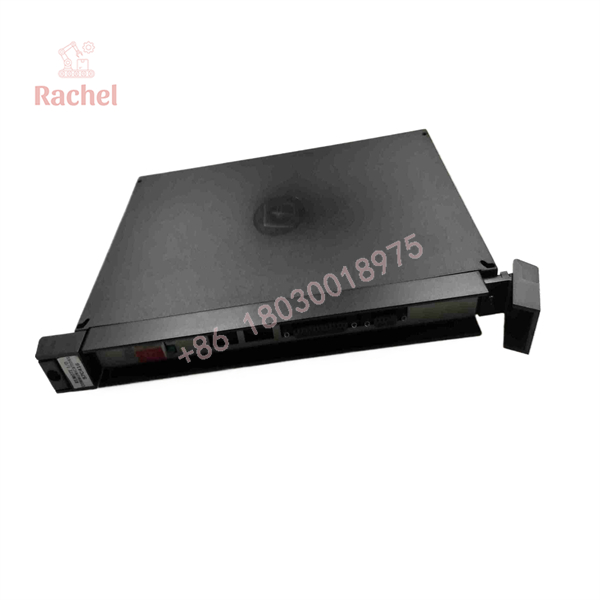
57C416
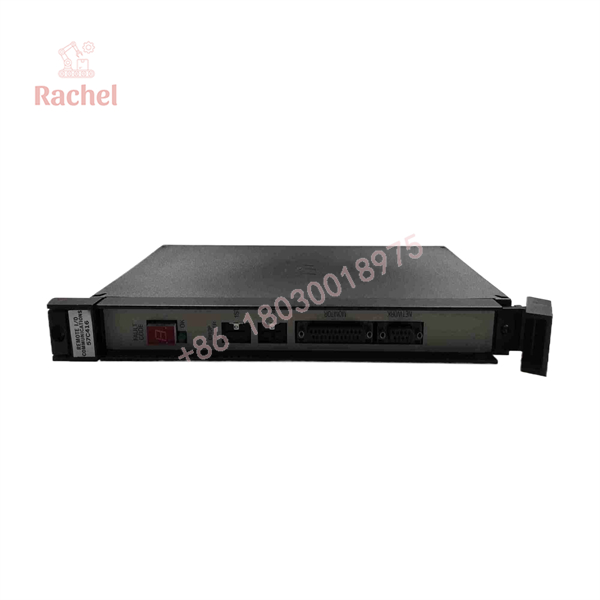
57C416
6. Transparency SOP: QA & Testing
Generic verification framework for surplus/refurbished Remote I/O Communications modules:
- Visual and connector inspection — check backplane edge connector condition and faceplate connector/switch condition
- Power-up diagnostic verification — confirm the module completes its power-up sequence with the OK LED illuminated and no fault code displayed
- RS-232C terminal communication test — verify local status commands respond correctly via a connected terminal or PC
- Network polling test — confirm the module successfully polls at least one slave drop on a test network before shipment
(General framework — substitute your actual documented QA process where it differs.)
7. The Veteran’s Tech Trap Guide
⚠️ A cluster of slave-drop faults usually points to this module, not the slaves. If several Remote I/O Heads or Shark racks fault simultaneously, check the 57C416 and the network cabling before replacing multiple slave devices — Reliance’s own guidance backs this troubleshooting order.
⚠️ Suffix variants exist (57C416, 0-57416-, 57416-K, 0-57416-T, etc.) and may correspond to different manual revisions or minor hardware changes. Match your existing module’s exact designation before ordering a replacement, and keep the matching instruction manual revision (J-3606 series) on hand.
PRO TIP: Use the RS-232C port for initial troubleshooting before assuming a hardware fault — Reliance built this module with a dedicated local status/test interface specifically so you don’t have to interrupt the Processor’s own programming connection to check Remote I/O network health.
⚠️ This module resides in the master rack only — don’t confuse its role with the slave-drop devices (57C328, 57C329, 57C330, 57C554) covered separately. Ordering the wrong one won’t fit the intended rack position or network role.
8. Dynamic FAQ
Q: Where does this module get installed?
In the master rack, alongside the AutoMax or DCS 5000 Processor module — it is not a slave-drop device.
Q: How is the network drop number set?
Via two front-panel thumbwheel switches — the upper wheel sets the most significant digit, the lower wheel the least significant digit.
Q: What’s the module’s backplane power draw?
2.5 A at 5 VDC, per manufacturer and distributor documentation.
Q: Is there a way to check network/module status without disturbing the Processor’s programming connection?
Yes — the RS-232C port on the 57C416’s faceplate supports local terminal or PC communication specifically for status and test functions.
Q: What warranty applies to used/refurbished stock?
Varies by seller — some resellers list 1-year or 3-year warranties on repaired/tested units; confirm the specific term at time of purchase.
Q: Is this part still manufactured?
No — it’s discontinued, with sourcing today through surplus, refurbished, and repair channels only.

 Start Chat


