





Description
Product Introduction & Engineering Value
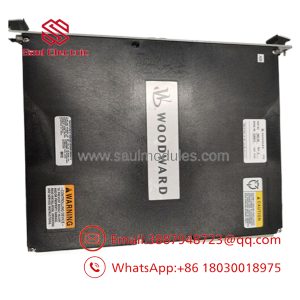
The Woodward 8440-1936 is a multifunction generator-set controller built for systems where engine control, generator synchronization, breaker management, load sharing, and electrical protection need to be coordinated from one control platform. The easYgen-3500 P2 extends the standard 3500 feature set for complex distribution systems with multiple utility feeds and tie-breaker arrangements.
The P2 package is the important distinction here. Compared with the P1 package, the 3500 P2 adds 10 digital outputs, 11 digital monitoring inputs, two sinking pulse outputs, three configurable 0/4–20 mA analog outputs, and seven analog inputs. The 8440-1936 also uses 5 A CT inputs, so the exact part number should be matched against the existing generator protection and metering circuits.
Technical Specifications
| Specification | 8440-1936 |
|---|---|
| Manufacturer | Woodward |
| Part Number | 8440-1936 |
| Controller | easYgen-3500 |
| Package | P2 |
| CT Input Version | 5 A |
| Product Specification | 37523 |
| Operating Manual | 37528 |
| Application | Complex breaker / generator paralleling |
| Generator Voltage Measurement | 3-phase |
| Generator Current Measurement | 3-phase, true RMS |
| Mains Voltage Measurement | 3-phase |
| Busbar Voltage Measurement | Supported |
| Discrete Monitoring Inputs | 23 total; 20 configurable |
| Configurable Discrete Outputs | Up to 22 |
| Additional CANopen I/O | Up to 16 inputs / 16 outputs |
| Analog Inputs | 7 configurable on P2 |
| Analog Outputs | 3 configurable 0/4–20 mA outputs |
| Event Recorder | Up to 300 entries |
| Configuration | PC-based configuration supported |
| HMI | Front-panel color display with softkey operation |
The 3500 platform measures generator voltage/current and mains/bus conditions and provides engine start/stop, synchronization, protection, energy counters, event recording, and programmable I/O functions. The P2 configuration adds the extra I/O needed for more involved breaker and distribution architectures.
Woodward’s current catalog confirms the 8440-1936 designation and identifies Product Specification 37523 and Manual 37528 as the associated documentation.
Field Application & “Trench” Experience
A common application for the 8440-1936 is a multi-generator plant where the controller must do more than simply start and stop an engine. The control system may need to synchronize a generator to a common bus, control the generator circuit breaker, coordinate multiple generator sets, monitor utility power, and manage a main or tie breaker.
This is where the P2 I/O expansion becomes significant. A retrofit that replaces an older generator controller with a P1 unit may appear electrically similar during initial inspection but lack the additional I/O required by the existing panel logic. The P2 package was specifically designed for more complex breaker applications, including multiple utility feeds and tie-breaker arrangements.
Niche application scenarios
- Multi-generator prime-power plants
- Standby systems with utility/generator transfer and tie breakers
- Industrial facilities using multiple gensets in parallel
- Distributed power systems with complex GCB/GGB/MCB control
- Generator plants requiring load sharing and mains import/export functions
- Legacy GCP/MFR installations being migrated to easYgen-3000 architecture
Woodward’s legacy replacement documentation also maps several older GCP and MFR configurations to 8440-1936 easYgen-3500-5/P2, including GCP-3145B/XPQ and several MFR-2 variants.
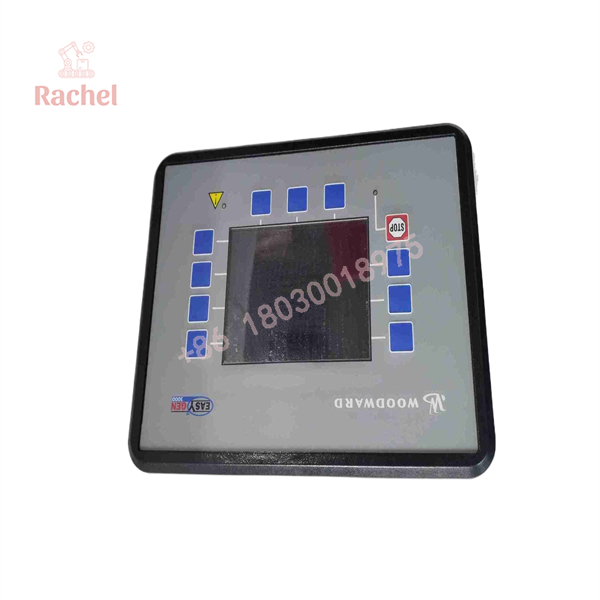
8440-1936
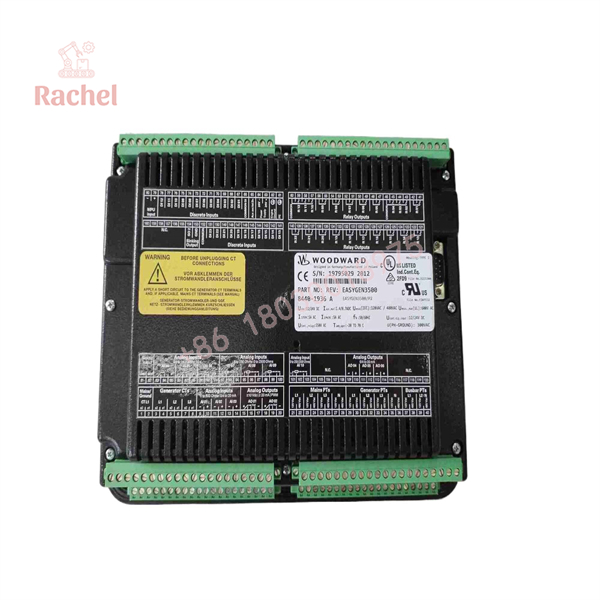
8440-1936
Transparency SOP: QA & Testing
For an 8440-1936, the inspection should establish both the hardware identity and the configuration before the unit enters a generator-control panel.
New / New Surplus Inspection
- Confirm the nameplate shows 8440-1936.
- Verify the model designation as easYgen-3500-5/P2.
- Confirm the unit is the 5 A CT-input version.
- Inspect the front display, keypad, housing, terminals, and mounting points.
- Check connectors for bent pins, corrosion, contamination, or mechanical damage.
- Record serial number and hardware/software revision where available.
- Compare the unit against the required P2 I/O configuration.
Functional Testing
A suitable bench or system test should include:
- DC power-up and initialization.
- Display and keypad operation.
- Generator voltage measurement.
- Generator current measurement.
- Mains and bus measurement verification.
- Frequency and phase measurement.
- Digital input response.
- Relay and configurable output operation.
- Analog input/output verification.
- Synchronization logic.
- Breaker command and feedback logic.
- Alarm, shutdown, and protection functions.
- Parameter retention after power cycling.
- Communication interface verification where used.
For a refurbished controller, the test report should identify which I/O and control functions were actually tested rather than simply stating that the unit was “powered on.”
Veteran’s Tech Trap Guide
Trap 1 — Mixing the 1 A and 5 A versions
Woodward lists 8440-1936 as the 5 A version and 8440-1937 as the 1 A version. These should not be treated as interchangeable merely because both are easYgen-3500 P2 controllers.
Pro tip: Check the CT secondary rating before ordering. A 1 A / 5 A mismatch is a system-level measurement issue, not a software setting.
Trap 2 — Substituting P1 for P2
The P2 package adds substantial I/O compared with the P1 package, including additional digital inputs/outputs and analog channels.
Pro tip: Compare the terminal allocation against the existing panel drawings before accepting a P1 replacement.
Trap 3 — Treating the controller as a simple engine start/stop module
The 3500 is intended for complex breaker and power-management applications. Its application can include synchronization, load sharing, generator protection, mains monitoring, and multiple breaker arrangements.
Pro tip: Back up the existing settings and document breaker logic before removing the original controller.
Trap 4 — Confusing 8440-1936 with 8440-1934
Both are easYgen-3500 controllers with 5 A CT inputs, but 8440-1934 is P1 while 8440-1936 is P2. The additional P2 I/O can be critical to an existing panel.
Dynamic FAQ
Q1: What is Woodward 8440-1936?
Woodward 8440-1936 is the easYgen-3500-5/P2 genset controller with 5 A CT inputs. It belongs to the easYgen-3000 family and is intended for complex breaker and generator power-management applications.
Q2: What is the difference between 8440-1936 and 8440-1937?
Both are easYgen-3500 P2 controllers. 8440-1936 is the 5 A CT version, while 8440-1937 is the 1 A CT version.
Q3: What is the difference between 8440-1936 and 8440-1934?
8440-1936 is the P2 package, while 8440-1934 is the P1 package. P2 adds additional digital and analog I/O for more complex control architectures.
Q4: Can 8440-1936 control multiple generators?
Yes. The easYgen-3500 platform is designed for generator paralleling and power-management applications. The actual number of units and the required communication/control architecture depend on the application configuration.
Q5: What documentation applies to 8440-1936?
Woodward’s current catalog identifies Product Specification 37523 and Manual 37528 for the easYgen-3400/3500 P1/P2 family.
Q6: Is 8440-1936 the replacement for older Woodward controllers?
Woodward’s legacy equipment mapping lists 8440-1936 as a similar/replacement option for multiple older GCP and MFR configurations. However, replacement should be evaluated by the complete application, I/O, CT rating, breaker logic, and configuration rather than by part number alone.
Q7: How should a New Surplus 8440-1936 be verified?
Verify the Woodward nameplate, 8440-1936 part number, easYgen-3500-5/P2 designation, 5 A CT configuration, hardware/software revision, and physical condition. For higher-risk applications, perform an I/O and control-function test before installation.
Q8: What should I provide when requesting an 8440-1936 replacement?
Provide the existing controller part number, nameplate photograph, CT secondary rating, generator/mains voltage, panel wiring information, and—if available—the existing easYgen configuration/settings file. This is particularly important when replacing a legacy GCP or MFR controller with the easYgen-3500 platform.

 Start Chat


