





Description
Product Introduction
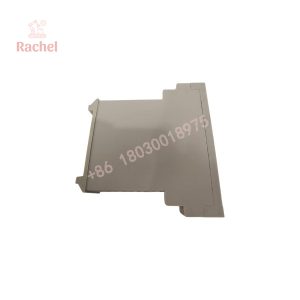
The Yaskawa CPS-150F is a rack-mounted control power supply used in legacy MOTOMAN robot controller cabinets. It provides the low-voltage DC power required by controller-associated I/O hardware and the programming pendant. The unit is a system-specific component rather than a general-purpose industrial power supply.
Its documented output groups are +5 VDC at 10 A and +24 VDC at 4 A, with nominal AC input around 200/220 VAC at 50/60 Hz. When replacing a failed unit, verify the controller model, connector arrangement, input supply, and nameplate ratings before installation.
Key Technical Specifications
| Parameter | Specification |
|---|---|
| Manufacturer | Yaskawa Electric Corporation |
| Model | CPS-150F |
| Yaskawa Part Number | 142172-1 |
| Product Type | Robot controller power supply |
| Mounting | Rack-mounted |
| Rated AC Input | 200/220 VAC |
| Input Voltage Range | 170–242 VAC, subject to applicable controller documentation |
| Input Frequency | 50/60 Hz nominal |
| Listed Input Current | Approximately 2.1 A |
| DC Output 1 | +5 VDC, 10 A |
| DC Output 2 | +24 VDC, 4.0 A |
| Compatible Controller Families | MOTOMAN XRC; verify NX100 configuration |
| Approximate Dimensions | 180 × 60 × 270 mm |
| Approximate Weight | 2.0–2.27 kg |
| Installation | Dedicated controller rack position |
Sources: Yaskawa Motoman documentation and technical records from industrial parts suppliers. Input-current and dimensional figures should be checked against the unit’s nameplate and applicable manual. The two DC output ratings are documented in the XRC controller manual.
Application Scenarios & Field Experience
A robot controller can go down without any obvious mechanical fault. The teach pendant goes dark, controller status indicators disappear, or the system fails to establish control power after a cabinet restart. At that point, replacing the power supply may be necessary—but a failed power supply is not the only possible cause. An upstream fuse, contactor, wiring fault, or downstream short circuit can produce similar symptoms.
The CPS-150F is intended for compatible Yaskawa controller hardware, where maintaining the original electrical and mechanical configuration is important.
Application scenarios
- Automotive manufacturing — Robot control cabinet maintenance — Supports restoration of compatible MOTOMAN robot controller systems when the original control power supply fails.
- Welding automation — Robot cell recovery — Provides the specified control-power rails for compatible robot electronics and associated I/O hardware.
- Material handling — Legacy robot maintenance — Helps maintenance teams keep existing XRC-based handling systems in service without immediately replacing the controller.
- Machine tending — Controller power fault diagnosis — Provides a replacement option after input power, wiring, and downstream loads have been checked.
- Industrial robot refurbishment — Legacy equipment restoration — Allows the original controller architecture to be retained when a suitable CPS-150F is available.
The CPS-150F supplies controller-related DC power. It is not the robot’s main servo drive or a universal replacement for a 5 V/24 V power supply.
Illustrative field case — hypothetical scenario
A robot cell stops during a scheduled production shift. The controller does not complete its normal power-up sequence, and the maintenance technician finds that the control power supply’s status indicators do not show normal operation.
Instead of immediately ordering a replacement, the technician isolates the cabinet, checks the incoming AC supply and protective devices, and investigates whether a downstream load is shorted. Testing identifies a failed CPS-150F. The team sources a matching unit, verifies the part number and connectors, installs it using the OEM procedure, and checks the controller’s startup sequence and I/O operation before returning the cell to production.
The financial impact depends on the production rate and the availability of alternate equipment. In a high-throughput automotive line, even a short interruption can affect several downstream processes.
The practical lesson: confirm that the power supply itself has failed before replacing it. Otherwise, the replacement may suffer the same fault.
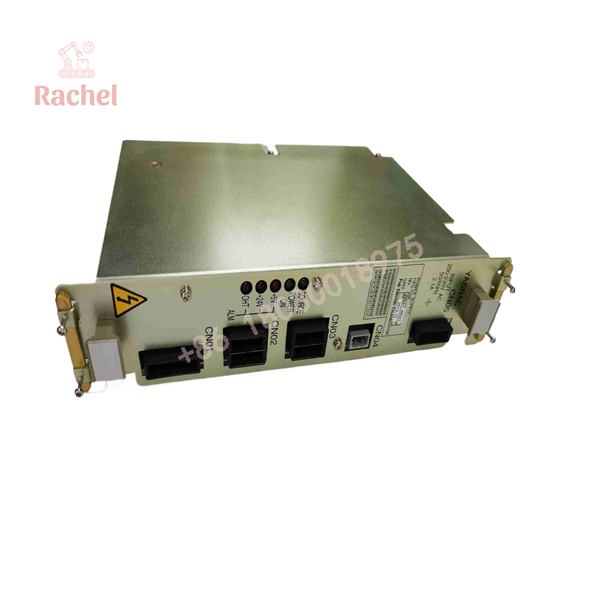
CPS-150F
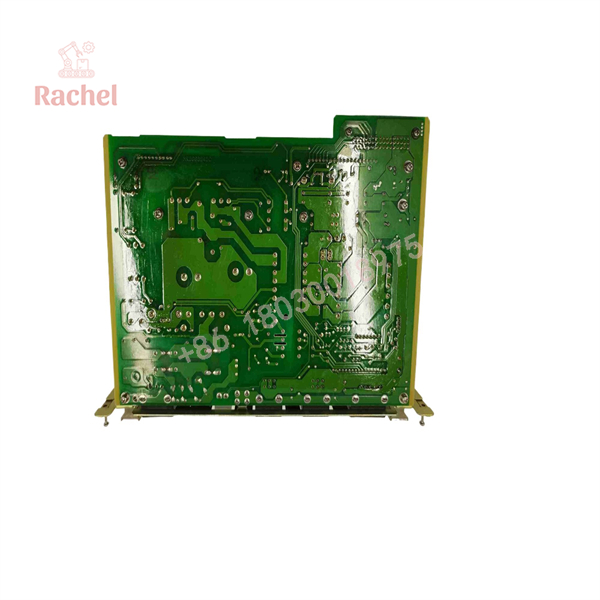
CPS-150F
Transparency SOP: Quality Assurance & Testing
A discontinued power supply should be assessed as an individual unit, not accepted on the strength of a catalog description. The following is a recommended supplier inspection procedure; it does not mean that every unit has already undergone these tests.
1. Inbound Inspection
- Record the complete CPS-150F model designation, Yaskawa part number, serial number, and visible revision markings.
- Inspect the enclosure, mounting hardware, connectors, and circuit board for corrosion, impact damage, or signs of unauthorized repair.
- Examine OEM packaging and labels where available. Packaging condition alone cannot establish authenticity.
2. Controlled Power-Up Testing
- Test the module using an appropriate, protected setup and the applicable service documentation.
- Verify that the input supply is within the specified range.
- Check normal startup behavior and the SOURCE and POWER ON indicators.
- Do not apply power to an unidentified or visibly damaged unit.
3. Electrical Output Verification
- Measure the +5 VDC and +24 VDC output rails.
- Verify voltage stability and output behavior under suitable loads.
- Check for abnormal heating, excessive ripple, and unexpected shutdowns using appropriate equipment.
- Confirm that testing does not exceed the manufacturer’s specified load limits.
4. Protection and Status Checks
- Inspect the +5 V, +24 V, and OHT fault indicators.
- Investigate any overvoltage, overcurrent, or overtemperature indication before releasing the unit.
- Do not deliberately trigger protection circuits unless the test procedure explicitly permits it.
5. Final Quality Control and Packaging
- Record the actual test results, test date, and equipment used.
- Label the unit accurately as new surplus, used, or refurbished.
- Use ESD-safe packaging and protect connectors and mounting surfaces during shipment.
- Include the agreed warranty and return documentation.
Procurement requirement: request the test report for the exact unit being shipped. A supplier’s stated inspection procedure is not a substitute for recorded test results.
The Veteran’s Tech Trap Guide
⚠️ Trap 1: Confusing a control-power fault with a servo fault
A robot that will not start does not automatically have a defective CPS-150F. Check the incoming AC supply, protective devices, connectors, and downstream loads first. A shorted load can pull down the replacement supply just as effectively as the original one.
❗ Trap 2: Mixing up the +5 VDC and +24 VDC circuits
These are separate output groups with different current ratings. Verify the connector designations and wiring against the applicable controller manual before reconnecting cables. Never assume that visually similar connectors have identical pin assignments.
⚠️ Trap 3: Pulling the supply before stored energy has discharged
The XRC replacement instructions call for switching off the power and waiting at least five minutes before removing the control power unit. Confirm that the monitor lights are off and follow the full OEM safety procedure. Do not touch terminals during the prescribed waiting period.
❗ Trap 4: Assuming all MOTOMAN controllers use the same supply
XRC and NX100 are different controller families, and compatibility must be confirmed for the actual cabinet. Compare the installed part number, connector arrangement, rack position, and electrical ratings. Do not substitute a generic power supply simply because its voltage outputs look similar.
The five-minute discharge precaution and cable-disconnection procedure are described in the XRC controller service documentation.
Frequently Asked Questions
Q1. Which Yaskawa robot controllers use the CPS-150F?
The CPS-150F is documented for Yaskawa MOTOMAN XRC control systems. Some aftermarket listings also identify NX100 compatibility, but confirm the exact controller cabinet and part number before ordering. The official Yaskawa Motoman portal lists the CPS-150F under part number 142172-1.
Q2. What are the input voltage and output ratings?
The documented nominal input is 200/220 VAC at 50/60 Hz. The output groups are +5 VDC at 10 A and +24 VDC at 4 A. Verify the nameplate and the manual for the specific controller before energizing the replacement.
Q3. Can the CPS-150F be hot-swapped?
Do not treat it as hot-swappable. The documented replacement procedure requires disconnecting the cables, removing the mounting screws, and extracting the unit from its rack. Switch off power, wait at least five minutes, and verify that the monitor lights are off before proceeding.
Q4. Does the CPS-150F require firmware configuration?
The CPS-150F is a power supply, not a PLC CPU or programmable controller module. Firmware flashing is not normally the relevant replacement task. The important checks are the exact part number, electrical ratings, connector compatibility, output stability, and correct operation of the host controller.
Q5. Is a refurbished CPS-150F safe to use?
Condition alone does not establish whether a unit is fit for service. Ask for documented electrical output testing, inspection findings, and a clear warranty. A refurbished unit should be evaluated against the same required output voltages and operating conditions as a new-surplus unit.
Q6. Does the CPS-150F come with a 12-month warranty?
Warranty terms depend on the supplier and the specific unit. Obtain written confirmation of the warranty period, covered failures, return procedure, and whether repair or replacement is offered. Do not assume that a 12-month warranty is included with every listing.
Q7. Why can a surplus CPS-150F cost less than a direct OEM purchase?
A secondary-market unit may come from excess inventory, equipment decommissioning, or a refurbishment program rather than current OEM production. The lower price can be useful when maintaining a legacy robot, but compare condition, electrical test records, delivery time, and warranty coverage before deciding.

 Start Chat


