





Description
Key Technical Specifications
| Parameter | Value |
|---|---|
| Model | B5LD |
| ABB Order Number | 1KHW002356R0001 |
| Manufacturer | ABB |
| Product Type | Control & Communication Module |
| Primary Function | Logic processing and communication gateway |
| Processor | Embedded microprocessor |
| Memory | Approximately 128 KB Flash (hardware dependent) |
| Supply Voltage | Typically 24 V DC (18–30 V DC; verify nameplate) |
| Communication | RS-485, Modbus RTU (firmware dependent) |
| Mounting | Rack-mounted plug-in module |
| Operating Temperature | Typically −20 °C to +55 °C |
| Protection Rating | IP20 (cabinet installation) |
Compatibility Note: Industry sources associate the B5LD with ABB legacy control and communication platforms, including applications around SAM600 and process control interface units. Published specifications differ by hardware revision, so confirm the exact firmware, backplane type, and system compatibility before installation.
Product Introduction
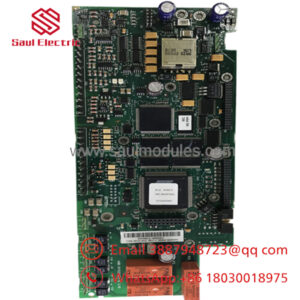
ABB B5LD (1KHW002356R0001) is a control and communication module designed for legacy ABB automation and power system applications. It combines local control logic with communication processing, allowing field devices and higher-level control systems to exchange operational data through industrial communication interfaces such as Modbus RTU.
This module is typically maintained as a lifecycle spare for existing installations rather than new projects. During replacement, verify firmware revision, communication parameters, and rack configuration before powering the system. These checks help avoid unnecessary commissioning delays caused by hardware revision differences.
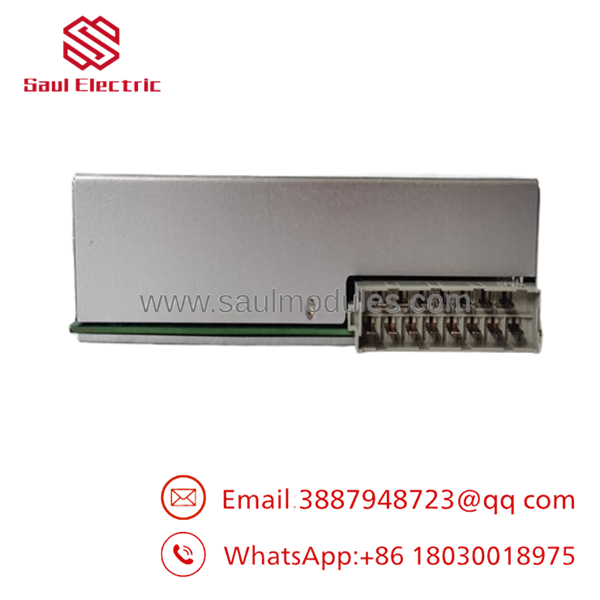
- 1KHW002356R0001 B5LD
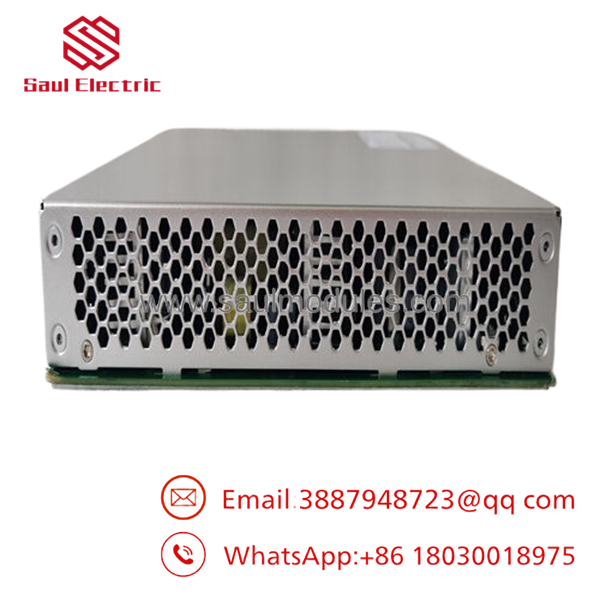
- 1KHW002356R0001 B5LD
Installation & Configuration Guide
Stage 1: Pre-Installation Preparation (Estimated Time: 10 Minutes)
⚠️ Safety First
- Notify operations of the planned maintenance.
- Bring the controlled process to a safe state.
- Apply Lockout/Tagout (LOTO).
- Wait at least five minutes for all internal power supplies to discharge.
Tools Required
- Grounded ESD wrist strap
- PH1 screwdriver
- Fluke 115 digital multimeter
- Wire labels
- Smartphone for documentation
Data Backup
- Export controller configuration.
- Record firmware revision.
- Photograph every connector and terminal.
- Record Modbus address, baud rate, parity, and communication settings.
- Document rack slot position.
Stage 2: Removing the Old Module (Estimated Time: 10 Minutes)
- Open the control cabinet.
- Label every communication cable.
- Disconnect connectors carefully.
- Release retaining hardware.
- Pull the module straight from the backplane.
- Inspect connectors for bent pins, corrosion, or contamination.
⚠️ Keep the original module until the replacement has passed complete functional testing.
Stage 3: Installing the New Module (Estimated Time: 10 Minutes)
- Wear a grounded ESD wrist strap.
- Verify:
- Model: B5LD
- ABB Order Number: 1KHW002356R0001
- Configuration Clone (Critical)
- Match firmware revision whenever possible.
- Restore communication parameters.
- Verify rack slot location.
- Confirm any jumper or switch settings.
- Install the module firmly into the backplane.
- Secure retaining hardware.
- Reconnect all communication cables.
Self-Checklist
- Correct ABB part number
- Firmware verified
- Communication settings restored
- Module fully seated
- ESD procedures followed
Stage 4: Power-On & Testing (Estimated Time: 20–30 Minutes)
Pre-Power Inspection
- Verify 24 V DC supply voltage.
- Check connector alignment.
- Confirm no loose hardware remains inside the cabinet.
Power-Up Procedure
- Energize the control rack.
- Observe RUN, FAULT, and COMM LEDs.
- Connect engineering software.
- Verify firmware version.
- Test Modbus communication.
- Confirm I/O updates and system diagnostics.
- Return the process to service after successful testing.
⚠️ Troubleshooting Note
- Solid FAULT LED: Check firmware compatibility or configuration corruption.
- Communication failure: Verify RS-485 wiring, Modbus address, baud rate, and termination.
- Intermittent communication: Inspect cable shielding and grounding before replacing the module.
Frequently Asked Questions (FAQ)
Q1. Can the be hot-swapped?
No.
The is not designed for live replacement. Removing the module while the rack is energized can interrupt communication, corrupt controller data, or damage the backplane. Always isolate power before servicing.
Q2. What is the primary function of the ?
The combines embedded control logic with industrial communication functions. It manages local processing while exchanging data with supervisory systems through interfaces such as RS-485 and Modbus RTU.
Q3. Is the still manufactured?
The is considered a legacy ABB spare. Most units currently available are supplied as New Original, New Surplus, or professionally tested inventory from industrial spare-part specialists rather than current ABB production.
Q4. What should I verify before ordering?
Confirm:
- ABB Order Number (1KHW002356R0001)
- Hardware revision
- Firmware version
- Rack type
- Communication protocol
- Existing controller configuration
Ordering solely by the board appearance can lead to compatibility issues.
Q5. Why is New Surplus inventory less expensive than factory pricing?
New Surplus modules generally come from cancelled projects, excess OEM inventory, or strategic spare-part stock. Although unused, they should be inspected for serial-number authenticity, physical condition, firmware identification, and communication functionality before shipment.
Q6. What quality inspections should be completed before shipment?
A comprehensive inspection should include:
- OEM label and serial number verification
- Anti-counterfeit inspection
- Visual PCB inspection for corrosion or repair marks
- Power-on functional test
- RS-485/Modbus communication verification
- 24-hour burn-in test
- Insulation resistance test (>10 MΩ at 500 V where applicable)
- ESD-safe packaging with QC approval
Test photos and communication verification reports should be available upon request.
Q7. What is the most common field installation mistake?
Replacing the module before documenting the communication settings.
I’ve seen maintenance teams install a replacement only to spend hours troubleshooting because the original Modbus address, baud rate, or firmware revision wasn’t recorded before removal. Take clear photos of every setting and export the controller configuration whenever possible. Those few minutes of preparation eliminate most startup issues on legacy ABB systems.

 Start Chat


