





Description
Key Technical Specifications
| Parameter | Value |
|---|---|
| Manufacturer | ABB |
| Part Number | 3BSE018292R1 |
| ABB Type Designation | DSAI 130A |
| Product Description | Analog Input Board 16 Cannels |
| Channel Count | 16 channels |
| Channel Mode | Single-ended or 8 differential |
| Input Ranges | ±10 V, 0–20 mA, 4–20 mA |
| Resolution | 14-bit A/D conversion |
| Isolation | 500 V RMS channel-to-bus isolation |
| Backplane Power | Approx. 1.2 W |
| Mounting | DIN rail in I/O subrack |
| Dimensions / Weight | 324 mm x 22.5 mm x 225 mm; 0.317 kg to 0.32 kg |
Product Introduction & Supply Chain Strategy
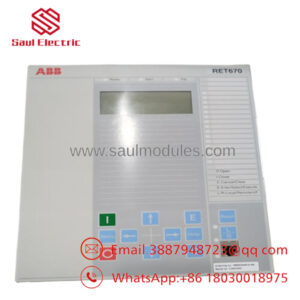
ABB DSAI130A 3BSE018292R1 is a 16-channel analog input board for legacy ABB control environments. It converts field signals such as temperature, pressure, and flow into controller-readable data, so it is often a core process-interface spare rather than a convenience item.
Strategically, this should be managed as an obsolete but still critical spare. New Surplus is the right balance point because it protects uptime, reduces stock-out risk, and avoids the TCO penalty of buying uncertain-condition inventory when a plant still depends on legacy I/O.
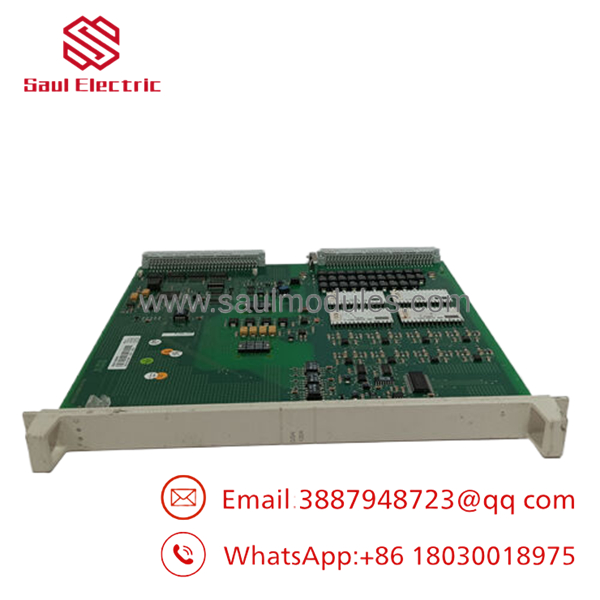
- DSAI130A 3BSE018292R1
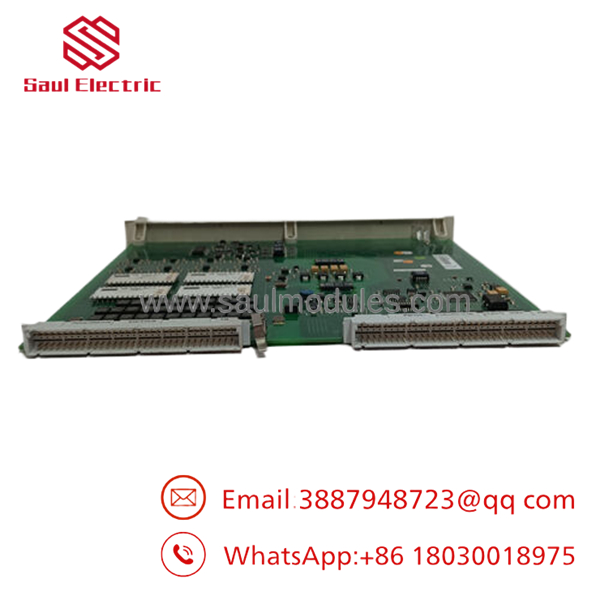
- DSAI130A 3BSE018292R1
Installation & Configuration Guide
Stage 1: Pre-Installation
- Apply lock-out/tag-out and verify the cabinet is de-energized.
- Use an ESD strap and antistatic handling practices.
- Photograph all terminal wiring, connector positions, and any channel selection details.
- Record the original signal ranges and any software configuration notes.
Stage 2: Removal
- Remove power and confirm discharge.
- Release the module from the subrack or DIN-rail mount.
- Pull the board straight out to avoid damaging contacts.
- Inspect the rack slot and terminal area for corrosion, dust, or bent pins.
Stage 3: Installation
- Confirm the replacement matches 3BSE018292R1 exactly.
- Reinstall the wiring according to the documented channel map.
- Set any differential or range-related configuration exactly as before.
- Seat the module fully and secure the retaining hardware.
Stage 4: Power-On & Testing
- Check supply rails and field loops for shorts before energizing.
- Power up and verify the Module OK status.
- Validate each channel against a known input source.
- Confirm the controller scales the values correctly before returning the system to service.
Firmware/Software Versions & Upgrade Notes
ABB’s published product page identifies the module as DSAI 130A Analog Input Board 16 Cannels, and the review material shows it as a legacy ABB I/O item rather than a firmware-heavy smart device.
There is no clear public firmware version baseline in the reviewed sources, so preserve the existing controller and I/O configuration during replacement.
Do not change system software or I/O mapping during the swap unless the site documentation explicitly requires it, because analog channel scaling errors are easy to introduce.
Frequently Asked Questions (FAQ)
Is this really new? Yes. Public listings describe it as new original inventory or brand new, which is the correct condition target for a critical spare.
Why is it cheaper than OEM new but higher than a refurb-style offer? New Surplus usually sits between OEM list pricing and lower-trust inventory because it preserves genuine OEM condition while avoiding full factory pricing.
Is this part obsolete or EOL? Yes, treat it as lifecycle-sensitive. One recent analysis explicitly classifies DSAI 130A as obsolete and no longer in production.
Can I hot-swap it? Do not assume hot-swap capability. Isolate power first and replace it as a controlled maintenance task.
Will my programming be retained automatically? Not by the module alone. Back up channel scaling, signal ranges, and controller configuration before removal.
What warranty should I expect? Market listings commonly show 1-year coverage, but exact terms depend on supplier.
How should I stock it? Keep 1 to 2 units on site if the plant still relies on this I/O family, and plan last-time-buy coverage before the supply chain thins further.


 Start Chat


