





Description
Key Technical Specifications
| Parameter | Value |
|---|---|
| Manufacturer | ABB |
| Model | PFEA113-20 |
| Product ID | 3BSE050092R20 |
| Product Type | Tension Electronics |
| Supply Voltage | 24 V DC (18–36 V DC) |
| Power Consumption | 15 W |
| Number of Load Cells | Up to 4 |
| Load Cell Excitation | 0.5 A RMS, 330 Hz |
| Analog Outputs | 6 configurable outputs |
| Digital Inputs | 1 |
| Digital Outputs | 4 |
| Communication | PROFIBUS DP (standard) |
| Mounting | DIN Rail (IP20 enclosure) |
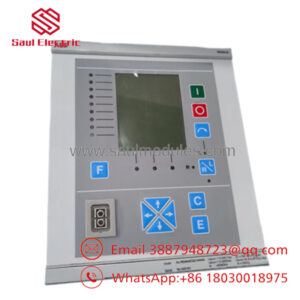
| Display | 2 × 16 character multilingual LCD |
| Protection Rating | IP20 |
| Net Weight | Approximately 1.05 kg |
| Condition | New Original / New Surplus |
These specifications are published by ABB for the PFEA113 series and apply to the IP20 version.
Product Introduction & Supply Chain Strategy
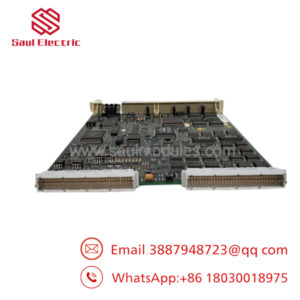
The ABB PFEA113-20 is a web tension electronics unit designed for continuous tension measurement and closed-loop control in paper, film, foil, textile, wire, and converting applications. It processes signals from up to four load cells and provides analog outputs, digital I/O, and PROFIBUS DP communication for integration with industrial automation systems.
This product is a Brand New Surplus unit. It is not used, not pulled from a decommissioned plant, and not refurbished. Maintaining New Surplus inventory minimizes Total Cost of Ownership (TCO), reduces lead time variability, and protects production lines from costly downtime caused by failures in critical web tension control equipment.
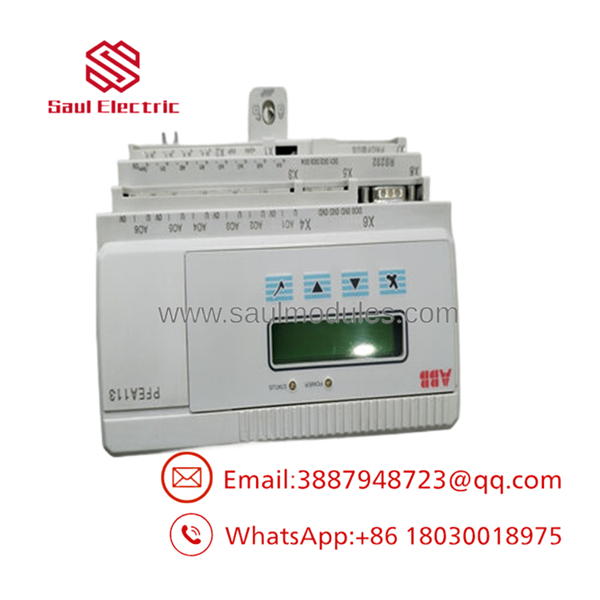
- PFEA113-20
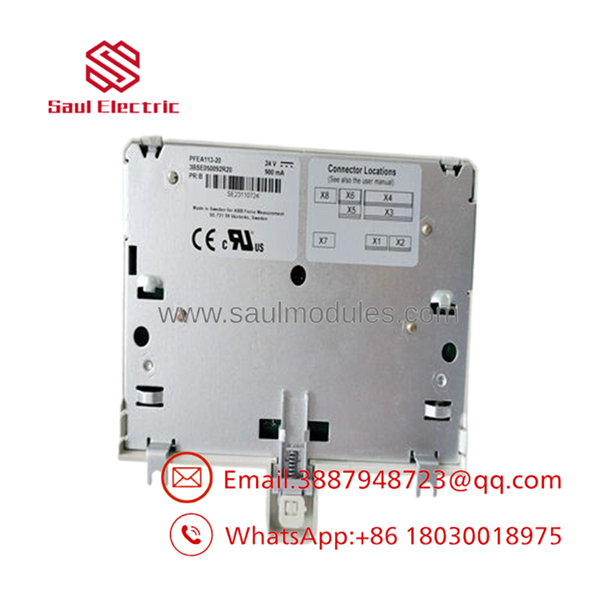
- PFEA113-20
Installation & Configuration Guide
Stage 1 – Pre-Installation (Prep & Safety)
- Apply lock-out/tag-out procedures.
- Disconnect the 24 V DC power supply.
- Wear a grounded ESD wrist strap.
- Record all parameter settings before replacement.
- Photograph wiring, PROFIBUS connections, and terminal assignments.
- Verify cabinet protective earth (PE) and DIN rail grounding.
Stage 2 – Removal
- Disconnect the load-cell wiring.
- Remove communication and analog output cables.
- Release the DIN-rail locking clip.
- Remove the controller carefully without stressing the terminals.
Stage 3 – Installation (Clone & Seat)
- Mount the PFEA113-20 securely onto a grounded DIN rail.
- Reconnect all field wiring according to the wiring diagram.
- Restore PROFIBUS addressing and parameter settings.
- Verify the protective earth connection before energizing.
Stage 4 – Power-On & Testing
- Apply the 24 V DC supply.
- Verify normal startup on the LCD display.
- Calibrate the connected load cells if required.
- Confirm analog outputs and digital I/O operation.
- Test web tension regulation before returning the production line to service.
ABB recommends mounting the IP20 version on a properly grounded DIN rail to ensure EMC performance and reliable operation.
Firmware/Software Versions & Upgrade Notes
- Record all configuration parameters before replacing the controller.
- Restore calibration data after installation.
- The supports PROFIBUS DP communication using ABB GSD files.
- Verify PLC or DCS compatibility before updating firmware.
- Avoid firmware upgrades during emergency maintenance unless compatibility requires them.
- Perform load-cell calibration after commissioning to ensure accurate tension measurement.
Frequently Asked Questions (FAQ)
Q1. Is this a genuine new ABB -20?
Yes. We supply New Original / New Surplus units that have never been installed in production equipment and are not refurbished.
Q2. What is the primary function of the -20?
The -20 measures web tension using load cells and performs closed-loop tension control for continuous processing applications such as paper, film, foil, wire, and textile production.
Q3. How many load cells can the controller support?
The -20 supports up to four load cells, making it suitable for multi-roll and wide-web applications.
Q4. Do support industrial communication?
Yes. The standard IP20 version includes PROFIBUS DP communication for integration with PLC and DCS systems.
Q5. Can the controller be replaced while powered?
No. Always isolate the 24 V DC supply before replacing the unit. Hot swapping is not recommended and may result in communication errors or hardware damage.
Q6. What quality verification is performed before shipment?
Each New Surplus unit undergoes serial number verification, visual inspection, ESD-controlled handling, electrical verification, communication interface checks, and final quality inspection before shipment.
Q7. What inventory strategy is recommended?
For production-critical web processing lines, maintain . This approach reduces lead time variability, supports vendor consolidation, minimizes unexpected downtime, and lowers the Total Cost of Ownership by ensuring rapid replacement of a critical tension control component.

 Start Chat


