





Description
Key Technical Specifications
| Parameter | Value |
|---|---|
| Manufacturer | ABB |
| Model | SPNPM22 |
| Product Type | Network Processing Module |
| Product Family | Symphony® Plus HR Series |
| Primary Function | Gateway between Cnet and Controlway |
| Memory | 8 MB DRAM |
| Non-Volatile Memory | 512 KB NVRAM |
| Flash Memory | 2 MB Flash ROM |
| Controlway Communication Rate | 1 Mbaud |
| Modulebus Communication Rate | 83.3 kbaud |
| Diagnostic Interface | 1 × Mini-USB |
| Power Requirement | +5 VDC @ 2 A (10 W typical) |
| Operating Temperature | 0 °C to +70 °C |
| Companion Module | SPNIS21 Network Interface Module |
The SPNPM22 serves as the communication gateway between the Cnet network and the Controlway bus. It stores the Harmony Control Unit (HCU) database and manages communications between Controlway modules and the SPNIS21 Network Interface Module.
Product Introduction
The ABB SPNPM22 is a Network Processing Module developed for the Symphony Plus HR Series and Harmony Rack control platform. It functions as the communication processor between the Cnet network and the internal Controlway bus, ensuring deterministic data exchange throughout the distributed control system.
Installed alongside the SPNIS21 Network Interface Module, the SPNPM22 maintains the Harmony Control Unit database and coordinates network traffic between controllers and communication modules. Its architecture supports reliable operation in power generation, oil and gas, chemical processing, and other continuous process industries.
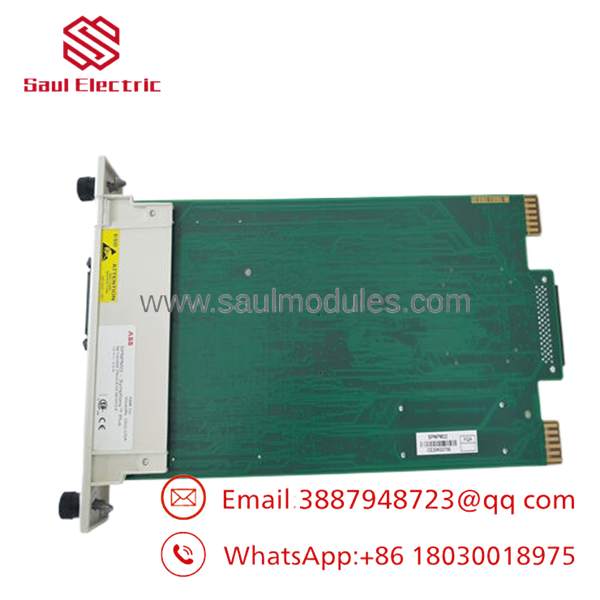
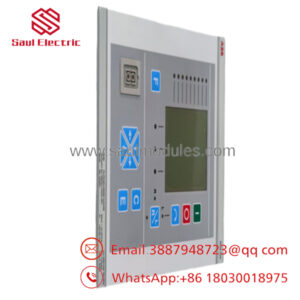
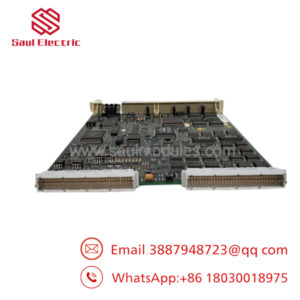
- SPNPM22
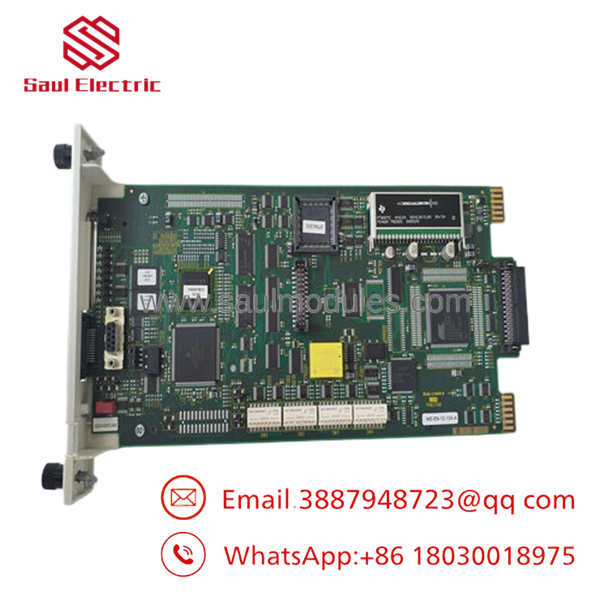
- SPNPM22
Troubleshooting Quick Reference
| Symptom | Possible Cause | Relevance to this Part | Quick Check Method | Recommendation |
|---|---|---|---|---|
| Cnet communication lost | or SPNIS21 communication fault | ✅ High | Review controller diagnostics and communication LEDs | Verify SPNIS21 before replacing |
| HCU database unavailable | memory or processor fault | ✅ High | Check startup diagnostics and event logs | Reload database if possible before replacement |
| Module fails to initialize | Power supply or hardware failure | ✅ High | Measure +5 VDC at rack power supply | Confirm stable chassis power before replacing module |
| Network response is intermittent | Controlway communication errors | ⚠️ Medium | Inspect backplane connectors and module seating | Reseat module and inspect rack connections |
| Multiple controllers offline | Cnet infrastructure problem | ⚠️ Medium | Verify SPNIS21 status and Cnet cabling | Troubleshoot network before replacing hardware |
| No diagnostic connection | Mini-USB interface unavailable | ❌ Low | Test with service laptop and ABB engineering software | Confirm driver and software configuration |
Technical Support Note: Capture controller event logs, communication diagnostics, firmware revisions, and photographs of module status indicators before replacing the . Many communication failures originate from the network interface or Controlway infrastructure rather than the processor module itself.
Frequently Asked Questions (FAQ)
Q1. What is the primary function of the ?
The acts as the network processor between the Cnet communication network and the Controlway bus. It stores the Harmony Control Unit (HCU) database and manages communication with the Network Interface Module.
Q2. Does the operate by itself?
No. It is designed to work together with the Network Interface Module. The provides the physical Cnet interface, while the performs network processing and database management.
Q3. Can I hot-swap the ?
No. Power down the Harmony Rack before removing or installing the module. Removing a network processor while energized can interrupt communications throughout the control system and may require controller recovery.
Q4. Will replacing the module affect the HCU database?
Potentially. The maintains the HCU database, so always back up the controller configuration and verify firmware compatibility before replacement. Restoring the correct database is critical to minimizing downtime.
Q5. Why are New Surplus units commonly available?
Many utilities and process plants purchased strategic spare inventory during Symphony and Harmony system expansions. These factory-original modules remained unused in controlled storage and are now available as New Surplus, offering a practical option for maintaining installed systems.
Q6. What quality inspections should a supplier perform?
Every unit should undergo:
- OEM serial number and authenticity verification
- PCB inspection for corrosion, repairs, and connector damage
- Functional testing in an ABB Symphony Plus/Harmony Rack test chassis
- Cnet and Controlway communication verification
- HCU database loading and communication validation
- 24-hour operational burn-in with thermal monitoring
- Firmware identification and documentation
- ESD-safe packaging with QC certification
Test reports, communication logs, and startup photos should be available upon request.
Q7. What installation mistakes create the most downtime?
The most common field issues include:
- Firmware revision mismatch. Record the firmware revision before replacing the module. I’ve seen systems spend hours offline because a replacement processor was running a different software revision than the companion modules.
- Incorrect module pairing. Always verify that the is matched with the correct Network Interface Module.
- Backplane connection problems. Don’t assume the module is fully seated. Even a partially engaged connector can generate intermittent Controlway communication faults.
- ESD damage. Handle the module with a grounded wrist strap and keep it inside its anti-static bag until installation.
Keep these checks in mind and you’ll avoid most communication-related commissioning issues while significantly reducing unnecessary module replacements.

 Start Chat


