





Description
Product Introduction & Engineering Value
Few things disrupt a plant retrofit faster than realizing your replacement operator panel cannot natively speak to legacy machinery. The Eaton COM-MPB1-TP communication card addresses this exact bottleneck. Designed as an internal plug-in expansion module for high-end XV400 series panels, this expansion board expands connectivity profiles, allowing a single terminal to interface with older third-party networks without cluttering electrical enclosures with external protocol din-rail boxes.
This board handles a massive matrix of active industrial protocols. By handling complex token translations directly within the display chassis, it keeps signal loops tight and minimizes response lag. It is a vital field component for retrofitting aging infrastructure while keeping the core physical media completely untouched.
Technical Specifications
Because this expansion card acts as an adaptable, multi-layered signal transceiver link, its hardware parameters are descriptive and interface-dense:
- Host System Compatibility: Fits natively into dedicated internal option slots on Eaton/Moeller XV400 series Micro Panels.
- Physical Layer Interfaces: 1 x RS232 channel, 1 x RS422 channel, 1 x RS485 channel, and 1 x TTY (current loop) serial channel.
- Max Data Throughput: Serial transmission speeds scaling up to a nominal 375 kBit/s.
- Electrical Isolation: Features full potential separation between the host system logic bus and the external serial ports.
- Onboard Processing Power: Driven by an internal microcontroller executing retentive flash firmware memory blocks.
- Power Consumption Profiles: Draws directly from the host panel railbus (max current draw 50 mA @ 12V DC) with a low internal thermal dissipation footprint of 1.2 Watts.
- Protocol Core Support: Pre-loaded or configurable for Eaton Suconet, Modbus RTU/ASCII, Omron C-H-K series, Telemecanique Unitelway, Mitsubishi A/F networks, and Matsushita FP devices.
Field Application & The “Trench” Experience
An automation technician at a regional rubber vulcanization facility ran into a critical wall during an HMI upgrade on a master mixing station. The facility was putting in a crisp new 10.4″ XV400 panel, but the localized field equipment still relied entirely on a legacy Moeller Suconet bus alongside several older Omron temperature controllers. Instead of wasting time with third-party gateway configurations and messy external power supplies, the team popped a clean COM-MPB1-TP card straight into the panel’s back option slot. They toggled the jumpers for the specific current loops, loaded the standard drivers, and had the system exchanging data cleanly with zero dropped packets before the end of the shift.
Niche Application Scenarios:
- Legacy Machine Tool Overhauls: Integrates modern graphical displays with vintage multi-drop serial controllers using custom TTY loops.
- Hybrid Food Processing Lines: Orchestrates simultaneous serial messaging between Modbus gas analyzers and older PLC nodes.
- Pumping Station Scada Bridging: Provides a localized, optically isolated interface to legacy telemetry points over long RS485 runs prone to ground loop spikes.
Transparency SOP: QA & Testing
Every COM-MPB1-TP card arriving at our distribution facility undergoes a comprehensive testing sequence to ensure stable operation:
- Multi-Port Loopback Diagnostics: Every individual physical port—including RS232, RS485, RS422, and TTY paths—is linked to a dedicated diagnostic computer to confirm clear transmit/receive functionality under maximum baud load.
- Isolation Integrity Checks: High-resistance meters evaluate the potential separation paths to make sure the field-side pins are fully isolated from the host logic connections.
- Firmware Verification and Reflash: Onboard flash memory is scanned to confirm standard firmware block integrity, ensuring instant compatibility with Galileo software profiles out of the box.
- Host Slot Fitment Testing: Modules are slotted into physical test panels to verify that the connector pins align smoothly and draw proper current without generating excessive heat.
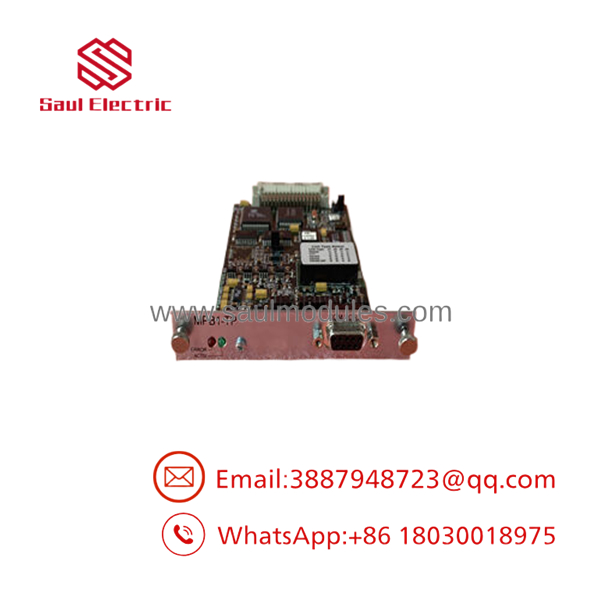
- MPB1-TP
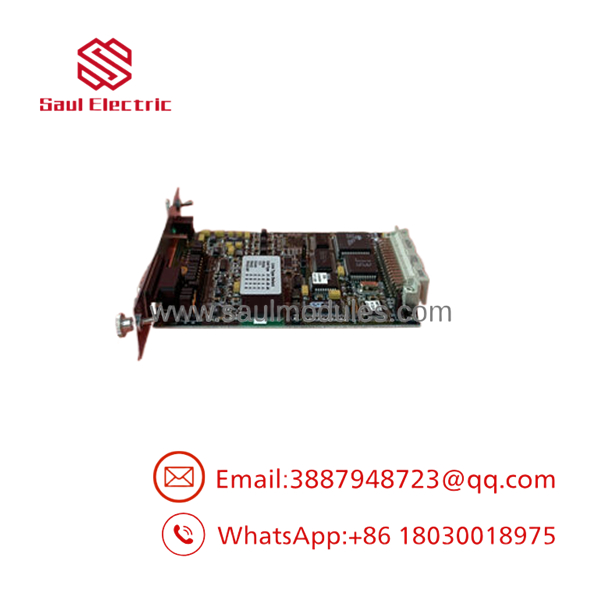
- MPB1-TP
The Veteran’s Tech Trap Guide
⚠️ CRITICAL RETROFIT WARNINGS
- The Power-Down Rule: Never attempt to insert or remove this option card while 24V DC power is running to the main host panel. Plugging the module in while the railbus is active will instantly destroy the sensitive logic transceivers on the card and can cause catastrophic frying of the host screen’s main motherboard.
- The MPB1 vs. MPB2 Driver Confusion: Be careful not to mix up the MPB1-TP with the MPB2-TP version. While they share the same physical shape and serial interfaces, the MPB2 variant contains a specialized internal chip configuration designed to talk to Siemens Simatic S7 MPI networks. If your network topology requires true Siemens MPI, the will not execute that specific binary code file.
- Concurrent Port Lockouts: Although this board features multiple physical connections on its frame, you cannot run active communication profiles on them simultaneously. The serial lines share internal multiplexed data buses; trying to wire up an RS232 loop and an RS485 network concurrently will result in overlapping data collisions and complete communication failure.
Dynamic FAQ
- Q: Does this card handle Siemens Profibus-DP or MPI master networking out of the box?
- A: No. This model () is built primarily for universal serial configurations like Modbus, Suconet, and various standard manufacturer serial drivers. If you need native Simatic S7 MPI communication, you should source the MPB2-TP model instead.
- Q: Can I plug two of these COM-MPB1-TP cards into a single display panel to expand my ports?
- A: On larger Eaton/Moeller panels (10.4 inches and above), the back chassis features two distinct expansion slots, meaning you can install two cards to support separate communication networks.
- Q: How do I configure whether a port uses RS232, RS485, or a TTY current loop?
- A: Hardware selections are set using internal board jumpers combined with software port configurations inside your Galileo development software. Always consult your technical manual for the exact jumper configurations before inserting the card.
- Q: What type of operational warranty applies to your New Surplus inventory for this part?
- A: We back all of our New Surplus and fully reconditioned automation components with a standard 12-month operational replacement warranty, protecting your facility against any component failures or hardware defects.

 Start Chat


