





Description
Product Introduction & Engineering Value
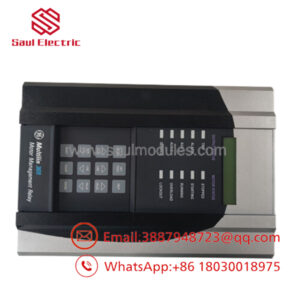
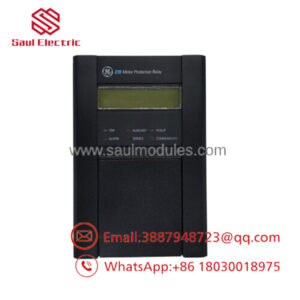
When a Mark IV system has a display or operator-interface problem, the fault is not necessarily in the display hardware itself. The associated interface electronics, cabling, power supply, and controller signals all need to be considered. The DS3810DDDB belongs to that legacy interface layer.
This is old control hardware. Exact configuration matters. Before replacement, compare the board marking, cabinet position, connector arrangement, wiring, and system documentation with the installed unit.
Technical Specifications
| Parameter | Specification |
|---|---|
| Manufacturer | General Electric |
| Part Number | DS3810DDDB |
| Series | Mark IV Speedtronic |
| Board Family | DS3810 |
| Functional Acronym | DDDB |
| Product Type | Display / Interface Board |
| System Generation | Mark IV |
| Application | GE turbine-control systems |
| PCB Technology | Legacy control electronics |
| Service Category | Legacy/obsolete spare |
| Replacement Method | Exact-part-number verification recommended |
Technical-data boundary
Public technical information for the exact DS3810DDDB is limited. I would not assign unverified display resolution, voltage, current, communication protocol, processor, memory, or connector pinout specifications to this exact PCB.
For a production replacement, the original GE documentation and actual cabinet wiring should be considered authoritative.
Field Application & the “Trench” Experience
A Mark IV operator reports an intermittent loss of display information during turbine operation. The display itself works after a power cycle, so the team initially suspects a failing display module.
The technician works backward through the interface chain: display power, cabling, connector condition, controller communication, and finally the DS3810DDDB. The spare is checked against the original board before installation.
This is a familiar legacy-system problem. Replacing the board may solve the symptom, but only after the complete interface path has been checked can the actual cause be established.
Specific application scenarios:
- Mark IV turbine operator-interface systems
- Legacy turbine display/control panels
- Mark IV display-interface troubleshooting
- DS3810 control cabinet refurbishment
- Obsolete Speedtronic HMI hardware replacement
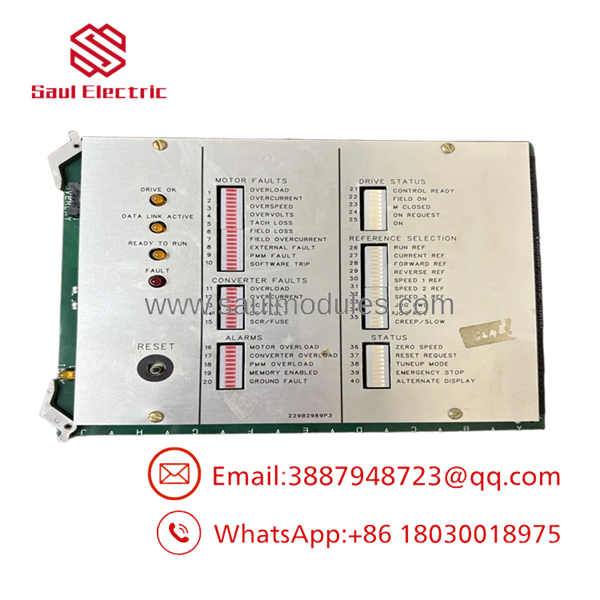
DS3810DDDB
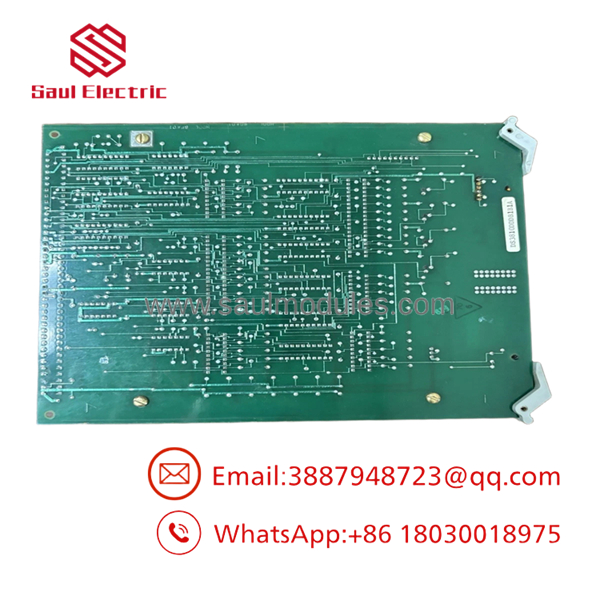
DS3810DDDB
Transparency SOP: QA & Testing
For DS3810DDDB, testing should focus on the interface function rather than a simple power-on check.
1. Identification
Verify DS3810DDDB on the actual PCB.
2. Visual inspection
Check ICs, capacitors, resistors, connectors, solder joints, traces, and signs of overheating.
3. Connector inspection
Inspect every interface connection for oxidation, bent contacts, cracked housings, or poor retention.
4. Power screening
Verify applicable board supply rails against the correct Mark IV documentation.
5. Interface testing
Check communication/interface behavior using a compatible test setup.
6. Display-system testing
Where possible, connect the board to the appropriate Mark IV display/interface equipment and verify expected operation.
7. System integration
Confirm correct display and operator-interface behavior after installation.
8. QA documentation
Record actual-unit photographs, test results, material condition, traceability, and warranty.
For New Surplus, request confirmation that the board is unused and has never been energized. For Refurbished, request the actual electrical and functional test procedure.
The Veteran’s Tech Trap Guide
⚠️ Trap #1 — Don’t blame the DDDB immediately.
A display fault can originate in the power supply, cable, connector, upstream controller, or display assembly.
⚠️ Trap #2 — Don’t test an old board with only a multimeter.
Basic continuity can identify an obvious failure, but it cannot prove that the interface electronics operate correctly under system conditions.
⚠️ Trap #3 — Watch for age-related component degradation.
DS3810 electronics are legacy hardware. Capacitors, connectors, solder joints, and semiconductor devices deserve particular attention.
PRO TIP: Before removing a functioning board, photograph the connector arrangement and all cable labels. Legacy documentation may not perfectly reflect decades of field modifications.
Dynamic FAQ
Q: What is the GE DS3810DDDB?
A: It is a GE DS3810-series Mark IV Speedtronic display/interface board identified by the DDDB designation.
Q: Is the DS3810DDDB part of the Mark V system?
A: No. The DS3810 family is associated with the earlier Mark IV Speedtronic control generation.
Q: Can I replace it with another DS3810 board?
A: No assumption should be made based on physical fit. Verify the complete board number, cabinet position, connectors, wiring, and applicable Mark IV documentation.
Q: What should I check if a Mark IV display is intermittent?
A: Check the display power supply, interface cables, connectors, upstream controller signals, and the DDDB itself. A board replacement should follow signal-path troubleshooting rather than precede it.
Q: How do I verify New Surplus authenticity?
A: Request actual-unit photographs showing the complete marking, confirmation that it has never been installed or energized, and any available original packaging or traceability.
Q: What should I require for Refurbished stock and warranty?
A: Request the refurbishment scope, component/connector inspection, functional interface testing, actual-unit photographs, part-number traceability, and written warranty/DOA terms. For legacy display electronics, “powers on” is not enough.

 Start Chat


