





Description
Key Technical Specifications
| Parameter | Value |
|---|---|
| Manufacturer | GE Intelligent Platforms / Emerson |
| Model Number | IC695CPE330 |
| Product Type | PAC CPU Controller |
| Platform | PACSystems RX3i |
| Processor | 1 GHz Dual-Core Processor |
| User Memory | 64 MB |
| Non-Volatile Memory | 64 MB |
| Ethernet Interfaces | Two independent 10/100/1000 Mbps Ethernet LANs (3 RJ-45 ports total with embedded switch) |
| USB Interface | USB 2.0 Host |
| Programming Software | Proficy Machine Edition (PME) |
| Supported Protocols | SRTP, Modbus TCP, EGD, OPC UA Server, PROFINET, DNP3 (firmware dependent) |
| Maximum I/O Capacity | Up to 32,000 discrete I/O and 32,000 analog words |
| Optional Memory Protection | IC695ACC402 Energy Pack |
| Operating Temperature | 0 °C to +60 °C (LT version available for extended temperature) |
Product Introduction
The GE IC695CPE330 is a high-performance PACSystems RX3i CPU designed for demanding industrial automation applications including process control, power generation, water treatment, and manufacturing. It combines a 1 GHz dual-core processor, 64 MB of user memory, and dual independent Gigabit Ethernet networks to support deterministic control and high-speed industrial communications.
In field installations, the IC695CPE330 is commonly selected for systems requiring controller redundancy, large I/O capacity, and Industrial Ethernet integration. Before installation, verify the firmware revision, Proficy Machine Edition project version, Energy Pack compatibility, and backplane configuration to avoid unnecessary commissioning delays.
Troubleshooting Quick Reference
| Symptom | Possible Cause | Relevance to this Part | Quick Check Method | Recommendation |
|---|---|---|---|---|
| CPU will not boot | Rack power supply failure | ❌ Low | Measure backplane voltage with a calibrated multimeter | Verify the power supply before replacing the CPU |
| OK LED remains OFF | Internal CPU fault | ✅ High | Observe startup LED sequence and CPU diagnostics | Replace CPU only after confirming proper rack power |
| PLC offline | Ethernet configuration error | ❌ Low | Verify LAN LEDs, IP address, and switch status | Confirm network configuration first |
| Program will not download | Firmware or PME version mismatch | ✅ High | Compare firmware with the engineering workstation | Upgrade or downgrade firmware as required |
| Unexpected watchdog fault | Application logic overload | ✅ Medium | Review CPU diagnostics and task execution times | Optimize application before replacing hardware |
| I/O communication lost | Backplane or network fault | ❌ Low | Check rack diagnostics and communication modules | Inspect backplane and network infrastructure |
| User memory lost after power failure | Missing or failed Energy Pack | ✅ High | Verify IC695ACC402 installation and health | Replace the Energy Pack if necessary |
Technical Note: The IC695CPE330 itself is highly reliable. Most field issues originate from firmware incompatibility, damaged backplanes, power supply instability, or Ethernet configuration errors rather than CPU hardware failure. Collect PME diagnostics, event logs, LED status, and firmware information before authorizing a replacement.
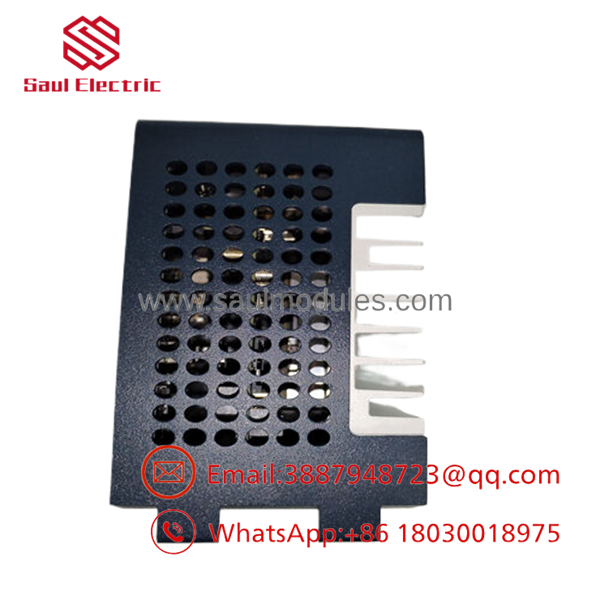
- IC695CPE330
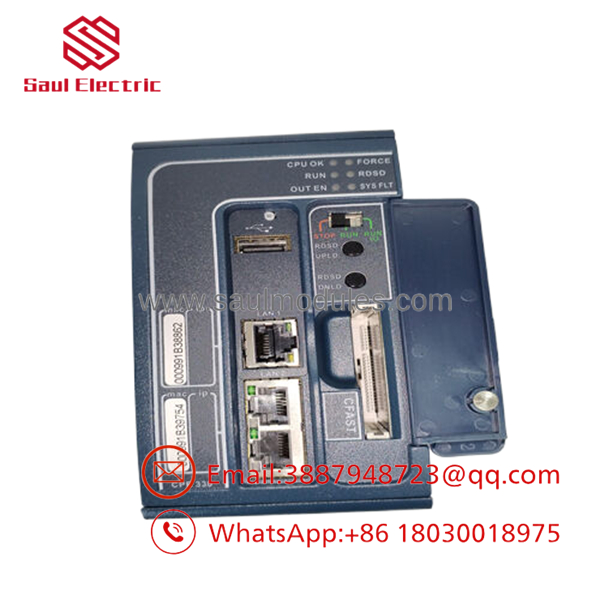
- IC695CPE330
Frequently Asked Questions (FAQ)
Q1. What is the GE ?
The is a PACSystems RX3i Programmable Automation Controller (PAC) CPU designed for high-speed industrial control. It supports large I/O systems, Industrial Ethernet networking, and controller redundancy.
Q2. Which software programs this controller?
The controller is programmed using Proficy Machine Edition (PME) over Ethernet. Project compatibility depends on both the PME version and the controller firmware.
Q3. Can I replace the CPU without powering down the rack?
No.
The RX3i CPU is not intended for routine hot swapping. Shut down the rack, isolate power, and follow your site’s lockout/tagout procedure before replacing the controller.
Q4. What is the Energy Pack used for?
The optional IC695ACC402 Energy Pack supplies temporary backup power, allowing the CPU to safely write user memory to non-volatile storage during a power failure. Without a functioning Energy Pack, recent data may not be retained after an unexpected shutdown.
Q5. Why is New Surplus inventory less expensive than buying directly from the manufacturer?
Most New Surplus inventory comes from canceled projects, OEM excess inventory, or unused maintenance stock. The controller has not been used in production but is no longer part of standard factory inventory.
Q6. What should I verify before ordering?
Verify:
- Exact model number ()
- Firmware revision
- PME software version
- RX3i backplane compatibility
- Energy Pack requirement
- Ethernet configuration
- Hardware revision
These checks eliminate most commissioning problems.
Q7. What warranty is typically offered?
Most industrial automation suppliers provide a 12-month warranty for verified New Surplus or professionally tested controllers. Request the functional test report, firmware verification, and serial-number photographs before shipment.
Quality Inspection & Testing SOP
1. Inbound Inspection & Traceability
- Verify OEM labels, serial numbers, and hardware revision.
- Inspect the enclosure, connectors, and PCB for corrosion, impact damage, rework marks, or UV discoloration.
- Confirm anti-counterfeit markings and traceability records.
- Record serial numbers before testing.
2. Live Functional Testing
- Install the controller in an in-house PACSystems RX3i test rack.
- Verify the boot sequence and diagnostic LEDs.
- Download and execute a standard Proficy Machine Edition test project.
- Verify both Gigabit Ethernet interfaces, embedded switch functionality, USB communication, and controller diagnostics.
- Perform continuous operation for more than 24 hours while monitoring processor temperature and communication stability.
- Generate a documented functional test report.
- Test photos and videos are available upon request.
3. Electrical Parameter Testing
- Perform insulation resistance testing using a 500 V Megger where applicable.
- Verify chassis ground continuity.
- Measure operating voltage and current using a calibrated Fluke 115 digital multimeter.
- Confirm stable operation throughout the burn-in test.
4. Firmware & Configuration Verification
- Record the installed firmware revision.
- Verify compatibility with the customer’s PME project.
- Confirm hardware revision and Energy Pack recognition.
- Photograph identification labels before shipment.
5. Final QC & Packaging
- Final inspection and QC approval.
- Package the controller in an ESD-safe bag.
- Protect with anti-static foam, bubble wrap, and a heavy-duty corrugated carton.
- Apply a dated QC Passed label.
Technical Pitfalls & Survival Guide
❗ Firmware Compatibility Comes First
I’ve seen replacement CPUs sit idle for two days because the installed firmware didn’t match the engineering workstation.
Before removing the original controller, record the firmware version and PME release.
❗ Don’t Forget the Energy Pack
Many technicians replace the CPU when the real problem is a failed IC695ACC402 Energy Pack.
If the controller loses retained memory after power loss, inspect the Energy Pack before replacing the CPU.
❗ Verify the Ethernet Configuration
The has two independent Gigabit Ethernet networks and an embedded switch.
Label every cable before removal. Swapping network connections can create communication problems that look like hardware failures.
❗ Check the Backplane Power
Measure the RX3i backplane voltage under load and maintain at least a 20% capacity margin in the power supply. Low voltage often causes intermittent watchdog faults and random controller resets.
❗ Electrostatic Discharge (ESD)
Always wear a grounded wrist strap.
I once watched a technician install a replacement RX3i CPU immediately after unpacking it on a dry winter day without ESD protection. The controller powered up once, then never completed another successful boot. Static damage often leaves no visible evidence.
Keep these checks in mind and you’ll eliminate most startup problems, reduce unnecessary CPU replacements, and shorten plant downtime.


 Start Chat


