





Description
Key Technical Specifications
| Parameter | Value |
|---|---|
| Manufacturer | GE Fanuc / Emerson |
| Model Number | IC695RMX128 |
| Series | PACSystems RX3i |
| Product Type | Redundancy Memory Xchange module |
| Memory Capacity | 128 MB SDRAM |
| Network Rate | 2.12 Gbaud |
| Max Transfer Rate | 2.1 Gbyte/s |
| Connectors | LC fiber optic |
| Power Requirement | 580 mA at 3.3 V DC, 220 mA at 5 V DC |
| Distance | Up to 300 m over multimode fiber |
| Backplane | RX3i universal backplane only |
| Firmware Note | Firmware 1.04 referenced for RMX128-AC |
Product Introduction & Supply Chain Strategy
GE IC695RMX128 is a PACSystems RX3i redundancy memory exchange module used for reflective memory networking and hot-standby CPU redundancy. It is a single-slot module that supports deterministic data sharing between controllers and is commonly deployed where continuous control availability matters.
Buying it as New Surplus makes supply-chain sense because redundancy hardware is usually mission-critical and hard to replace quickly once a plant standardizes on it. The Total Cost of Ownership is dominated by outage risk, integration delay, and obsolescence exposure, so keeping buffer stock is usually more rational than relying on emergency sourcing.
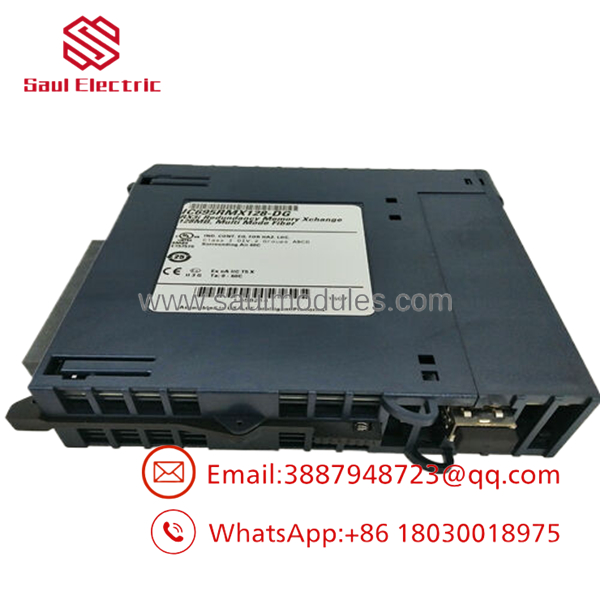
- IC695RMX128
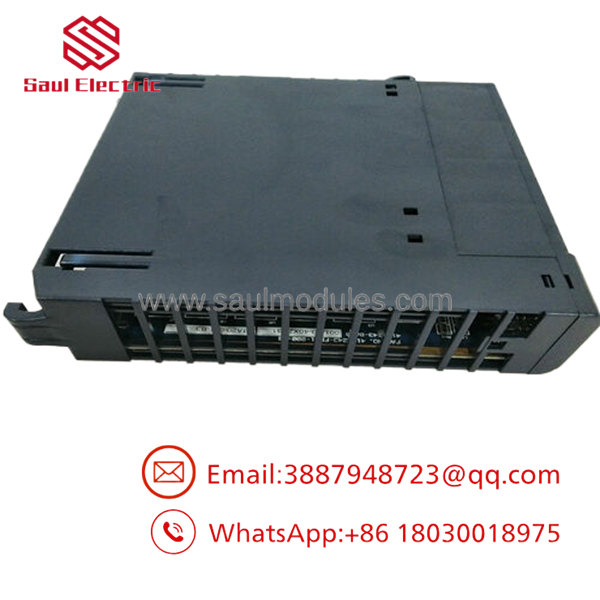
- IC695RMX128
Installation & Configuration Guide
Stage 1: Pre-Installation
Apply lock-out/tag-out and verify the rack is de-energized. Use an ESD strap, insulated tools, and fiber cleaning supplies. Photograph the existing module, fiber routing, and any site configuration references before removal.
Stage 2: Removal
Disconnect the fiber links carefully and cap them immediately to keep contamination out. Remove the module straight from the RX3i universal backplane to avoid connector damage. Keep the removed unit until the replacement passes communication and redundancy checks.
Stage 3: Installation
Install the module in the RX3i universal backplane only. Restore the fiber topology exactly as documented and make sure the LC connectors are clean and fully seated. Confirm the CPU firmware and configuration software are compatible before placing the system back in service.
Stage 4: Power-On & Testing
Power up and verify module status, link LEDs, and redundancy synchronization. Confirm reflective memory traffic and CPU handoff behavior if the module is used in a hot-standby pair. Validate the site logic and alarm reporting before returning the system to production.
Firmware/Software Versions & Upgrade Notes
Use the documented firmware baseline for the installed hardware revision and do not assume all RMX variants behave the same. The source material references firmware 1.04 for RMX128-AC and notes that PME 5.90 SIM1 or later may be required, along with RX3i CPU firmware 5.70 or higher in some deployments.
Avoid upgrading or downgrading firmware during a routine replacement unless you have a verified need and rollback path. Revision changes can affect packet sizing, parity behavior, and redundancy-link behavior, which is not where you want surprises during a swap.
Frequently Asked Questions
Is this really new? The correct procurement position is New Surplus / Original New, not refurbished or repaired.
Why is it cheaper than OEM new but more expensive than refurb stock? New Surplus comes from controlled excess inventory, so it costs less than direct factory pricing while avoiding the reliability risk of uncertain-condition parts.
Is this part obsolete or EOL? Treat it as a strategic legacy spare. That means buffer stock, vendor consolidation, and last-time-buy planning are appropriate.
Can I hot-swap it? Do not assume hot-swap is safe. One source notes hot-swap capability in the RX3i universal backplane, but hazardous-location and site procedures still require power isolation and verification before replacement.
Will the configuration stay in the module? The module supports software configuration, but you should still archive the settings and verify the restored image after installation.
What warranty terms make sense? For New Surplus redundancy hardware, warranty should be tied to traceability, outbound testing, and condition verification. The real value is maintaining system uptime and avoiding a redundancy-chain stock-out.

 Start Chat


