





Description
Key Technical Specifications
| Parameter | Value |
|---|---|
| Part Number | IC752SPL013-BA |
| Brand | GE |
| Series | EX2100 |
| Product Type | Operator interface / keypad unit |
| Primary Use | Excitation system operator control |
| Application | Synchronous generator excitation control |
| System Compatibility | GE EX2100 cabinets |
| Interface Role | Local control and status entry |
| Lifecycle Status | Legacy / EOL-sensitive |
| Stocking Strategy | Keep 1-2 units on-site for critical assets |
| Condition | New Surplus / Original New |
| Supply Chain Note | Treat as strategic spare with TCO focus |
Product Introduction & Supply Chain Strategy
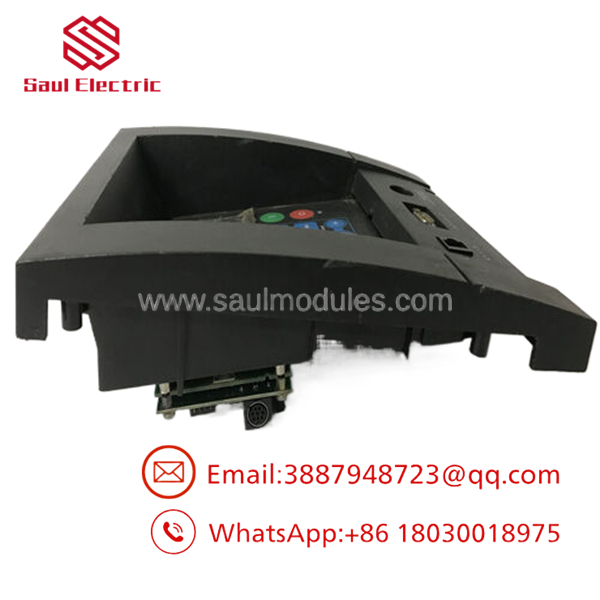
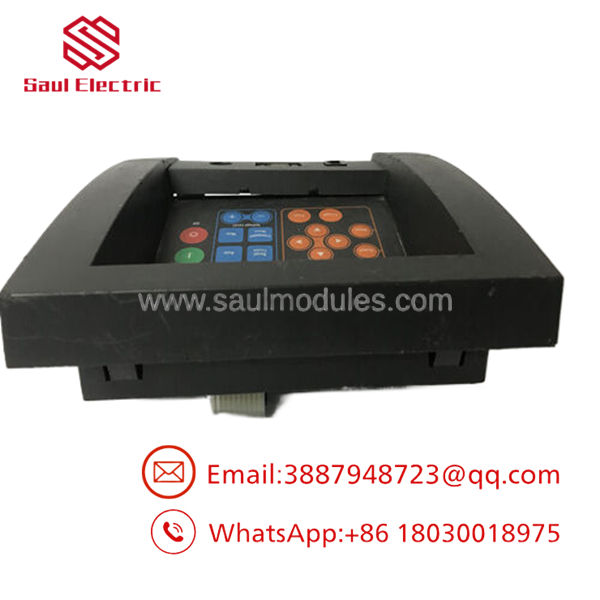
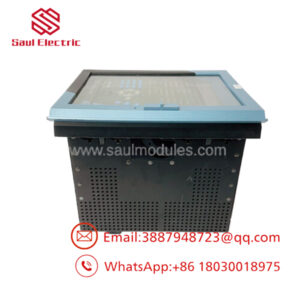
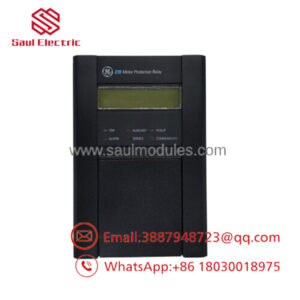
The GE IC752SPL013-BA is an EX2100 operator interface used in generator excitation control cabinets. It gives operators local access to status, commands, and system interaction in synchronous generator applications, especially in power generation environments where excitation stability matters.
Buying this as New Surplus makes sense when you need OEM-level reliability without paying OEM list pricing. For legacy EX2100 assets, the real cost driver is stock-out risk, not unit price, so buffer stock, vendor consolidation, and lead time variability matter more than chasing the lowest catalog number.
Installation & Configuration Guide
Stage 1: Pre-Installation
- Apply lock-out/tag-out and verify the EX2100 cabinet is de-energized.
- Use an ESD wrist strap and proper hand tools.
- Photograph the front panel, connectors, terminal labels, and any DIP or jumper settings.
- Confirm the replacement part number and revision before opening the package.
Stage 2: Removal
- Shut down the system in the approved sequence.
- Disconnect the unit carefully and label any harnesses before removal.
- Use even pressure when extracting the unit to avoid connector damage.
- Inspect the mating connectors for bent pins, oxidation, or heat discoloration.
Stage 3: Installation
- Match the new unit to the recorded settings from the old one.
- Reconnect all wiring exactly as documented.
- Seat the module firmly and verify mechanical retention.
- Confirm the panel layout, labels, and control access match the original configuration.
Stage 4: Power-On & Testing
- Re-energize the cabinet and confirm there are no shorts on the 24 V rails.
- Check display, keypad response, and alarm indication.
- Verify communication with the EX2100 control system.
- Test operator commands under controlled conditions before returning to service.
Firmware/Software Versions & Upgrade Notes
For this part, the safest approach is to preserve the existing software and hardware baseline already running at the plant. The interface is part of a tightly integrated excitation system, so firmware or application mismatches can create communication or HMI behavior issues.
Avoid upgrading or downgrading during a swap unless the site has documented compatibility data and a rollback plan. In a legacy excitation system, the higher risk is not the part itself but a version mismatch that interrupts operator control or status visibility.
- IC752SPL013-BA
- IC752SPL013-BA
Frequently Asked Questions
Q: Is this really new, or is it refurbished?
A: It should be supplied as New Surplus / Original New, not refurbished. That means it comes from secured legacy stock with traceability, not from a repair cycle.
Q: Why is it not priced like OEM new stock?
A: New Surplus typically comes from excess inventory or project closeout channels. That usually lowers cost versus OEM list pricing while keeping the reliability profile far above uncertain-condition parts.
Q: Is IC752SPL013-BA obsolete?
A: Yes, treat it as a legacy item that needs strategic stocking. For critical units, keep on-site coverage and plan ahead for last-time-buy needs.
Q: Can it be swapped live?
A: Do not assume hot-swap capability. Excitation systems are sensitive, so use a controlled outage and follow the site procedure.
Q: Will my settings carry over automatically?
A: No. Record the existing configuration, labels, and operating behavior before removal. The replacement should be installed to match the original setup exactly.
Q: What warranty terms usually apply?
A: New Surplus industrial spares often carry vendor-backed warranty coverage, but the exact term depends on the supplier. Confirm warranty length, return rules, and traceability before purchase.

 Start Chat


