





Description
3. Key Technical Specifications
- Part Number: IC752SPL013-BA
- System Compatibility: GE EX2100 Excitation Control
- Interface: 12-button keypad with alphanumeric display
- Power Supply: 24 VDC nominal input
- Operating Temperature: -40°C to +85°C (typical for series)
- Mounting: Panel-mounted operator interface
- Function: Real-time status monitoring, alarm acknowledgment, parameter adjustment
- Construction: Industrial-grade keypad assembly
- Backplane/Connection: Direct integration with EX2100 control rack
- Weight: Approximately 15 lbs (series typical)
- Application: Power generation excitation systems for gas, steam, and hydro turbines
4. Product Introduction & Supply Chain Strategy
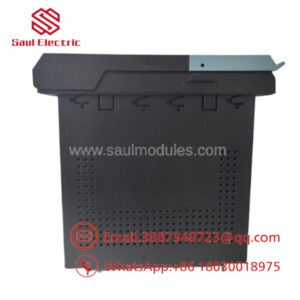
The GE IC752SPL013-BA is a keypad assembly and operator interface panel designed for the EX2100 excitation control system. It enables plant personnel to monitor generator excitation parameters, view alarms, and make adjustments directly at the control panel in power generation facilities.
Purchasing this unit as New Surplus delivers strong total cost of ownership benefits. It avoids the failure risks of refurbished components while securing availability for aging EX2100 installations where OEM new production may be limited. This approach supports buffer stock strategies, reduces unplanned downtime exposure, and prevents emergency procurement at premium prices during lead time variability or end-of-life transitions.
5. Installation & Configuration Guide
Stage 1: Pre-Installation (Prep & Safety) Lock-out and tag-out all power sources to the EX2100 cabinet. Gather an ESD wrist strap, screwdriver set, and camera. Take clear photos of the existing module’s DIP switch settings (if applicable), wiring connections, and keypad layout for exact replication. Verify the replacement unit matches the serial and revision level.
Stage 2: Removal Power down the system completely. Carefully loosen mounting screws or latches. Gently extract the old keypad assembly straight out to avoid bending backplane pins or damaging connectors. Document any observed wear or fault indicators.
Stage 3: Installation (Clone & Seat) Set any configuration switches or jumpers on the new IC752SPL013-BA to match the photos from the old unit. Align the module with the slot and seat it firmly into the backplane until fully engaged. Secure with mounting hardware.
Stage 4: Power-On & Testing Restore power gradually while monitoring 24V rails for proper voltage and no shorts. Observe LEDs for normal RUN status (no persistent ERR). Perform communication handshake tests, verify display functionality, and test key inputs. Download or confirm configuration logic as needed.
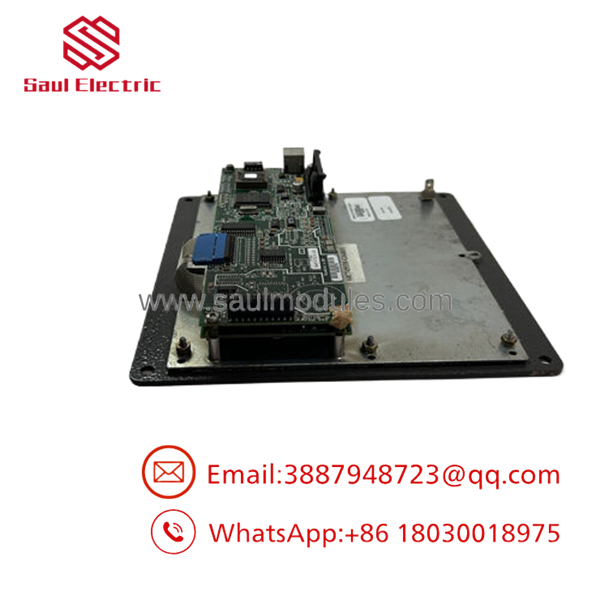
- IC752SPL013-BA
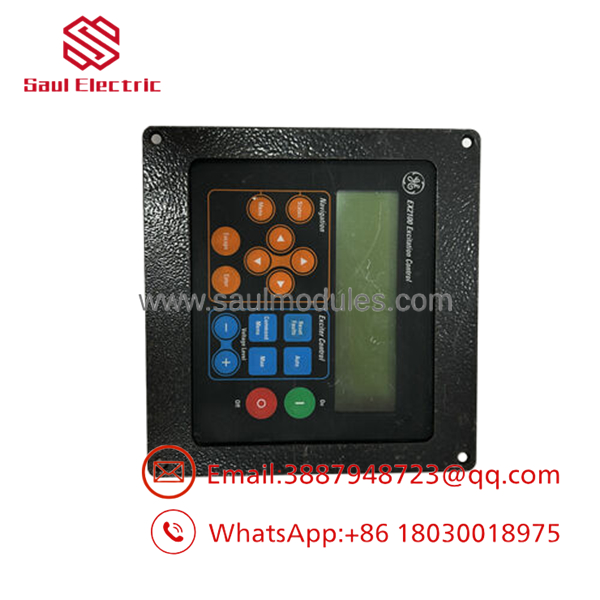
- IC752SPL013-BA
6. Firmware/Software Versions & Upgrade Notes
The IC752SPL013-BA interfaces with the EX2100 control firmware. Match the firmware version on the new unit to the existing system controller (typically documented in the Toolbox software).
Firmware mismatches between the keypad interface and main controller can cause display errors or communication timeouts. Upgrading firmware during a hardware swap carries risks of configuration loss—always back up current settings first. Downgrading is generally not recommended and may introduce compatibility issues with newer EX2100e components. Consult the specific system manual for exact version compatibility.
7. Frequently Asked Questions (FAQ)
Yes. This is a genuine New Surplus unit from authorized channels—original OEM packaging, never installed or pulled from service. It undergoes full functional testing before shipment.
Q: Why does New Surplus cost more than refurbished options? Refurbished parts carry higher failure risk from aged components, leading to expensive downtime. Our New Surplus units provide 10-15 year expected service life and full warranty coverage versus short warranties on repaired stock. The price difference buys reliability and avoids secondary costs.
Q: Is this part obsolete or at end of life? Many components are in a lifecycle phase where strategic stocking makes sense. We recommend maintaining 1-2 units on-site as insurance for critical excitation systems.
Q: Can this keypad be hot-swapped? Hot-swapping is not recommended. Always follow proper lock-out/tag-out procedures to prevent damage to the backplane or control logic. Power down before replacement.
Q: What warranty do you provide? We offer a 1 year warranty on this New Surplus unit, covering defects in materials and workmanship under normal operating conditions.
It is a direct replacement for compatible setups. Confirm firmware and configuration match before installation to ensure seamless integration.
Q: Do you provide test reports and traceability? Yes. Every unit ships with QC test documentation, serial number verification, and packing details for full traceability.


 Start Chat


