





Description
Key Technical Specifications
| Parameter | Value |
|---|---|
| Manufacturer | GE Fanuc |
| Model Number | IC754VGL06CTD ES0622 |
| Product Type | Human-Machine Interface (HMI) |
| Series | QuickPanel View |
| Display Size | 6-inch TFT Color LCD |
| Resolution | 320 × 240 (QVGA) |
| Touch Technology | Analog resistive touchscreen |
| Operating System | Windows CE / Windows Compact Embedded |
| Processor | Intel XScale PXA300, 255 MHz |
| Memory | 64 MB DRAM, 64 MB Flash (configuration dependent) |
| Communication Ports | Ethernet, RS-232, RS-485, USB |
| Ethernet | 10/100 Mbps |
| Input Voltage | 10.8–30 V DC (24 V DC nominal) |
| Mounting | Panel mount |
| Operating Temperature | 0 °C to +60 °C |
Product Introduction
The GE IC754VGL06CTD ES0622 is a QuickPanel View Human-Machine Interface (HMI) designed for industrial automation systems. It provides operators with a graphical interface for machine control, alarm management, process visualization, and production monitoring while communicating with PLCs and controllers through Ethernet and serial networks.
This 6-inch color touchscreen HMI is commonly installed on production equipment, packaging machines, water treatment systems, and process plants. Running Windows CE with Proficy Machine Edition support, it offers flexible application development while maintaining compatibility with many GE Fanuc automation platforms. Before purchasing a replacement, verify the project application, firmware revision, communication driver, and screen part number.
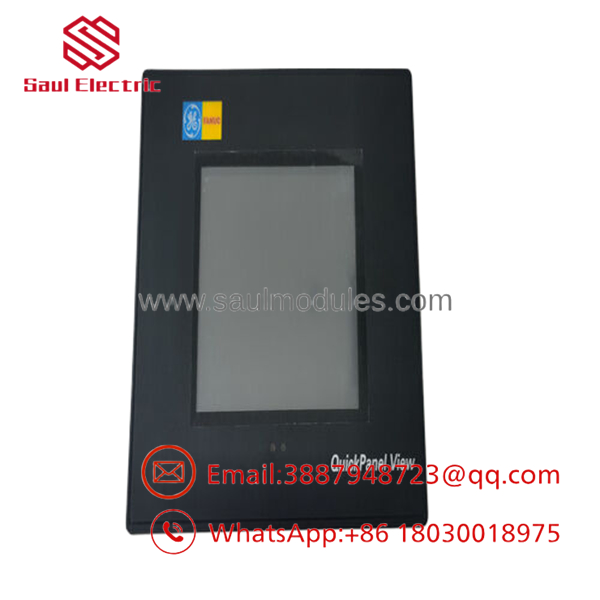
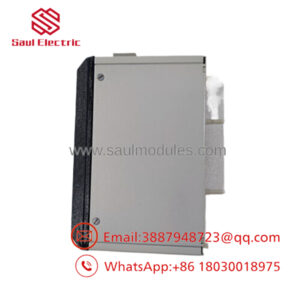
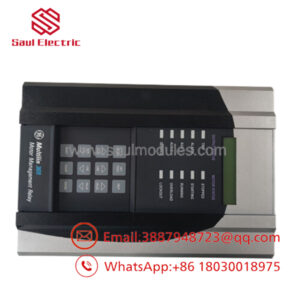
- IC754VGL06CTD ES0622
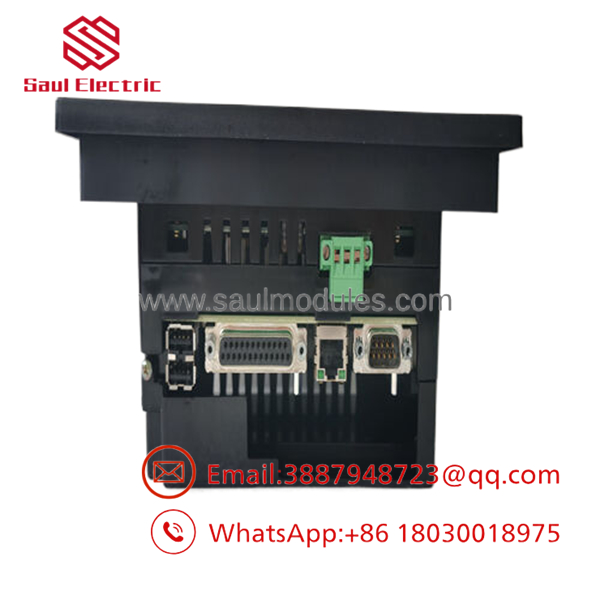
- IC754VGL06CTD ES0622
Troubleshooting Quick Reference
| Symptom | Possible Cause | Relevance to this Part | Quick Check Method | Recommendation |
|---|---|---|---|---|
| Screen remains blank | Missing 24 V DC power | ❌ Low | Measure input voltage at the power connector | Verify power supply and fuse before replacing the HMI |
| Touchscreen responds incorrectly | Touchscreen calibration lost | ✅ Medium | Enter calibration mode and test all corners | Recalibrate before replacing hardware |
| “PLC Communication Error” | PLC offline or communication settings incorrect | ❌ Low | Verify IP address, serial settings, and PLC status | Confirm communications before replacing the HMI |
| Display backlight is dim | LCD backlight aging | ✅ High | Compare brightness with a known-good unit | Replace display if backlight has reached end of life |
| Application will not start | Corrupted runtime project | ✅ Medium | Reload the application using Proficy Machine Edition | Restore project from backup |
| USB not recognized | Unsupported storage device | ❌ Low | Test with a known-compatible USB drive | Verify storage format and compatibility |
| Random system freezes | Corrupted operating system or memory failure | ✅ High | Observe boot sequence and review diagnostic messages | Re-image or replace the unit if hardware faults persist |
Technical Note: Most QuickPanel service calls are caused by power supply issues, damaged communication cables, corrupted applications, or PLC network problems. The HMI hardware itself is generally reliable. Confirm external issues before replacing the panel.
Frequently Asked Questions (FAQ)
Q1. What is the IC754VGL06CTD ES0622 used for?
It is an industrial Human-Machine Interface (HMI) that allows operators to monitor equipment, acknowledge alarms, change process parameters, and communicate with PLC-based automation systems.
Q2. Which software is used to develop applications?
The panel is designed for Proficy Machine Edition – View, running on the embedded Windows CE operating system. Always verify that the project version is compatible with the installed firmware.
Q3. Can I install this HMI as a direct replacement?
Usually yes, provided the replacement matches the complete model number, firmware generation, communication configuration, and project file. Before removing the original unit, back up the runtime application whenever possible.
Q4. Which communication interfaces are available?
The panel supports Ethernet, RS-232, RS-485, and USB, allowing communication with GE PLCs and many third-party controllers through supported drivers.
Q5. Why is New Surplus inventory less expensive than factory supply?
Most New Surplus units originate from canceled OEM projects or unused maintenance inventory. They have never entered production service but are no longer part of regular factory manufacturing.
Q6. What should I verify before ordering?
Verify:
- Exact model number (IC754VGL06CTD ES0622)
- Firmware revision
- Installed runtime application
- Communication protocol
- Screen size
- Power supply requirements
- Mounting cutout dimensions
Five minutes spent documenting the original panel can prevent hours of recommissioning.
Q7. What warranty is typically available?
Most industrial automation suppliers provide a 12-month warranty on verified New Surplus or professionally tested units. Request boot-test photos, touchscreen verification, and communication test results before shipment.
Quality Inspection & Testing SOP
1. Inbound Inspection & Traceability
- Verify GE Fanuc identification labels, serial numbers, and hardware revision.
- Inspect the LCD, touchscreen, bezel, connectors, and enclosure for scratches, cracks, corrosion, UV discoloration, or repair evidence.
- Verify traceability documentation and anti-counterfeit markings.
- Record serial numbers before testing.
2. Live Functional Testing
- Power the HMI using a regulated 24 V DC supply.
- Verify boot sequence, LCD brightness, touchscreen calibration, and LED indicators.
- Load a standard Proficy Machine Edition runtime application.
- Test Ethernet, RS-232, RS-485, and USB communication.
- Perform touchscreen response tests across the full display.
- Operate continuously for more than 24 hours while monitoring temperature and stability.
- Generate a documented functional test report.
- Test photos and videos are available upon request.
3. Electrical Parameter Testing
- Measure input voltage and operating current using a calibrated Fluke 115 digital multimeter.
- Verify chassis grounding.
- Confirm stable operation throughout extended burn-in testing.
4. Firmware & Configuration Verification
- Record the installed firmware revision.
- Verify Windows CE startup.
- Confirm communication driver functionality.
- Photograph identification labels before shipment.
5. Final QC & Packaging
- Final QC inspection and approval.
- Package the HMI in an ESD-safe bag.
- Protect the touchscreen with a protective film and anti-static foam.
- Pack in a heavy-duty corrugated carton with bubble wrap.
- Apply a dated QC Passed label.
Technical Pitfalls & Survival Guide
❗ Back Up the Runtime Project First
I’ve seen replacement HMIs installed perfectly, only for production to stop because no one had a copy of the runtime application.
Always back up the project before removing the original panel.
❗ Firmware Matters
A newer replacement panel may not load an older runtime application without updating or converting the project.
Record the firmware revision before ordering a replacement.
❗ Verify Communication Settings
Don’t assume Ethernet settings are identical.
Document the IP address, subnet mask, serial baud rate, node address, and communication driver before disconnecting the original HMI.
❗ Check the Power Supply Under Load
A weak 24 V DC power supply often causes intermittent reboots, touchscreen freezes, and communication errors that resemble hardware failures.
Measure voltage while the panel is operating, not just with the power off.
❗ Electrostatic Discharge (ESD)
Always wear a grounded wrist strap.
I once watched a technician replace a QuickPanel during a winter shutdown without ESD protection. The panel booted normally but developed an intermittent touchscreen fault several days later. Static damage isn’t always immediate, but it can shorten the service life of the display electronics.
Keep these checks in mind and you’ll avoid most HMI replacement issues, reduce commissioning time, and minimize unnecessary production downtime.

 Start Chat


