





Description
Key Technical Specifications
| Parameter | Value |
|---|---|
| Manufacturer | GE |
| Model Number | IS200EPSMG2A |
| Series | EX2100 |
| Product Type | Exciter power supply module |
| System Role | Regulator control power supply |
| Internal Function | Buck regulator plus push-pull inverter |
| Intermediate Voltage | 50 V dc |
| Application | GE excitation / turbine control systems |
| Operating Temperature | -30 to +65 C |
| Lifecycle Status | Legacy spare / stocking risk |
| Condition | New Surplus / New Original |
Product Introduction & Supply Chain Strategy
GE IS200EPSMG2A is an EX2100 exciter power supply module used in turbine excitation and regulator control systems. It converts the incoming DC link bus into the voltages needed by the control electronics, so power integrity matters directly to system availability.
Buying this part as New Surplus is the right TCO choice for an aging control platform. It protects against lead time variability, reduces stock-out exposure, and avoids the hidden failure risk that comes with uncertain source inventory during a critical outage.
Installation & Configuration Guide
Stage 1: Pre-Installation
Apply lock-out/tag-out and verify the excitation cabinet is de-energized. Use an ESD strap, insulated tools, and a camera to record the module face, connector positions, and any jumper or board-identification details. Confirm the replacement matches the original part number and series.
Stage 2: Removal
Release the module using the proper extraction points and pull it straight out. Avoid side loading the edge connector or bending any pins in the rack/backplane area. Inspect the cabinet for dust, discoloration, loose hardware, or heat damage before installing the replacement.
Stage 3: Installation
Install the new module in the same slot and seat it evenly until fully engaged. Restore any adjacent board or daughterboard configuration exactly as it was on the removed unit. Recheck cable routing and connector latch positions before energizing.
Stage 4: Power-On & Testing
Before full power-up, verify the supply rails and check for shorts or abnormal resistance. Power on and confirm status LEDs, then validate the excitation controller starts normally and that regulation signals are stable. Record alarms, clear faults only after root-cause review, and confirm the system returns to service cleanly.
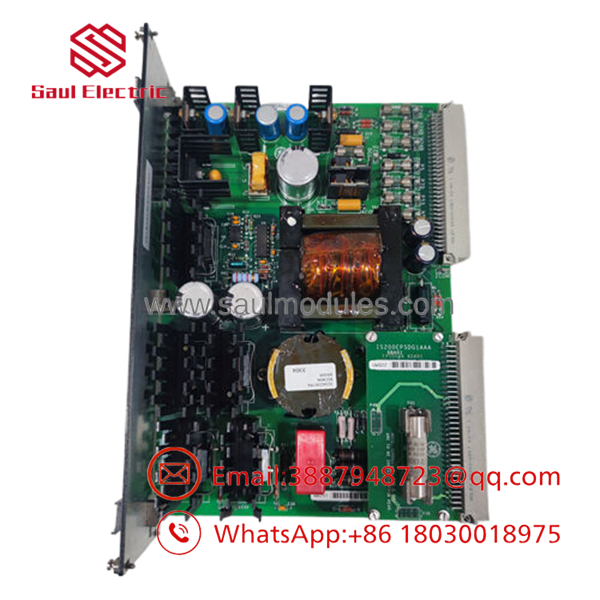
- IS200EPSMG2A
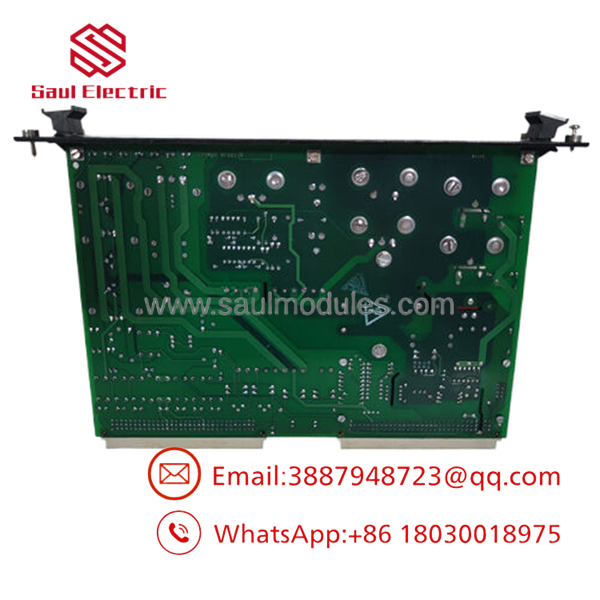
- IS200EPSMG2A
Firmware/Software Versions & Upgrade Notes
Use the same firmware level as the removed module whenever possible. For EX2100 hardware, version mismatch can create startup, comms, or regulation issues, so treat any firmware change as a controlled maintenance action rather than part of the spare swap.
Do not downgrade or upgrade during an urgent replacement unless the site has already validated compatibility. The safest path is to preserve the installed configuration, document the original version, and defer software changes until the system is stable.
Frequently Asked Questions
Is this really New Surplus? Yes. The correct procurement position is New Surplus / New Original, meaning genuine OEM inventory rather than a rebuilt or repaired unit.
Why is the price lower than OEM new but higher than lower-cost listings? New Surplus usually comes from excess inventory. It preserves OEM origin and lowers TCO without taking the reliability risk tied to questionable source parts.
Is IS200EPSMG2A obsolete? Treat it as a legacy EX2100 spare with lifecycle risk. For active turbine assets, keep buffer stock and plan for last-time-buy coverage.
Can I hot-swap it? Do not assume hot-swap capability. Exciter power modules can trip the system if removed live, so isolate first and follow site procedure.
Will the program or settings transfer automatically? No. Document board settings, firmware level, and cabinet configuration before removal. Restore everything exactly during installation.
What warranty should I expect? New Surplus industrial spares typically carry limited supplier warranty coverage, often 1 year depending on the source and contract terms. Confirm the exact warranty before purchase.

 Start Chat


