





Description
Key Technical Specifications
| Parameter | Value |
|---|---|
| Manufacturer | GE Energy |
| Model Number | IS210AEAAH2B |
| Product Type | Conformal Coated Input/Output (I/O) Board |
| Series | Mark VIe Wind Turbine Control System |
| Functional Acronym | AEAA |
| PCB Protection | Conformal coating |
| Hardware Group | H2 |
| Functional Revision | B |
| Primary Function | Field I/O interface for turbine control |
| Installation | Mark VIe control cabinet |
| Application | Wind turbine monitoring and control |
| Environmental Design | Industrial-duty conformal-coated PCB for harsh environments |
Product Introduction
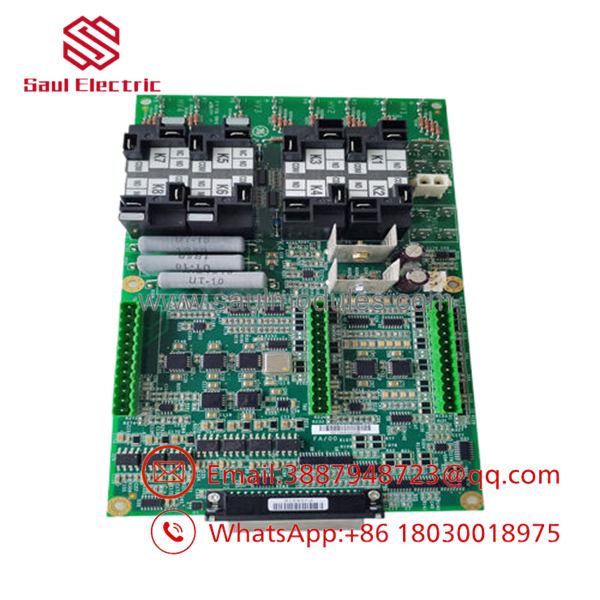
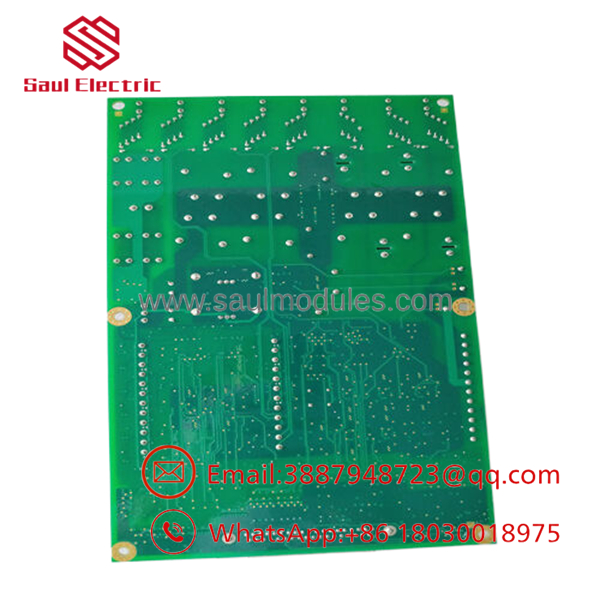
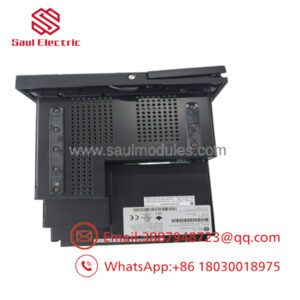
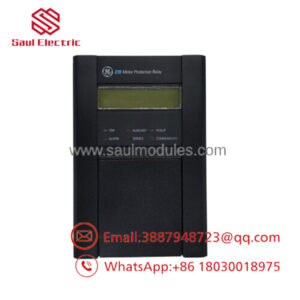
The GE IS210AEAAH2B is a conformal-coated Input/Output board designed for the GE Mark VIe Wind Turbine Control System. It provides the interface between field devices and the turbine control platform, supporting real-time monitoring and control of turbine operating conditions.
Its conformal coating helps protect the PCB from humidity, airborne contaminants, and condensation commonly found inside wind turbine nacelles and industrial control cabinets. Before installing a replacement, verify the complete part number, hardware group, and system configuration to ensure compatibility with the existing Mark VIe installation.
Troubleshooting Quick Reference
| Symptom | Possible Cause | Relevance to this Part | Quick Check Method | Recommendation |
|---|---|---|---|---|
| Multiple field I/O signals unavailable | Loss of cabinet power | ❌ Low | Measure cabinet supply voltages before removing the board | Verify power supply first |
| Random communication faults | Loose backplane connector | ✅ Medium | Remove and reseat the board, then inspect connector pins | Clean and reinstall before replacement |
| Intermittent I/O operation | Moisture or contamination | ✅ Medium | Inspect PCB coating and connectors for contamination | Clean cabinet and inspect environmental seals |
| One group of signals unavailable | Field wiring failure | ❌ Low | Verify field wiring continuity and terminal connections | Repair wiring before replacing the board |
| Board not recognized | Hardware mismatch | ✅ High | Confirm full model number and hardware revision | Install the correct replacement revision |
| Diagnostic alarm after replacement | Configuration mismatch | ✅ High | Compare hardware configuration with the original board | Verify controller configuration and firmware |
| Physical damage visible | Electrical surge or mechanical damage | ✅ High | Inspect PCB for burned components or cracked traces | Replace the board and investigate the root cause |
Technical Note: Most Mark VIe I/O faults originate from damaged field wiring, cabinet power problems, connector issues, or environmental contamination rather than failure of the IS210AEAAH2B itself. Verify these conditions before replacing the board.
Frequently Asked Questions (FAQ)
Q1. What is the IS210AEAAH2B used for?
The IS210AEAAH2B is a conformal-coated I/O board used in the GE Mark VIe Wind Turbine Control System. It interfaces field signals with the turbine controller to support monitoring and control functions.
Q2. Why does this board have a conformal coating?
The protective coating shields the PCB against moisture, dust, salt, and condensation, making it suitable for wind turbines and other harsh industrial environments.
Q3. Can I replace the board without changing software?
In most cases, yes.
However, always verify the hardware revision and controller configuration before startup. Installing an incompatible revision can generate communication or I/O faults.
Q4. Is the IS210AEAAH2B still manufactured?
No.
The module is considered an obsolete spare part, so most available inventory consists of New Surplus or professionally tested units. Availability may be limited.
Q5. Why is New Surplus inventory less expensive than factory inventory?
New Surplus boards generally originate from canceled wind farm projects, OEM spare inventories, or unused maintenance stock. They have not been installed in service but are no longer supplied through normal production channels.
Q6. What should I verify before ordering?
Verify:
- Exact model number ()
- Hardware revision
- H2 group designation
- Mark VIe compatibility
- Existing cabinet configuration
- Connector condition
- Installation location
Documenting these items before ordering prevents unnecessary installation delays.
Q7. What warranty is typically available?
Most industrial automation suppliers provide a 12-month warranty for verified New Surplus or professionally tested boards. Request serial-number photographs, inspection documentation, and functional test results before shipment.
Quality Inspection & Testing SOP
1. Inbound Inspection & Traceability
- Verify OEM labels, serial numbers, and hardware revision.
- Inspect the conformal coating for cracking, discoloration, or contamination.
- Check all connectors for bent pins, corrosion, and mechanical damage.
- Record serial numbers for complete traceability.
2. Live Functional Testing
- Install the board in an in-house GE Mark VIe test platform.
- Verify successful controller recognition.
- Test digital and analog I/O functions according to the applicable configuration.
- Verify communication with the controller.
- Operate continuously for more than 24 hours while monitoring stability.
- Generate a documented functional test report.
- Test photos and videos are available upon request.
3. Electrical Parameter Testing
- Perform insulation resistance testing where applicable using a 500 V Megger.
- Verify chassis ground continuity.
- Measure operating voltages using a calibrated Fluke 115 digital multimeter.
- Inspect signal integrity on representative I/O channels.
4. Firmware & Configuration Verification
- Verify hardware revision.
- Record identification labels.
- Compare board configuration with the original installation.
- Include configuration documentation with the inspection report.
5. Final QC & Packaging
- Final QC approval.
- Package the board in an ESD-safe bag.
- Protect with anti-static foam, bubble wrap, and a heavy-duty corrugated carton.
- Apply a dated QC Passed label.
Technical Pitfalls & Survival Guide
❗ Don’t Assume Similar Part Numbers Are Compatible
I’ve seen technicians install an H1 board in an H2 application because the labels looked almost identical.
Always verify the complete part number, including the hardware revision suffix, before installation.
❗ Photograph Every Connector
Before disconnecting the original board, take clear photos of every cable and connector.
Reversed or misplaced connectors can create multiple I/O faults that resemble board failure.
❗ Inspect the Conformal Coating
The coating protects the electronics, but damage from improper cleaning or handling can expose traces to moisture.
If the coating is peeling or scratched near critical components, inspect the board carefully before putting it back into service.
❗ Check Cabinet Power First
Many “dead board” service calls are actually caused by missing cabinet power or loose backplane connections.
Measure supply voltage and inspect connector seating before ordering a replacement.
❗ Electrostatic Discharge (ESD)
Always wear a grounded wrist strap.
I once watched a technician replace an I/O board inside a wind turbine during dry winter conditions without ESD protection. The board passed initial commissioning but developed intermittent communication faults several weeks later. Static damage doesn’t always cause immediate failure.
Keep these checks in mind and you’ll eliminate most Mark VIe I/O commissioning problems, avoid unnecessary board replacements, and reduce turbine downtime.

 Start Chat


