





Description
Key Technical Specifications
| Parameter | Value |
| Processor Architecture | Freescale PowerPC (High-Reliability Embedded Processor) |
| Internal Memory | High-density SDRAM and non-volatile flash memory configuration |
| Network Interface | Dual/Triple redundant Ethernet-based IONet connections |
| Communication Protocol | Proprietary GE Mark VIe Ethernet protocol, TCP/IP, Modbus TCP |
| Card Footprint | Specialized multi-layer application daughtercard / main module |
| System Redundancy | Formulates Simplex, Dual, or TMR (Triple Modular Redundant) logic |
| Cooling Requirements | Convection inside standard cabinet or forced-air depending on frame |
| Operating Temperature | 0 to +65 °C (32 to 149 °F) ambient cabinet temperature |
Product Introduction
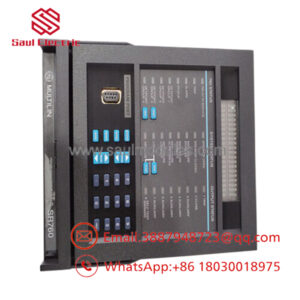
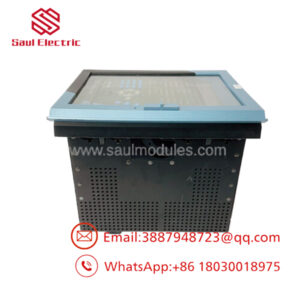
The GE IS210MACCH1AKH is a high-performance Applications Control Processor Board developed for the advanced Mark VIe Speedtronic turbine control platform. This card serves as the computational brain for demanding industrial turbine control loops, executing sophisticated real-time mathematical algorithms, safety diagnostics, and sequencing logic required for power plant automation.
Designed to operate in highly critical environments, the “MACCH1AKH” variant features updated component architecture designed to increase processing throughput and optimize system boot cycles. It relies on GE’s proprietary, high-speed Ethernet-based IONet to interface directly with distributed I/O modules, allowing deterministic communication and sub-millisecond execution loops across large-scale gas or steam turbine configurations.
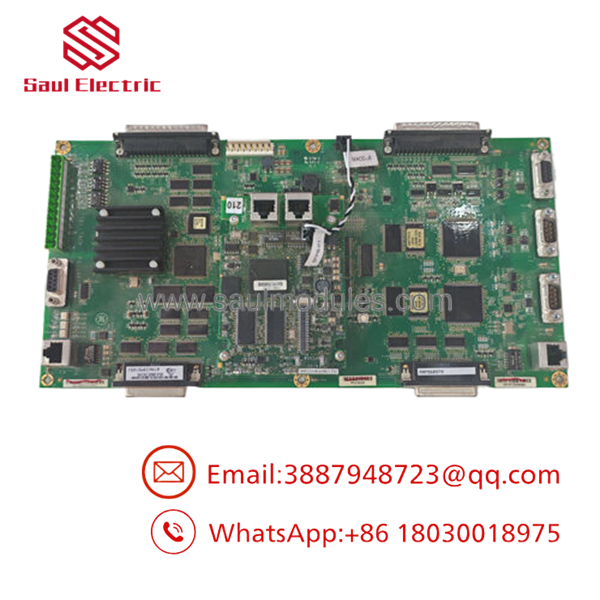
- IS210MACCH1AKH
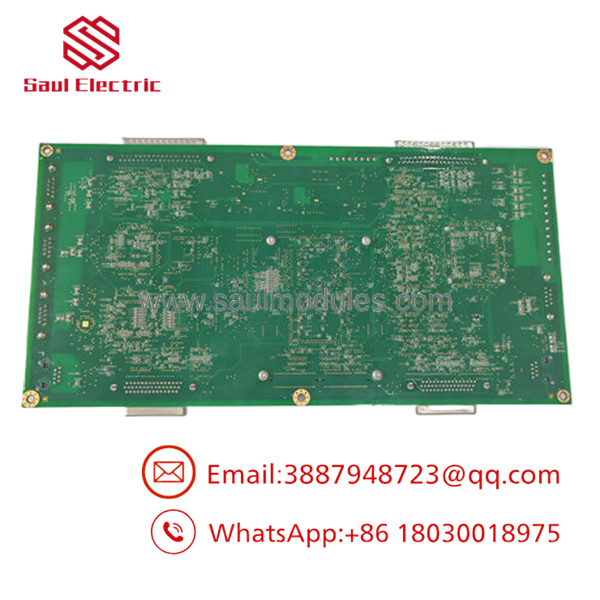
- IS210MACCH1AKH
Installation & Configuration Guide
Stage 1: Pre-Installation Preparation (Estimated Time: 20 minutes)
- ⚠️ Safety First: The MACC card manages the operational logic of the entire control system. Replacing this module while the turbine is online will cause an unmanaged control loss and an instant emergency trip. Ensure the machine is completely shut down and isolated. Turn off power to the control rack and execute standard lockout/tagout procedures.
- Tools Required: Grounded static-dissipative ESD wrist strap, clean ESD mat, PH1 Phillips screwdriver, 3.5 mm flathead screwdriver, and a PC equipped with ToolboxST software.
- Data Backup: Connect your engineering workstation to the controller network before powering down. Upload and compile a complete master backup of the current application code, hardware configuration, and network IP maps from the specific controller rack.
Stage 2: Removing the Old Module (Estimated Time: 10 minutes)
- Attach your grounded ESD wrist strap to a verified metal grounding point on the enclosure frame.
- Unplug all network connections (IONet RJ45 or fiber transceiver cables) from the faceplate of the board. Label each cable to ensure they are reconnected to the correct ports.
- Loosen the upper and lower faceplate retaining screws that lock the card into the module frame assembly.
- Carefully pull the board straight out using the card pullers or handles to prevent bending the dense pin arrays on the backplane connector.
- Place the removed card directly into an anti-static shielding bag.
- ⚠️ Note: Inspect the faceplate and internal structural frame for dust blockages or signs of overheating before inserting the replacement module.
Stage 3: Installing the New Module (Estimated Time: 15 minutes)
- Keep the ESD wrist strap secured. Remove the new IS210MACCH1AKH module from its static-shielding bag.
- Verify that any physical DIP switches or onboard jumpers match the positions of the card being replaced.
- Align the edges of the PCB with the plastic guide rails inside the controller slot housing.
- Slide the card smoothly inward until it meets the backplane socket. Press firmly on the card edges until the board seats fully and clicks into place.
- Secure the upper and lower faceplate screws to bond the module shield to the cabinet frame, then reconnect the network cables.
- Self-Checklist:
- [ ] Jumpers and DIP switch arrays match the old card layout perfectly.
- [ ] Module fully seated in its track with faceplate screws snug.
- [ ] Network communication cables securely plugged back into their matching port locations.
Stage 4: Power-On & Testing (Estimated Time: 30 minutes)
- Reapply main power to the controller rack enclosure.
- Observe the boot sequence of the status LEDs on the module faceplate. The OK light should cycle through diagnostic codes before settling into a steady solid green state.
- Launch ToolboxST on your PC. Use the software to ping the processor to verify that the core hardware is responsive on the network.
- Initiate a firmware synchronization if required by the system. Download the stored hardware configuration and application program file to the new card.
- Restart the processor core through the software interface to execute a clean initialization, ensuring no diagnostic alarms or network packet dropouts are logged.
- ⚠️ Troubleshooting Note: If the CONFIG or DIAG LED lights up amber or red after the download, verify that the card’s firmware version matches the exact software library baseline used in your current ToolboxST project.
Frequently Asked Questions (FAQ)
Can I replace the IS210MACCH1AKH while the system is under load if I have a TMR setup?
No. Even in a Triple Modular Redundant (TMR) control architecture, replacing a main MACC processor card online is highly discouraged and risky. While a TMR setup can vote out a single core failure, inserting or extracting a core processor board while the backplane power is live risks triggering voltage transients or communication bus disturbances that can disrupt the remaining active cores. Turn off the power to that specific core slot frame before performing the card replacement.
What is the purpose of the “IONet” ports on this specific board?
The IONet ports are dedicated, high-speed, deterministic Ethernet networks used by the Mark VIe platform to bind the control processors to the distributed I/O packs. This communication protocol bypasses the overhead of standard commercial Ethernet networks, ensuring that process input and output signals are synchronized within a strict, predictable window (often down to 10 milliseconds or less) to maintain tight stability over complex turbine mechanics.
How does the trailing “KH” revision affect compatibility with older versions?
The trailing characters “AKH” identify a specific manufacturing revision tier, component update block, or hardware configuration grouping. While the foundational logic processing architecture remains the same across the IS210MACC family, a “KH” revision might feature internal component improvements or updated non-volatile memory layout changes. Always check your master system documentation to verify that your system firmware is updated to recognize this exact revision.
Will the new card function out of the box without software configuration?
No. The IS210MACCH1AKH is a programmable application controller that ships empty of site-specific data. When you install a new surplus board, it does not contain your plant’s specific turbine sequencing logic, network configurations, or safety setpoints. You must use GE’s ToolboxST development software to load the compiled system program before it can manage any field components.
What is the most common reason for a new board failing to synchronize with the network?
The most frequent cause of network synchronization issues is a mismatch between the firmware version loaded onto the physical card and the firmware baseline version expected by the project file inside your engineering software. If these versions do not align perfectly, the controller will reject communication or flag a persistent configuration fault. Connect directly via the station manager port to verify and flash the appropriate firmware onto the board.

 Start Chat


