





Description
Key Technical Specifications
| Parameter | Value |
|---|---|
| Manufacturer | GE Energy |
| Model Number | IS220PHRAH1A |
| Product Type | HART-Enabled Analog I/O Pack |
| Platform | Mark VIe Speedtronic Control System |
| Associated Terminal Boards | IS200SHRAH1A, IS200SHRAH2A |
| Input Supply Voltage | 28 V DC nominal |
| Maximum Input Current | 0.50 A |
| Communication | Dual Ethernet interface |
| Analog Signal Support | Voltage, current, and HART-compatible transmitters |
| LED Indicators | Power, Attention, Ethernet Link/Activity |
| Installation | Mark VIe control cabinet |
| Application | Gas turbines, steam turbines, balance-of-plant control systems |
Product Introduction
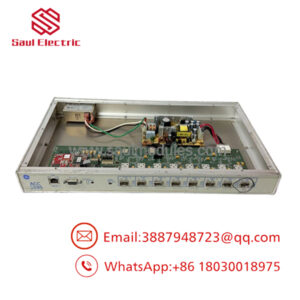
The GE IS220PHRAH1A is a HART-enabled Analog I/O Pack designed for the GE Mark VIe Speedtronic control platform. It acquires analog process signals while supporting HART communication for compatible field instruments. The module connects directly to approved terminal boards and exchanges data with the Mark VIe controller through redundant Ethernet interfaces.
This I/O pack is commonly installed in gas turbines, steam turbines, and other critical process applications where accurate analog measurements are required. Before installation, verify terminal board compatibility, controller configuration, and hardware revision to avoid commissioning delays.
Troubleshooting Quick Reference
| Symptom | Possible Cause | Relevance to this Part | Quick Check Method | Recommendation |
|---|---|---|---|---|
| Power LED off | Missing 28 V DC supply | ❌ Low | Measure supply voltage at the terminal board | Verify power before replacing the I/O pack |
| Ethernet LEDs inactive | Network connection failure | ✅ High | Check Ethernet cables, switch ports, and controller status | Restore communication before replacing hardware |
| HART device not detected | Incorrect field wiring or transmitter configuration | ✅ Medium | Verify loop current and HART addressing with a communicator | Correct field configuration first |
| Multiple analog channels unavailable | Terminal board issue | ✅ Medium | Inspect terminal board connectors and field wiring | Verify associated terminal board condition |
| Analog values unstable | Shielding or grounding problem | ❌ Low | Inspect cable shielding and grounding practices | Correct grounding before replacing the module |
| Module reports diagnostic fault | Internal electronics failure | ✅ High | Review Mark VIe diagnostics and LED status | Replace the I/O pack after confirming external devices |
| No communication after replacement | Hardware mismatch | ✅ High | Verify complete model number and supported terminal board | Install the correct module revision |
Technical Note: Most analog I/O faults originate from field transmitters, power supplies, wiring, or network issues rather than failure of the IS220PHRAH1A. Eliminate these causes before replacing the module.
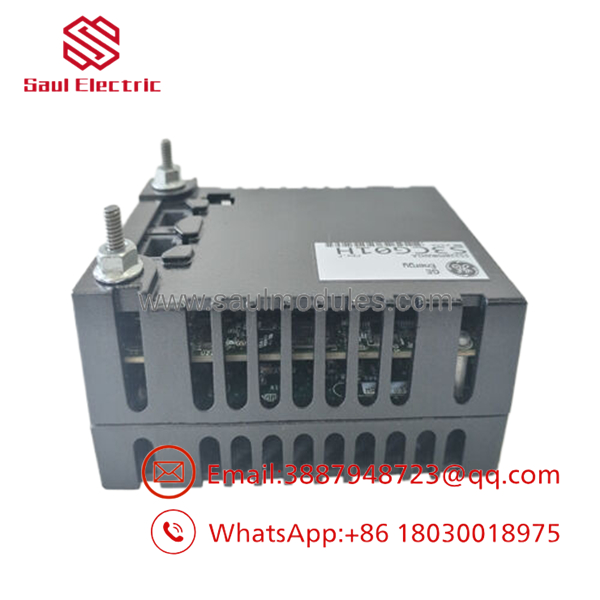
- IS220PHRAH1A
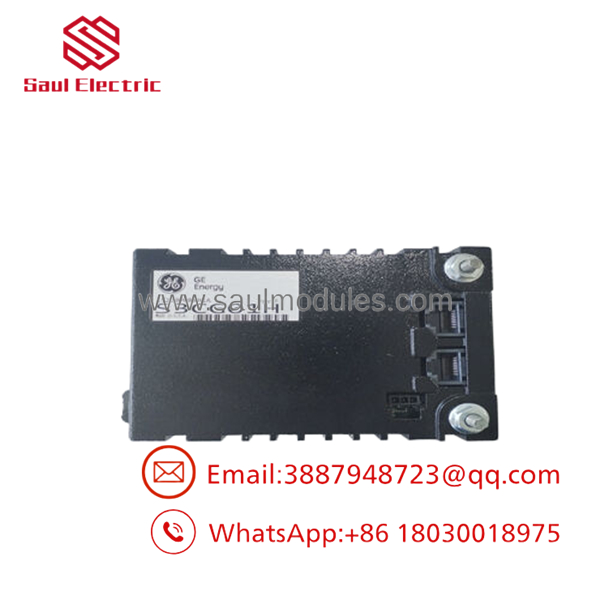
- IS220PHRAH1A
Frequently Asked Questions (FAQ)
Q1. What is the IS220PHRAH1A used for?
The is a HART-enabled Analog I/O Pack used in the GE Mark VIe control platform. It acquires analog process signals and communicates with HART-compatible field devices while exchanging data with the controller over Ethernet.
Q2. Which terminal boards are compatible?
The module is designed for use with IS200SHRAH1A and IS200SHRAH2A terminal boards. Always verify the installed terminal board before ordering a replacement.
Q3. Can I hot-swap this I/O pack?
That depends on your plant’s maintenance procedures and controller configuration.
Even if the system architecture supports online maintenance, verify the OEM procedure before removing the module. Unexpected I/O loss during operation can trip critical equipment.
Q4. Why should I record the old module configuration?
Because communication settings and field device assignments matter.
I’ve seen technicians replace the hardware successfully, only to spend hours troubleshooting because the HART device mapping wasn’t documented before removal.
Q5. Why is New Surplus inventory less expensive than factory inventory?
Most New Surplus inventory comes from canceled projects, unused OEM spare inventories, or excess maintenance stock. The module has not been placed into production service but is no longer part of standard manufacturing.
Q6. What should I verify before ordering?
Verify:
- Exact model number ()
- Associated terminal board
- Hardware revision
- Mark VIe controller compatibility
- Field wiring configuration
- Ethernet network configuration
- HART device compatibility
Q7. What warranty is typically available?
Most industrial automation suppliers provide a 12-month warranty for verified New Surplus or professionally tested modules. Request functional test reports, serial-number photographs, and inspection records before shipment.
Quality Inspection & Testing SOP
1. Inbound Inspection & Traceability
- Verify OEM labels, serial numbers, and hardware revision.
- Inspect the enclosure and connectors for corrosion, scratches, bent pins, or repair evidence.
- Confirm compatibility with the specified terminal board.
- Record serial numbers for complete traceability.
2. Live Functional Testing
- Install the module on an in-house GE Mark VIe test system.
- Verify successful boot sequence and LED status.
- Confirm Ethernet communication with the controller.
- Simulate analog inputs and HART communication using calibrated field devices.
- Perform continuous operation for more than 24 hours while monitoring communication stability.
- Generate a documented functional test report.
- Test photos and videos are available upon request.
3. Electrical Parameter Testing
- Measure insulation resistance where applicable using a 500 V Megger.
- Verify protective ground continuity.
- Measure supply voltage using a calibrated Fluke 115 digital multimeter.
- Confirm analog input accuracy and HART communication performance.
4. Firmware & Configuration Verification
- Record firmware and hardware revision when available.
- Photograph module identification labels.
- Verify compatibility with the customer’s controller revision.
5. Final QC & Packaging
- Final inspection by a qualified QC engineer.
- Package the module in an ESD-safe bag.
- Protect with anti-static foam, bubble wrap, and a heavy-duty corrugated carton.
- Apply a dated QC Passed label.
Technical Pitfalls & Survival Guide
❗ Record the Existing Configuration Before Removal
I’ve seen technicians replace a healthy I/O pack because the real problem was an incorrectly configured HART transmitter.
Document every channel assignment and HART address before disconnecting the original hardware.
❗ Verify the Correct Terminal Board
The only operates with supported SHRA terminal boards.
Installing the correct I/O pack on the wrong terminal board can prevent normal operation even though the hardware powers up.
❗ Don’t Ignore Shield Grounding
Analog signal quality depends on proper cable shielding.
Don’t wire from memory. Follow the wiring drawings exactly, especially for low-level analog signals and HART loops.
❗ Check Power Supply Capacity
The module operates from a 28 V DC control supply with a maximum current of 0.50 A. Verify available capacity before adding or replacing modules.
❗ Electrostatic Discharge (ESD)
Always wear a grounded wrist strap.
I once watched a technician unpack a replacement I/O pack during a dry winter outage without ESD protection. The module powered up normally, but intermittent analog channel faults appeared during commissioning. Static damage doesn’t always produce immediate symptoms.
Keep these checks in mind and you’ll avoid most commissioning problems, reduce unnecessary module replacements, and shorten plant downtime.

 Start Chat


