





Description
Key Technical Specifications
| Parameter | Value |
|---|---|
| Manufacturer | GE (General Electric) |
| Model | IS220YAICS1A Rev L |
| Product Type | Safety Analog Input I/O Pack |
| Series | Mark VIeS |
| Input Channels | Up to 16 Analog Inputs |
| Resolution | 16-bit A/D Conversion |
| Supply Voltage | 24–28 V DC |
| Communication | Dual 100 Mbps Ethernet |
| Safety Rating | SIL 2 / SIL 3 Applications |
| Operating Temperature | -40 °C to +70 °C |
| Compatible Terminal Boards | IS200STAIS1A, IS400STAIS1A, IS200TBAIS1C and related models |
| Diagnostic Features | LED Status Indicators, Self-Diagnostics, Network Monitoring |
Some specifications may vary slightly depending on hardware revision and terminal board configuration. Verify compatibility with the OEM documentation before installation.
Product Introduction
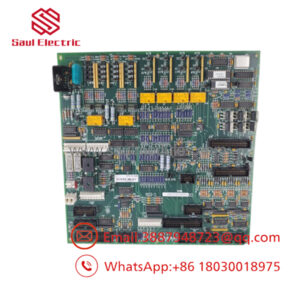
The GE IS220YAICS1A Rev L is a Safety Analog Input I/O Pack designed for the GE Mark VIeS functional safety platform. It acquires critical analog process signals from field instruments and transfers them to the safety controller for continuous monitoring and shutdown logic.
Engineers commonly select this module for gas turbines, steam turbines, power generation, and process industries where SIL-rated safety functions are required. Dual Ethernet communication, onboard diagnostics, and compatibility with redundant safety architectures make it suitable for high-availability installations.
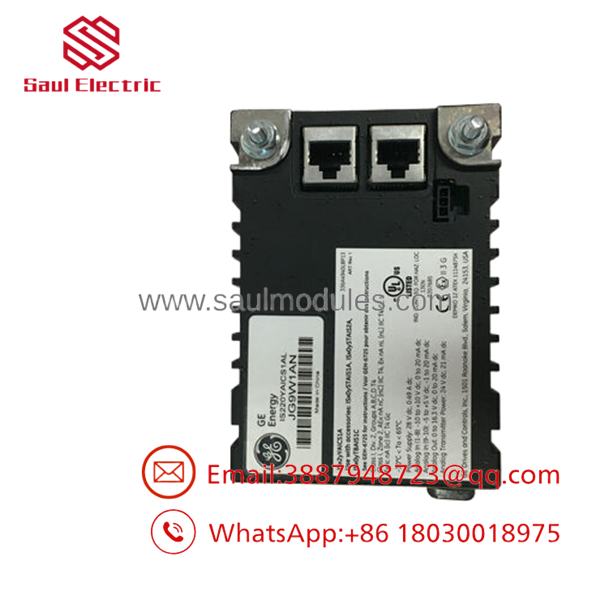
- IS220YAICS1A Rev L
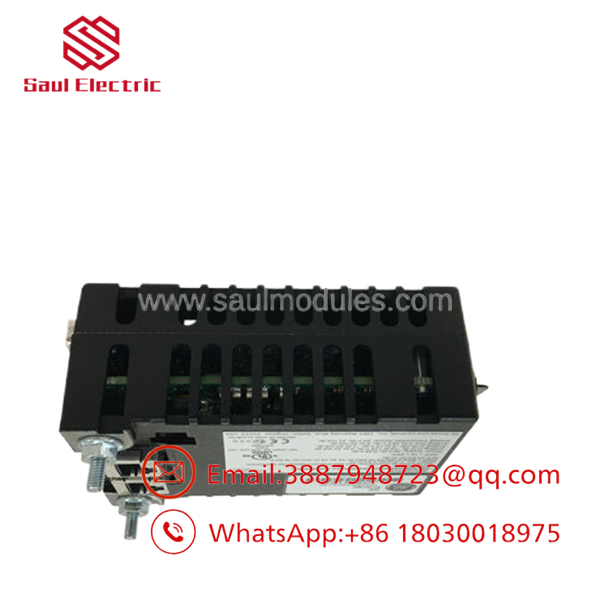
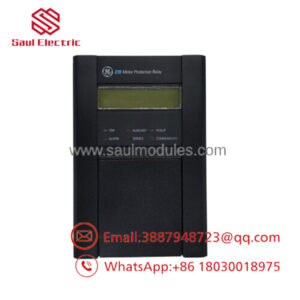
- IS220YAICS1A Rev L
Troubleshooting Quick Reference
| Symptom | Possible Cause | Relevance to this Part | Quick Check Method | Recommendation |
|---|---|---|---|---|
| No LEDs after power-up | Missing 24 V DC supply | ✅ High | Measure 24 V DC at power connector using a calibrated multimeter | Verify power source before replacing module |
| Network LED off | Ethernet cable or switch issue | ✅ High | Test both Ethernet ports and verify switch link status | Replace cable or check network configuration |
| Analog values frozen | Sensor failure or wiring issue | ⚠️ Medium | Measure sensor output directly at terminal board | Verify field transmitter before replacing module |
| Controller reports communication fault | Firmware or network mismatch | ✅ High | Review Mark VIeS diagnostics and firmware revision | Confirm firmware compatibility |
| Intermittent signal loss | Loose terminal connections or noise | ⚠️ Medium | Inspect terminal board, shielding, and grounding | Tighten wiring and inspect cable routing |
| Multiple channel faults | Terminal board or backplane issue | ⚠️ Medium | Test with known-good terminal board | Inspect associated hardware before replacing IO Pack |
Field Tip: In most service calls, external wiring, transmitter failures, or network configuration problems are more common than an actual hardware failure of the IO Pack. Capture controller diagnostics, LED status, and wiring photos before replacing the module.
Frequently Asked Questions (FAQ)
Q1. Is the IS220YAICS1A Rev L compatible with all Mark VIe systems?
It is intended for the GE Mark VIeS functional safety platform. Compatibility depends on the controller revision, terminal board, and firmware version. Always verify the installed hardware revision before ordering.
Q2. Can this module be hot-swapped?
Generally, no. Unless the system documentation specifically permits online replacement, remove system power before replacing the module. Hot-swapping may interrupt safety functions or damage the backplane.
Q3. What does “Rev L” mean?
“Rev L” identifies the hardware revision of the module. Different revisions may contain firmware or hardware improvements while maintaining application compatibility. Verify the required revision for existing installations.
Q4. Is this a new or refurbished product?
Unless otherwise specified, this listing refers to New Original (New Surplus) inventory. Every unit should undergo visual inspection, electrical verification, communication testing, and ESD-safe packaging before shipment.
Q5. Does the module include a warranty?
Most industrial surplus suppliers provide a 12-month warranty covering defects in materials and workmanship. Warranty terms may vary by supplier.
Q6. What should I check before replacing the module?
Document the existing firmware revision, photograph all wiring and DIP switch settings, verify terminal board compatibility, and confirm that the 24 V DC supply and Ethernet network are operating correctly. These checks eliminate most unnecessary replacements.
Q7. Why is surplus inventory often less expensive than buying directly from the OEM?
New surplus inventory typically comes from excess project stock, plant shutdowns, or unused warehouse inventory rather than new production. The hardware has never been placed into service but is available at a lower market price because it is outside the original OEM distribution channel.

 Start Chat


