





Description
Key Technical Specifications
| Parameter | Value / Specification |
|---|---|
| System Architecture | GE Mark VIe Distributed Control System (DCS) |
| Functional Designation | SNUA (Simplex Network Utility Appliance) |
| Hardware Revision | H1A Baseline Configuration |
| Form Factor | 6U Single-Slot VME physical footprint |
| Network Interfaces | Multiple 10/100/1000Base-TX RJ45 ports + SFP Fiber slots |
| Backplane Interconnect | Standard VMEbus interface for control rack communication |
| Time Synchronization | IEEE 1588 PTP (Precision Time Protocol) compliance |
| Data Highway Support | Unit Data Highway (UDH) and I/O Network (IONet) bridging |
| Power Input | Powered directly through the +5 VDC and +12 VDC VME backplane rails |
| Conformal Coating | Heavy-duty industrial-grade coating against particulate settlement |
| Operating Temperature | 0 to 65°C (32 to 149°F) continuous thermal operational rating |
Product Introduction
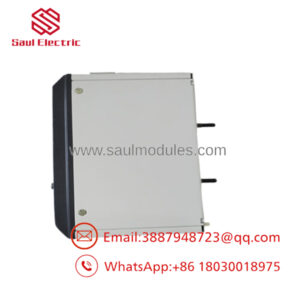
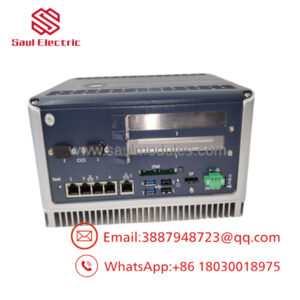
The GE IS430SNUAH1A is a specialized Simplex Network Utility Appliance (SNUA) card designed to manage complex data pathways within the GE Mark VIe Speedtronic turbine control platform. Occupying a single slot in a 6U VME control rack, this module serves as the central communication manager that bridges critical real-time networks like the high-speed I/O Network (IONet) and the peer-to-peer Unit Data Highway (UDH). It ensures that diagnostic telemetry, alarm messaging, and process commands move reliably between control cores and external plant networks.
Equipped with high-performance networking logic, the IS430SNUAH1A handles strict time-synchronization tasks via IEEE 1588 Precision Time Protocol (PTP). This precise time stamping allows the control system to log alarm and trip sequence events down to sub-millisecond resolutions across distributed network nodes. By maintaining a deterministic network architecture, the SNUA card prevents network traffic spikes from delaying critical shutdown commands or sensor feedback packets.
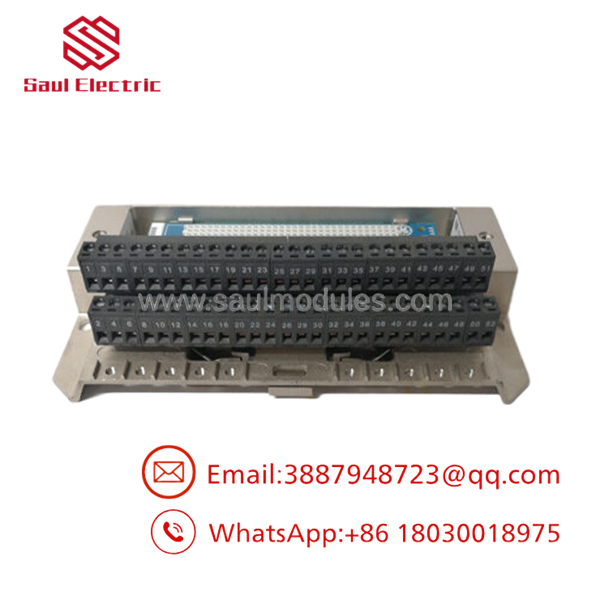
- IS430SNUAH1A
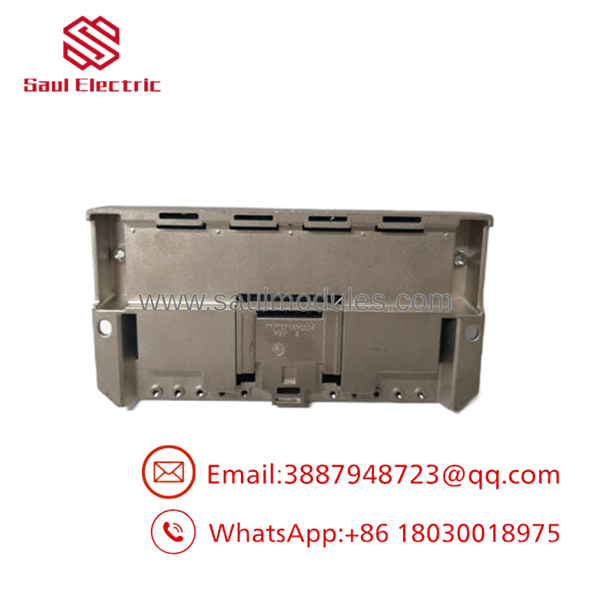
- IS430SNUAH1A
Installation & Configuration Guide
Stage 1: Pre-Installation Preparation (Estimated Time: 15 minutes)
- ⚠️ Safety First: The SNUA module manages critical network data streams across the control framework. Never remove or insert this card while the VME backplane is energized. Bring the turbine process to a verified safe state, isolate auxiliary data paths, and execute a complete lock out/tag out (LOTO) on the master rack power breaker feeding the target card cage.
- Tools Required: Grounded anti-static prevention wrist strap, medium flathead screwdriver, laptop running the specific version of ControlST or ToolboxST matching the plant baseline.
- Data Backup: Log into ToolboxST and export the existing network routing tables, IP address assignments, and MAC-to-node configurations mapped to this specific network utility appliance slot.
Stage 2: Removing the Old Module (Estimated Time: 5 minutes)
- Affix your anti-static wrist strap to a verified structural grounding point on the enclosure frame.
- Carefully label each network patch cord and fiber-optic module connected to the front ports. Unplug the RJ45 connectors and unlatch the SFP fiber cages gently.
- Loosen the upper and lower faceplate retaining screws using your flathead screwdriver.
- Grasp the top and bottom injector/ejector handles on the card face. Pull them outward simultaneously to disengage the card from the high-density rear VME pins.
- Slide the module straight out of the slot along the guide tracks. Place the board inside an ESD protective shield bag.
Stage 3: Installing the New Module (Estimated Time: 10 minutes)
- Extract the new IS430SNUAH1A card from its anti-static packaging.
- ⚠️ Pin Inspection: Inspect the rear edge connector array to ensure all pins are perfectly aligned, unbent, and free of dust or oxidation before inserting the card.
- Slide the card smoothly into the designated single-slot guide tracks until the faceplate ejector levers touch the frame.
- Press both ejector handles inward firmly until they lock flush, fully seating the module into the backplane connectors.
- Secure the upper and lower faceplate retaining screws, and reconnect the labeled RJ45 and fiber-optic cables to their original ports.
Stage 4: Power-On & Testing (Estimated Time: 20 minutes)
- Re-energize the VME control rack power supply.
- Monitor the diagnostic status LEDs on the module faceplate during its initialization sequence:
- Power must illuminate solid green.
- Link/Act indicators on connected ports should display high-frequency flashing activity.
- ⚠️ Troubleshooting: If a solid red Fault or Diag LED remains on after 2 minutes, check for a network IP configuration mismatch or an initialization error within the project software.
- Connect your laptop via the ToolboxST network interface utility. Locate the new SNUA card, match its electronic identifier string with the project design, and download the saved network routing and IP configuration parameters to restore full communication bridging.
Frequently Asked Questions (FAQ)
Can I hot-swap the IS430SNUAH1A while the turbine control system is live?
No, you cannot hot-swap the SNUA card. Because this is a simplex utility appliance module, extracting the card while the rack is powered instantly breaks the communication bridge between the master control processors and adjacent network segments. This sudden loss of data routing will cause communication drops, network tracking timeouts, and an immediate emergency turbine trip sequence.
What should I check if the network link lights fail to illuminate after a swap?
If the port link lights remain dark, first verify that the module is completely seated in the VME slot and that the ejector handles are fully locked inward. Next, check for a mismatch in transmission speeds or port configurations (such as auto-negotiation settings) inside ToolboxST. Finally, verify that your fiber-optic SFP transceivers match the wave speed and media type specifications required by the new board revision.
Does this board require its own independent firmware version upgrade?
Yes, the network utility logic on the SNUA card relies on embedded firmware that must align precisely with the version of the ControlST software suite deployed across the rest of the Mark VIe platform. When you connect to the new card using ToolboxST, the software will automatically scan the board and prompt you to run a firmware update if a version mismatch is detected between the card and your project baseline.
What is the role of the IEEE 1588 protocol on this specific module?
The uses the IEEE 1588 Precision Time Protocol (PTP) to act as a highly accurate clock coordinator for the distributed control network. It distributes precise time-synchronization packets across the IONet structure, ensuring that all connected I/O packs, controllers, and sequence-of-events (SOE) logs share an identical time master down to the sub-millisecond level.
Why is this card labeled as a “Simplex” appliance?
The “Simplex” designation means that the card operates as a single, distinct network routing node without built-in internal hardware duplication on the physical board itself. In high-availability Mark VIe architectures, network redundancy is achieved by deploying multiple parallel, independent simplex SNUA cards across separate VME rack cages, rather than relying on a single dual-channel module.

 Start Chat


