





Description
Key Technical Specifications
| Parameter | Value |
|---|---|
| Brand | GE |
| Model | PQMII-T20-C-A |
| Series | Multilin PQM II |
| Product Type | Power quality meter |
| Primary Use | Electrical monitoring and analysis |
| Measurement Scope | Voltage, current, power, energy, frequency |
| Harmonic Capability | Harmonic analysis and event logging |
| Communications | Two rear RS-485 ports; front RS-232; protocol options vary by build |
| Outputs / I/O | Analog outputs, relay outputs, and switch inputs by configuration |
| Mounting | Panel mount |
| Condition | New Surplus, original OEM inventory |
| Lifecycle Status | Obsolete / EOL |
| Procurement Priority | Critical for uptime and replacement planning |
Product Introduction & Supply Chain Strategy
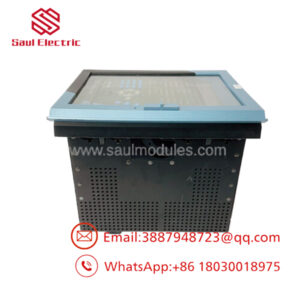
GE PQMII-T20-C-A is a power quality meter used to monitor and analyze electrical systems in industrial and utility environments. It supports three-phase power visibility, energy monitoring, event logging, and integration into plant automation and SCADA architectures.
Buying this as New Surplus is the right supply-chain move when installed sites still depend on the platform. It lowers Total Cost of Ownership, reduces lead time variability risk, and avoids the hidden failure exposure that comes with uncertain repaired supply.
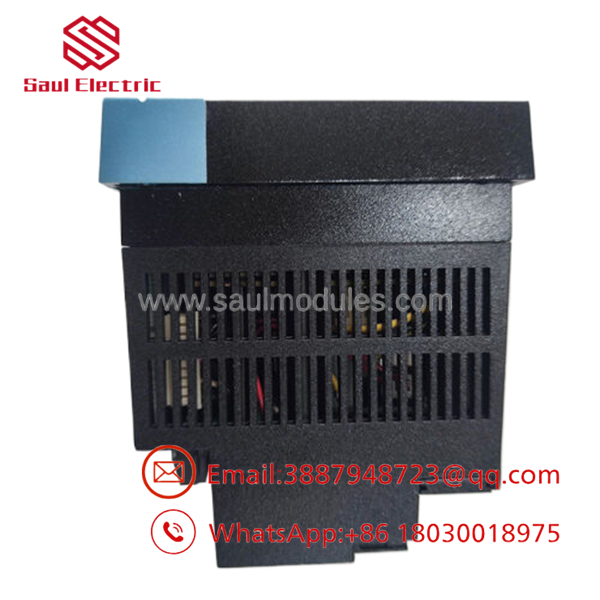
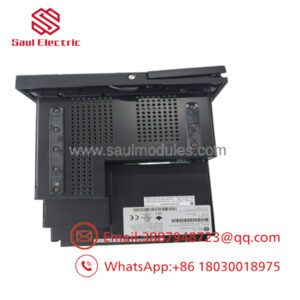
- PQMII-T20-C-A
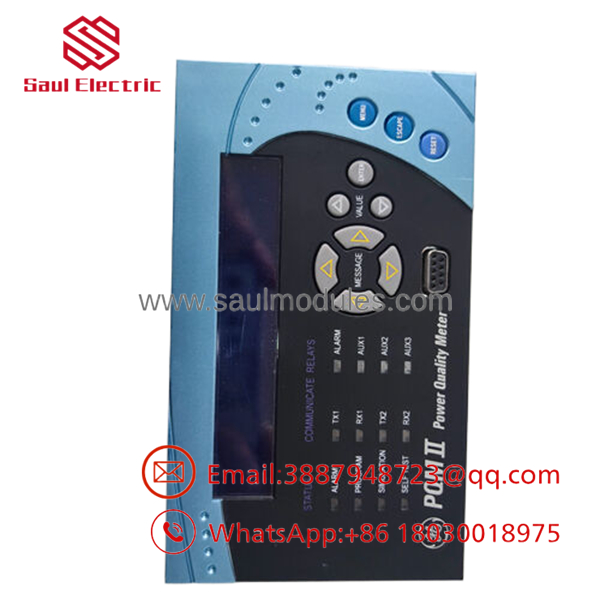
- PQMII-T20-C-A
Installation & Configuration Guide
Stage 1: Pre-Installation
Perform lock-out/tag-out before opening the cabinet or touching wiring. Use an ESD strap, insulated tools, and a camera to document terminal wiring, communication settings, and any option-module configuration. Confirm the replacement part number and suffix before unpacking the unit.
Stage 2: Removal
Verify the circuit is fully de-energized with a meter before removal. Disconnect wiring carefully and label each conductor if the panel documentation is incomplete. Remove the meter straight out of the panel to avoid damaging terminals, connectors, or adjacent devices.
Stage 3: Installation
Match CT ratios, voltage inputs, relay assignments, and communication parameters to the removed unit. Reinstall the meter evenly, tighten the mounting hardware, and land each conductor exactly as documented. Replicate the original configuration before power-up.
Stage 4: Power-On & Testing
Energize the circuit and confirm the display comes up normally. Check measured voltage, current, and alarm status, then verify RS-485 or RS-232 communications to the host system. Validate event logging, outputs, and any logic dependencies before returning the asset to service.
Firmware/Software Versions & Upgrade Notes
The exact firmware version should be matched to the installed site standard before replacement. Version drift can affect communications, scaling, event handling, or compatibility with existing supervisory systems.
Do not upgrade or downgrade firmware during a hardware swap unless the maintenance plan requires it. The safest approach is to preserve the running configuration and change only what is necessary to restore service.
Frequently Asked Questions
Q: Is PQMII-T20-C-A really new surplus?
Yes, the procurement target should be New Surplus original inventory. That gives you OEM-origin hardware without the higher risk profile of repaired stock.
Q: Why is it cheaper than factory new but not as cheap as repaired supply?
Because New Surplus comes from excess inventory, not from repair channels. You pay less than list pricing, but you still get traceability, testing, and better reliability.
Q: Is this part obsolete?
Yes, it should be treated as an EOL or at-risk spare. For critical applications, keep buffer stock and plan a last-time-buy if the installed base is still active.
Q: Can I hot-swap it?
Do not assume hot-swap capability unless the system documentation explicitly allows it. For a meter replacement, controlled shutdown and restart are the safer maintenance method.
Q: Will the settings be retained?
Not automatically. Always back up the configuration, record CT and VT ratios, and document relay and communications settings before removal.
Q: What warranty should I expect?
Warranty depends on supplier traceability and lot condition, but New Surplus generally carries stronger terms than repaired supply. The key procurement concern is documented QC and verifiable serial traceability.

 Start Chat


