





Description
Key Technical Specifications
| Parameter | Value |
|---|---|
| Manufacturer | GE Multilin |
| Model | UR6DH (UR-6DH) |
| Product Type | Digital I/O Module |
| Series | UR Universal Relay Family |
| Digital Inputs | 16 Contact Inputs |
| Output Type | Form-C Relay Outputs |
| Configuration Software | EnerVista™ UR |
| Installation | Plug-in module for UR relay chassis |
| Communication | Managed through host UR relay |
| Approximate Weight | 1.1–1.4 kg (2.5–3.0 lb) |
| Typical Applications | Generator, Transformer, Motor, Feeder, Bus Protection |
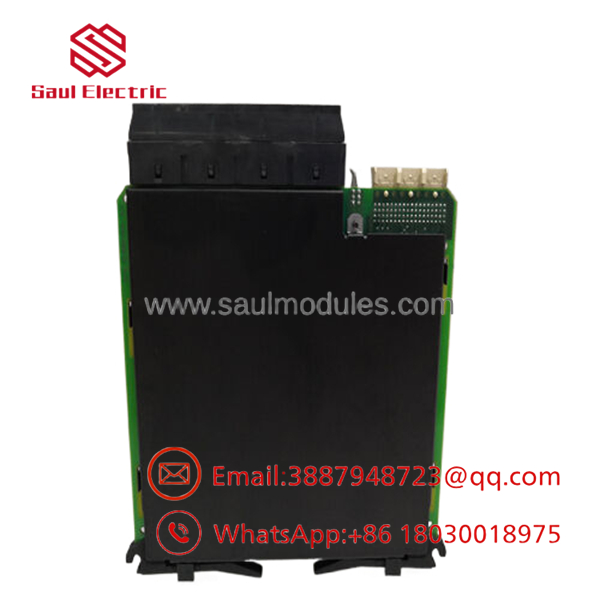
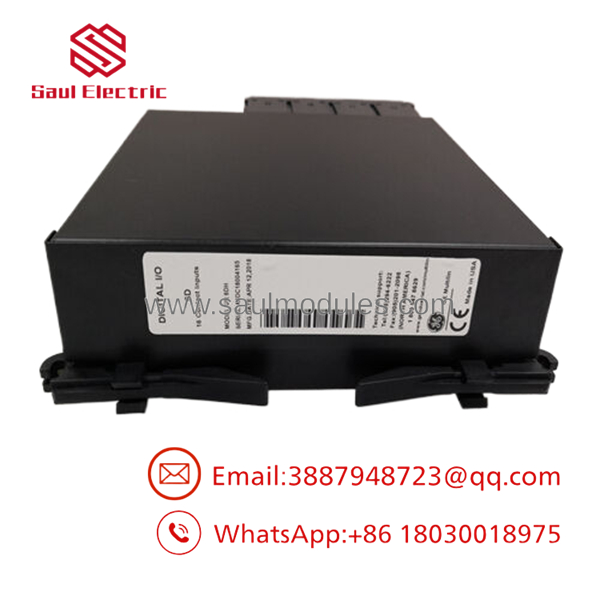
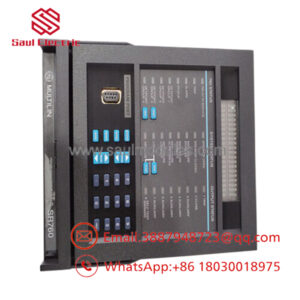
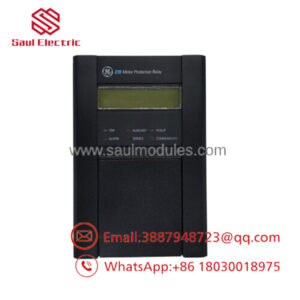
The UR6DH is a plug-in Digital I/O module for the GE Multilin UR Universal Relay platform. It expands the relay’s digital input/output capability with 16 contact inputs and Form-C relay outputs, allowing integration with breakers, alarms, interlocks, and other auxiliary equipment.
Product Introduction
The GE UR6DH is a Digital Input/Output Expansion Module designed for the Multilin UR Universal Relay family. Installed inside a UR relay chassis, it extends the relay’s digital interface capacity for protection, control, automation, and annunciation applications. The module enables communication with external equipment such as circuit breakers, disconnect switches, alarm circuits, and control devices while reducing the need for additional hardwired logic.
The module is fully configurable through EnerVista™ UR software, allowing engineers to assign programmable logic, digital inputs, and output functions to meet application-specific requirements. The UR platform’s modular architecture allows the UR6DH to be installed as a replacement module or as an expansion option for existing Universal Relay installations.
Troubleshooting Quick Reference
| Symptom | Possible Cause | Relevance | Quick Check | Recommendation |
|---|---|---|---|---|
| Digital inputs not responding | Incorrect field wiring | ✅ High | Measure input voltage and continuity | Verify wiring and terminal assignments |
| Output contacts fail to operate | Relay output configuration error | ✅ High | Test outputs using EnerVista diagnostics | Confirm output mapping and logic |
| Module not recognized | Improper installation | ✅ High | Reseat the module and inspect connectors | Reinstall module and reboot relay |
| False input indications | Electrical noise or grounding issue | ⚠️ Medium | Inspect cable shielding and grounding | Improve grounding and cable routing |
| Communication/configuration issues | Incorrect EnerVista settings | ⚠️ Medium | Compare relay configuration with backup | Restore the correct configuration |
| Self-test or hardware alarm | Internal module fault | ✅ High | Review relay diagnostics | Replace module after confirming wiring and power |
Field Tip: Most UR6DH issues are caused by incorrect wiring, configuration changes, or external control circuit problems rather than module failure. Before replacing the module, save the existing relay settings with EnerVista UR, verify all field wiring, and review the relay event records.
- UR6DH
Frequently Asked Questions (FAQ)
Q1. What is the primary function of the ?
The expands the digital input and output capability of a GE Multilin UR Universal Relay, enabling the relay to interface with external control and protection equipment.
Q2. How many digital inputs does the provide?
The provides 16 digital contact inputs for monitoring external devices and process status.
Q3. Which software is used to configure the module?
The module is configured through EnerVista™ UR, which allows users to program digital I/O functions, FlexLogic™, and relay settings.
Q4. Can the be replaced while the relay is energized?
No. The is not hot-swappable. Remove relay control power and follow ESD protection procedures before installing or replacing the module.
Q5. Is this product supplied as new or refurbished?
Unless otherwise specified, this listing refers to New Original (New Surplus) inventory. Every module should undergo visual inspection, identification verification, connector inspection, and ESD-safe packaging before shipment.
Q6. What inspections should be completed before shipment?
Recommended quality inspections include:
- OEM part number verification
- Visual inspection for damage or corrosion
- Connector and contact inspection
- Functional I/O verification
- Compatibility confirmation with the UR relay platform
- ESD-safe packaging with QC documentation
Q7. What is the most common installation mistake?
The most common mistake is installing the module without updating or restoring the EnerVista UR configuration. Before replacing the , back up the relay settings, document all digital I/O assignments, and verify the required Form-C output configuration to minimize commissioning time and prevent incorrect control logic.

 Start Chat


