





Description
Key Technical Specifications
| Parameter | Value |
|---|---|
| Manufacturer | GE Intelligent Platforms / VMIC |
| Model | VMIVME-7750-746000 |
| Product Type | VME/VME64 Single Board Computer |
| Processor | Intel Pentium III, up to 1.26 GHz |
| System Memory | Up to 512 MB PC133 SDRAM |
| Bus Interface | ANSI/IEEE VME64 with Tundra Universe II bridge |
| Expansion | One 66 MHz PMC (PCI Mezzanine Card) slot |
| Ethernet | Integrated 10/100Base-T Ethernet |
| Serial Interfaces | Two 16550-compatible serial ports |
| Storage | IDE interface with Flash/CompactFlash support (configuration dependent) |
| Graphics | Integrated SVGA controller with display memory |
| Form Factor | 6U VME Single Board Computer |
| Operating System Support | Windows, Linux, VxWorks, QNX and other embedded operating systems (configuration dependent) |
Product Introduction & Supply Chain Strategy
The GE VMIVME-7750-746000 is a high-performance VME single board computer designed for industrial automation, defense systems, data acquisition, and legacy process control platforms requiring deterministic processing and long-term hardware stability. It combines Intel x86 processing with VME64 architecture for demanding embedded applications.
This product is a Brand New Surplus unit. It is not used, not pulled from a decommissioned plant, and not refurbished. All modules undergo rigorous quality verification to ensure OEM-level reliability. Since the VMIVME-7750 family entered its Restricted Production Phase, maintaining 1–2 units of buffer stock and planning a last-time-buy strategy help reduce lead time variability, avoid production interruptions, and lower Total Cost of Ownership (TCO). Purchasing New Surplus inventory also eliminates the reliability concerns commonly associated with refurbished electronics.
Installation & Configuration Guide
Stage 1: Pre-Installation (Prep & Safety)
- Apply Lock-Out/Tag-Out (LOTO) procedures.
- Shut down the VME chassis completely.
- Wear a grounded ESD wrist strap.
- Photograph:
- Jumper and DIP switch settings
- Boot configuration
- Front-panel connections
- VME slot location
- Record:
- BIOS version
- Operating system version
- Network configuration
- Boot device settings
Stage 2: Removal
- Disconnect all external cables.
- Release both ejector handles evenly.
- Remove the board straight along the VME card guides.
- Inspect the backplane connectors for bent pins or contamination.
Stage 3: Installation (Clone & Seat)
- Replicate every jumper and BIOS configuration exactly.
- Install the replacement board into the original slot.
- Fully engage both ejector handles.
- Reconnect Ethernet, serial, display, keyboard, and storage interfaces.
- Verify adequate chassis airflow and power capacity.
Stage 4: Power-On & Testing
- Verify all VME power rails before startup.
- Confirm successful POST diagnostics.
- Verify memory recognition and storage detection.
- Test Ethernet communication.
- Boot the operating system.
- Validate application software, VME communication, and peripheral interfaces before returning the equipment to service.
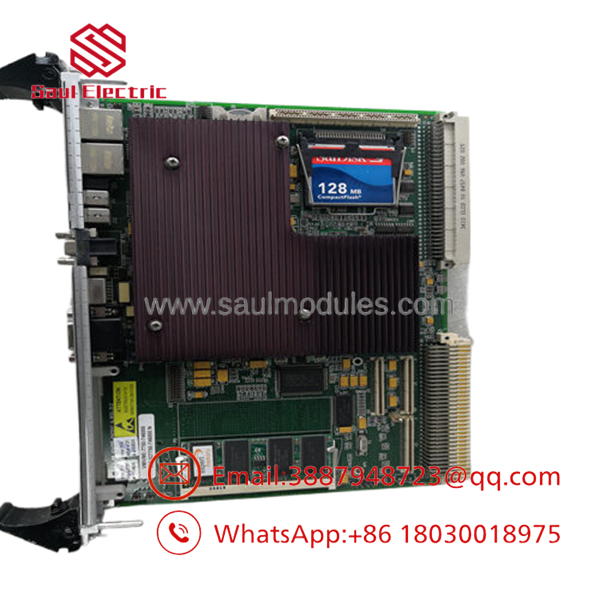
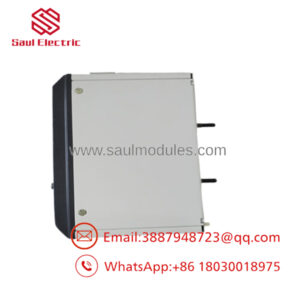
- VMIVME-7750-746000
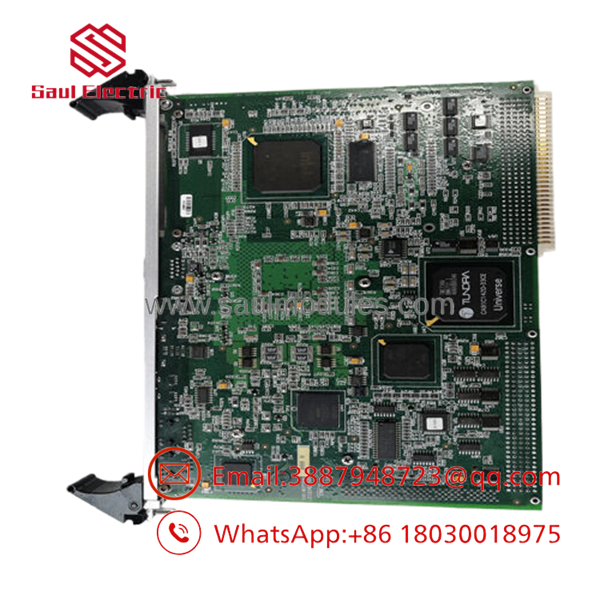
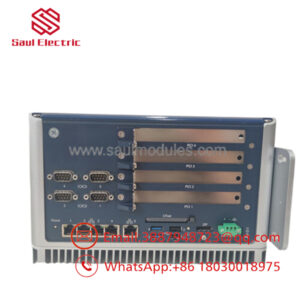
- VMIVME-7750-746000
Firmware/Software Versions & Upgrade Notes
- Record the existing BIOS and firmware revisions before replacing the board.
- Install the same BIOS version whenever practical to preserve compatibility with legacy operating systems and VME drivers.
- Verify compatibility between BIOS, board support packages (BSPs), VME drivers, and application software before upgrading.
- Upgrading firmware during an emergency replacement may alter hardware initialization or interrupt legacy software support.
- Downgrading firmware without validating board revision compatibility can introduce boot or peripheral issues.
- Back up BIOS settings, operating system images, network parameters, and application files before maintenance to accelerate recovery.
Frequently Asked Questions (FAQ)
Q1. Is this board genuinely new?
Yes. This is a New Original / New Surplus board. It is not used, repaired, or refurbished. Every unit undergoes OEM serial verification, functional testing, electrical inspection, firmware documentation, and ESD-safe packaging before shipment.
Q2. Why is New Surplus priced below OEM factory supply but above refurbished products?
Our pricing reflects the cost of sourcing genuine New Surplus inventory worldwide. It is typically 20–30% higher than refurbished alternatives but substantially lower than many OEM replacement prices while avoiding hidden component aging, previous operating stress, and uncertain repair history.
Q3. Is the VMIVME-7750-746000 obsolete?
The platform has entered the Restricted Production Phase (RPP), making long-term availability increasingly limited. Plants operating these systems should maintain 1–2 spare units, monitor lifecycle status, consolidate approved vendors, and execute a planned last-time-buy before inventory becomes scarce.
Q4. Can this board be hot-swapped?
No. Hot-swapping is not recommended. Always shut down the VME chassis according to plant maintenance procedures before replacing the processor board to prevent backplane damage or operating system corruption.
Q5. Will replacing the board erase my application?
Application software typically resides on local storage or network media. However, BIOS settings, boot configuration, operating system images, and hardware resource assignments should be documented and restored to ensure successful commissioning.
Q6. What quality verification is completed before shipment?
Each New Surplus board follows a documented quality process including:
- OEM serial number traceability
- Anti-counterfeit verification
- Power-on diagnostics
- Memory testing
- Ethernet communication verification
- BIOS documentation
- Electrical insulation and continuity checks
- QC inspector approval
- ESD-safe packaging
- Heavy-duty export shipping preparation
Q7. What inventory strategy provides the lowest Total Cost of Ownership (TCO)?
For facilities operating legacy VME platforms, maintain 1–2 on-site spare boards as an insurance policy against unexpected failures. Combine buffer stock with lifecycle monitoring, vendor consolidation, cross-site inventory sharing, and planned last-time-buy purchases to reduce lead time variability, prevent stock-outs, minimize obsolescence risk, and achieve a lower Total Cost of Ownership (TCO).

 Start Chat


