





Description
Key Technical Specifications
- Product Type: Single board computer.
- Bus Standard: VMEbus.
- Form Factor: 6U, single-slot.
- Processor: Intel Pentium III class.
- Memory: Up to 512 MB synchronous DRAM.
- Graphics: 64-bit AGP SVGA video accelerator.
- Clock/Calendar: Battery-backed real-time clock/calendar.
- Front Panel: Reset switch and mini speaker.
- Use Case: Industrial control, legacy embedded systems, and VME-based automation platforms.
- Availability: Limited, typically surplus or refurbished.
Product Introduction
The GE VMIVME7740-841 is a legacy VMEbus single board computer used in older industrial control and embedded automation systems. It brings a Pentium III class processor into a 6U VME slot and is commonly kept as a spare for installed GE/VMIC racks.
This board is chosen to preserve an existing platform rather than redesign the control system. The practical value is compatibility with legacy software and rack architecture, but exact memory, boot media, and peripheral support should still be verified against the installed system before ordering a replacement.
Installation & Configuration Guide
Stage 1: Pre-Installation Preparation
Time estimate: 5-8 minutes.
- ⚠️ Safety First: Notify operations of downtime, verify safe state, lock out/tag out power, and wait at least 5 minutes for capacitor discharge.
- Gather tools: ESD strap, PH1 screwdriver, multimeter, wire labels, and a smartphone for photos.
- Back up the system image, document the boot media, record BIOS or setup settings if accessible, and photograph all jumper or switch positions.
- Verify the replacement board is the exact VMIVME7740-841 before opening the package.
Stage 2: Removing the Old Module
Time estimate: 5 minutes.
- Remove the front bezel or rack access cover.
- Label and disconnect any attached cables carefully; do not force connectors.
- Release the VME locking hardware and pull the board straight out to protect the backplane pins.
- Inspect the backplane connector area for bent pins, contamination, or signs of overheating.
- ⚠️ Note: Keep the old module until the replacement boots and passes all checks.
Stage 3: Installing the New Module
Time estimate: 8-10 minutes.
- Put on the ESD strap and confirm the model number matches the removed unit.
- Configuration clone is critical: duplicate jumper, switch, disk, and boot settings from the old board photos.
- Insert the board evenly into the slot until fully seated.
- Reconnect all cables and verify the original routing and shielding.
- Check the self-list: [] settings match, [] wiring secured, [] board seated, [] rack lock engaged.
Stage 4: Power-On & Testing
Time estimate: 8-12 minutes.
- Pre-power check: use a multimeter to check for shorts on the supply and field wiring tied to the rack.
- Power up the rack first, not the external loads.
- Watch the board LEDs or display indicators if present; any fault state means stop and inspect.
- Connect the maintenance console and verify boot sequence, BIOS access, and system recognition.
- Confirm application startup, storage access, and any network or serial ports used by the host system.
- ⚠️ Troubleshooting Note: If the board does not boot, check memory seating, boot media, BIOS settings, and slot seating before assuming a board failure.
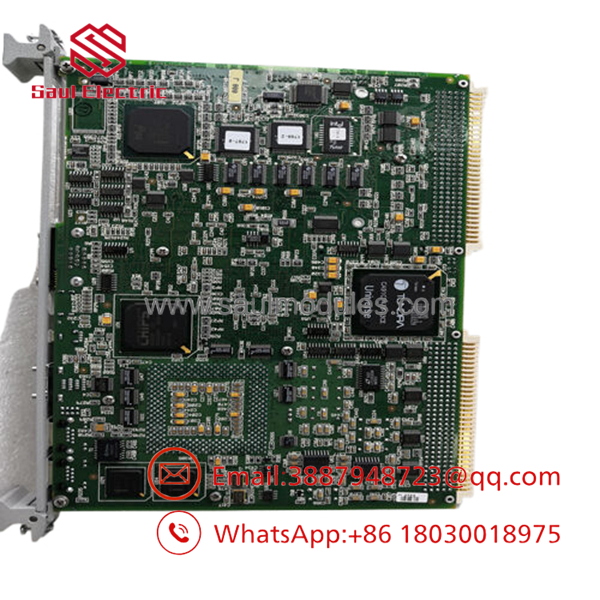
- VMIVME7740-841
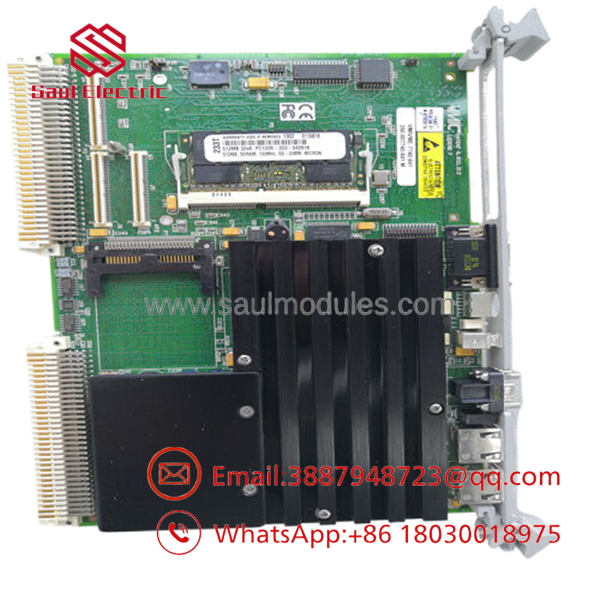
- VMIVME7740-841
Frequently Asked Questions
Can this board be hot-swapped under power?
No. Treat it as a powered-down replacement unless the exact rack documentation explicitly allows live insertion or removal. On a legacy VME CPU board, hot-swapping is a good way to create a bigger outage.
Is the VMIVME7740-841 obsolete?
Yes, it is a legacy part and stock is usually limited. In practice, buyers are looking at surplus or refurbished units, not current factory production.
What is the direct replacement if this board is unavailable?
There usually is not a drop-in generic substitute. The replacement has to match the VME form factor, processor support, BIOS/boot behavior, and system software expectations. Verify that before you promise the plant a quick swap.
Will I lose my programming when I replace the module?
That depends on how the system stores its application. If the software lives on removable media or a remote host, probably not; if it is local to the board, back it up first. Do not assume the image will just move itself.
Why is your price lower than OEM list price?
Because this part is commonly sourced as surplus or refurbished stock rather than fresh OEM production. That is normal for discontinued VME hardware, but test status and warranty still matter.
What condition should I expect?
Most available units are new surplus or refurbished tested. Ask for board photos, test confirmation, and packing details before release.
What is the most common installation mistake?
Skipping the BIOS, boot-media, and jumper photo step before removal. I have seen that turn a simple replacement into a long night of troubleshooting.

 Start Chat


